
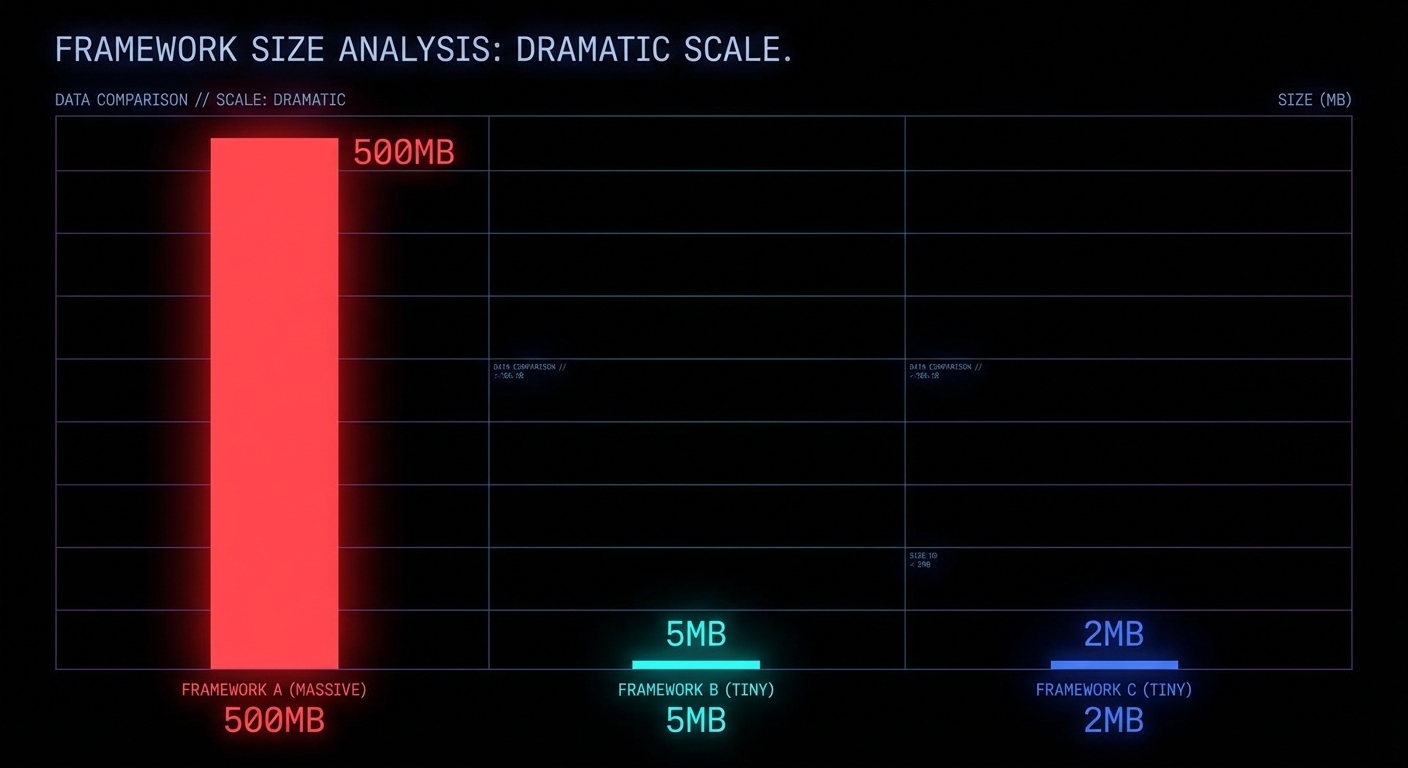
Electron apps ship 200MB of Chromium so your Slack can use 600MB of RAM to show you chat messages. Tauri fixes the size problem but demands you learn Rust. Electrobun offers a third path: 12MB desktop apps, pure TypeScript, native webview, sub-50ms startup, and a security model that actually thinks about process isolation from the ground up. If you are building internal tools, lightweight utilities, or anything that does not need to bundle an entire browser engine, this is worth understanding.
What Electrobun Actually Is
Electrobun is a desktop app framework built on Bun as the backend runtime, with native bindings written in C++, Objective-C, and Zig. Instead of bundling Chromium, it uses the system’s native webview (WebKit on macOS, WebView2 on Windows, WebKitGTK on Linux), with an optional CEF (Chromium Embedded Framework) escape hatch if you genuinely need cross-platform rendering consistency. The architecture is a thin Zig launcher binary that boots a Bun process, which creates a web worker for your application code and initialises the native GUI event loop via FFI.
“Build cross-platform desktop applications with TypeScript that are incredibly small and blazingly fast. Electrobun combines the power of native bindings with Bun’s runtime for unprecedented performance.” — Electrobun Documentation
The result: self-extracting bundles around 12-14MB (most of which is the Bun runtime itself), startup under 50 milliseconds, and differential updates as small as 14KB using bsdiff. You distribute via a static file host like S3, no update server infrastructure required.
The Security Architecture: Process Isolation Done Right
This is where Electrobun makes its most interesting architectural decision. The framework implements Out-Of-Process IFrames (OOPIF) from scratch. Each <electrobun-webview> tag runs in its own isolated process, not an iframe sharing the parent’s process, not a Chromium webview tag (which was deprecated and scheduled for removal). A genuine, separate OS process with its own memory space and crash boundary.
This gives you three security properties that matter:
1. Process isolation. Content in one webview cannot access the memory, DOM, or state of another. If a webview crashes, it does not take the application down. If a webview loads malicious content, it cannot reach into the host process. This is the same security model that Chrome uses between tabs, but applied at the webview level inside your desktop app.
2. Sandbox mode for untrusted content. Any webview can be placed into sandbox mode, which completely disables RPC communication between the webview and your application code. No messages in, no messages out. The webview can still navigate and emit events, but it has zero access to your application’s APIs, file system, or Bun process. This is the correct default for loading any third-party content: assume hostile, prove otherwise.
<!-- Sandboxed: no RPC, no API access, no application interaction -->
<electrobun-webview
  src="https://untrusted-third-party.com"
  sandbox
  style="width: 100%; height: 400px;">
</electrobun-webview>

<!-- Trusted: full RPC and API access to your Bun process -->
<electrobun-webview
  src="views://settings/index.html"
  style="width: 100%; height: 400px;">
</electrobun-webview>
3. Typed RPC with explicit boundaries. Communication between the Bun main process and browser views uses a typed RPC system. Functions can be called across process boundaries and return values to the caller, but only when explicitly configured. Unlike Electron’s ipcMain/ipcRenderer pattern (which historically shipped with nodeIntegration: true by default, giving webviews full Node.js access), Electrobun’s RPC is opt-in per view and disabled entirely in sandbox mode.
“Complete separation between host and embedded content. Each webview runs in its own isolated process, preventing cross-contamination.” — Electrobun Documentation, Webview Tag Architecture
Where Electrobun Fits: The Use Cases
Internal enterprise tools. Dashboard viewers, log tailing UIs, config management panels. Things that need to be installed, run natively, and talk to local services. A 12MB installer that starts in under a second versus a 200MB Electron blob that takes three seconds to paint. For tooling that dozens or hundreds of employees install, the bandwidth and disk savings compound fast.
Lightweight utilities and tray apps. System tray applications, clipboard managers, quick-launchers, notification hubs. Electrobun ships with native tray, context menu, and application menu APIs. The low memory footprint makes it viable for always-running background utilities where Electron’s 150MB idle RAM cost is unacceptable.
Embedded webview hosts that load untrusted content. Any application that needs to embed third-party web content, browser panels, OAuth flows, embedded documentation, benefits from the OOPIF sandbox. The explicit sandbox mode with zero RPC is architecturally cleaner than Electron’s security patching history of gradually restricting what was originally too permissive.
Rapid prototyping for native-feel apps. If your team already writes TypeScript, the learning curve is close to zero. No Rust (unlike Tauri), no C++ (unlike Qt), no Java (unlike JavaFX). The bunx electrobun init scaffolding gets you to a running window in under a minute.
What to Know Before You Ship
- Webview rendering varies by platform. WebKit on macOS, WebView2 on Windows, WebKitGTK on Linux. If you need pixel-identical cross-platform rendering, you will need the optional CEF bundle, which increases size significantly. Test on all three platforms before shipping.
- The project is young. Electrobun is under active development. Evaluate the GitHub issue tracker and release cadence before betting production workloads on it. The architecture is sound, but ecosystem maturity is not at Electron’s level yet.
- Code signing and notarisation are built in. Electrobun automatically handles macOS code signing and Apple notarisation if you provide credentials, which is a genuine quality-of-life win that many frameworks leave as an exercise for the developer.
- The update mechanism is a competitive advantage. 14KB differential updates via bsdiff, hosted on a static S3 bucket behind CloudFront. No update server, no Squirrel, no electron-updater complexity. For teams that ship frequently, this alone might justify the switch.
nJoy 😉
Video Attribution
This article expands on concepts discussed in “Electrobun Gives You 12MB Desktop Apps in Pure TypeScript” by KTG Analysis.