Quantization Explained: Running 70B Models on Consumer Hardware

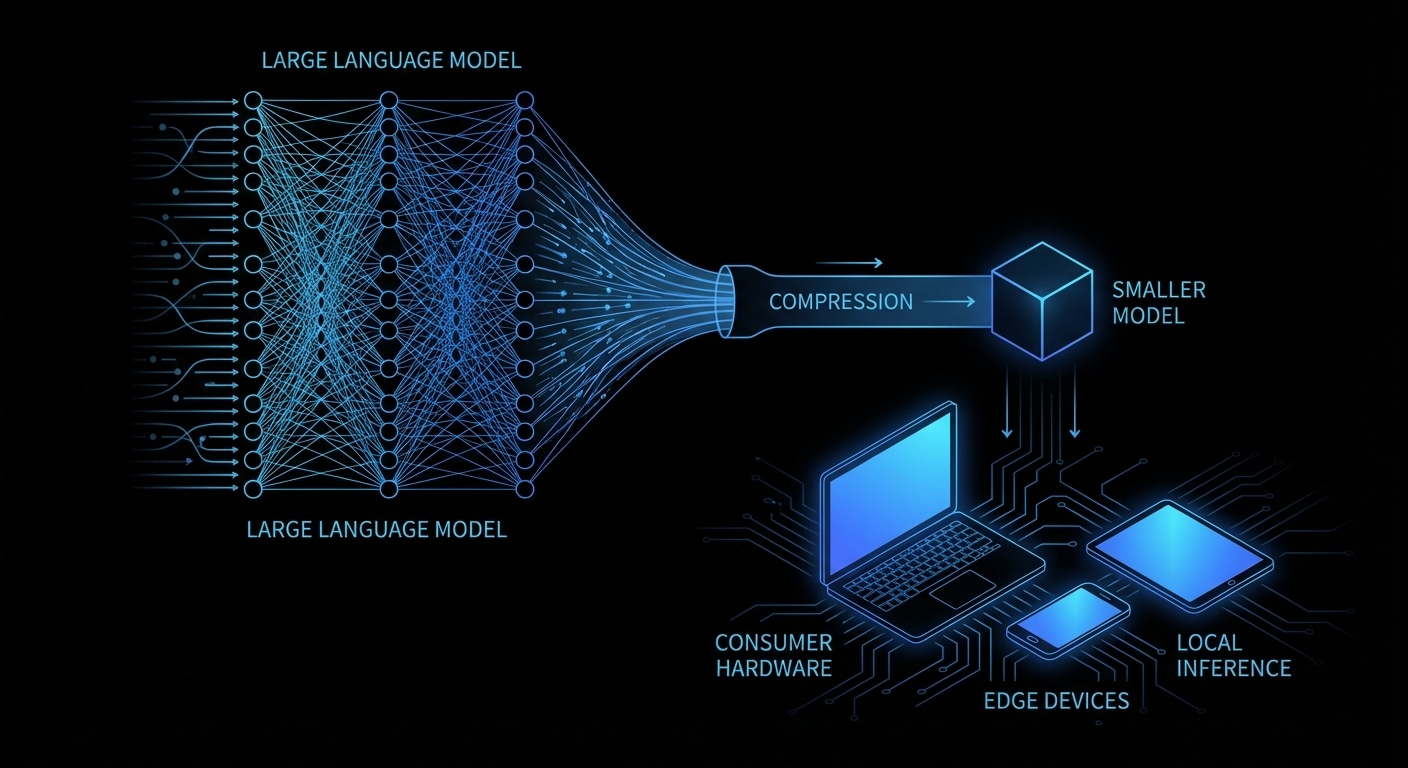
A 70B model in full 16-bit precision needs about 140 GB of VRAM. Almost no consumer card has that. Quantization reduces the bit width of the weights (and sometimes activations) so the same model fits in far less memory and runs faster. 8-bit cuts memory in half with a small quality drop; 4-bit (e.g. GPTQ, AWQ, or GGUF Q4_K_M) gets you to roughly a quarter of the size, so a 70B model can run on a 24 GB GPU or a high-end Mac. You’re trading a bit of numerical precision for accessibility.

The math is simple in principle: map float16 weights to a small set of integers (e.g. 0–15 for 4-bit), store those, and at runtime dequantize on the fly or use integer kernels. The art is in how you choose the mapping, per-tensor, per-group, or per-channel, and whether you calibrate on data (GPTQ, AWQ) to minimise error where it matters most. GGUF is a file format that stores quantized weights and metadata so that llama.cpp and others can load them without re-running the quantizer.

In practice you download a pre-quantized model (e.g. from Hugging Face), load it in vLLM, Ollama, or llama.cpp, and run. You might see a small drop in coherence or reasoning on hard tasks; for most chat and tool use it’s fine.

New formats and methods (e.g. 3-bit, mixed precision) will keep pushing the frontier. If you’re on a single machine, quantization is what makes 70B and beyond possible. If you’re in the cloud, it’s what makes those models cheap to serve.

Quantization is the key that unlocked running 70B and larger models on consumer hardware; the next step is making those quantized models even faster and more accurate.

nJoy πŸ˜‰

Continuous Batching: Why Your AI API Is Faster Than You Think

Traditional batch inference works like a bus: you wait until every passenger (request) is ready, then you run one big forward pass. When requests have different lengths or finish at different times, the bus still waits for the slowest. That wastes GPU time and inflates latency. Continuous batching fixes that by treating the batch as fluid: new requests join as soon as there’s room, and requests leave as soon as they’ve produced their next token. So at each step you’re decoding for a set of “active” sequences, not a fixed batch. Throughput goes up and tail latency goes down.

Under the hood, the server maintains a batch of in-flight sequences. Each step: run one decode for every sequence in the batch, append the new token to each, check for EOS or stop conditions, remove finished sequences, and add new ones from the queue. The batch shape changes every step. That requires dynamic shapes and careful memory handling, which is where PagedAttention and similar schemes help. vLLM and TGI both use continuous batching; it’s a big reason they can serve many users at once without turning into a queue.

For you as a user of an API, it means the server isn’t waiting for other people’s long answers before starting yours. For you as an operator, it means the GPU stays busy and you can set tighter latency targets.

The only downside is implementation complexity and the need for kernels that support variable-length batches. Once that’s in place, continuous batching is the default for any serious serving setup.

Expect continuous batching to become the norm everywhere; the next improvements will be around prioritisation, fairness, and better memory reuse.

nJoy πŸ˜‰

The Inference Framework Showdown: vLLM vs TGI vs Ollama vs llama.cpp

There are four main ways to run LLM inference today, each aimed at a different use case. vLLM is the performance king for multi-user APIs: PagedAttention, continuous batching, and an OpenAI-compatible server. You run it on a GPU server, point clients at it, and scale by adding more replicas. Hugging Face Text Generation Inference (TGI) is in the same league, also batching and an API, with strong support for Hugging Face models and built-in tooling. Choose vLLM when you want maximum throughput and flexibility; choose TGI when you’re already in the HF ecosystem and want a one-command deploy.

Ollama is the “just run it” option on a Mac or PC. You install one binary, run ollama run llama3, and get a local chat and an API. It handles model download, quantization, and a simple server. No batching to speak of, it’s one request at a time, but for dev and personal use that’s fine. llama.cpp is the library underneath many local runners: C++, CPU and GPU, minimal dependencies, and the reference for quantization (GGUF, Q4_K_M, etc.). You use llama.cpp when you’re embedding inference in an app or need maximum control and portability.

Rough rule of thumb: API product or multi-user service β†’ vLLM or TGI. Local tinkering and demos β†’ Ollama. Custom app, embedded, or research β†’ llama.cpp.

The landscape is still moving: new entrants, mergers of ideas (e.g. speculative decoding everywhere), and more focus on latency and cost. Picking one stack now doesn’t lock you in forever, but understanding the tradeoffs helps you ship without over-engineering or under-provisioning.

nJoy πŸ˜‰

vLLM and PagedAttention β€” The Architecture That Scaled AI APIs

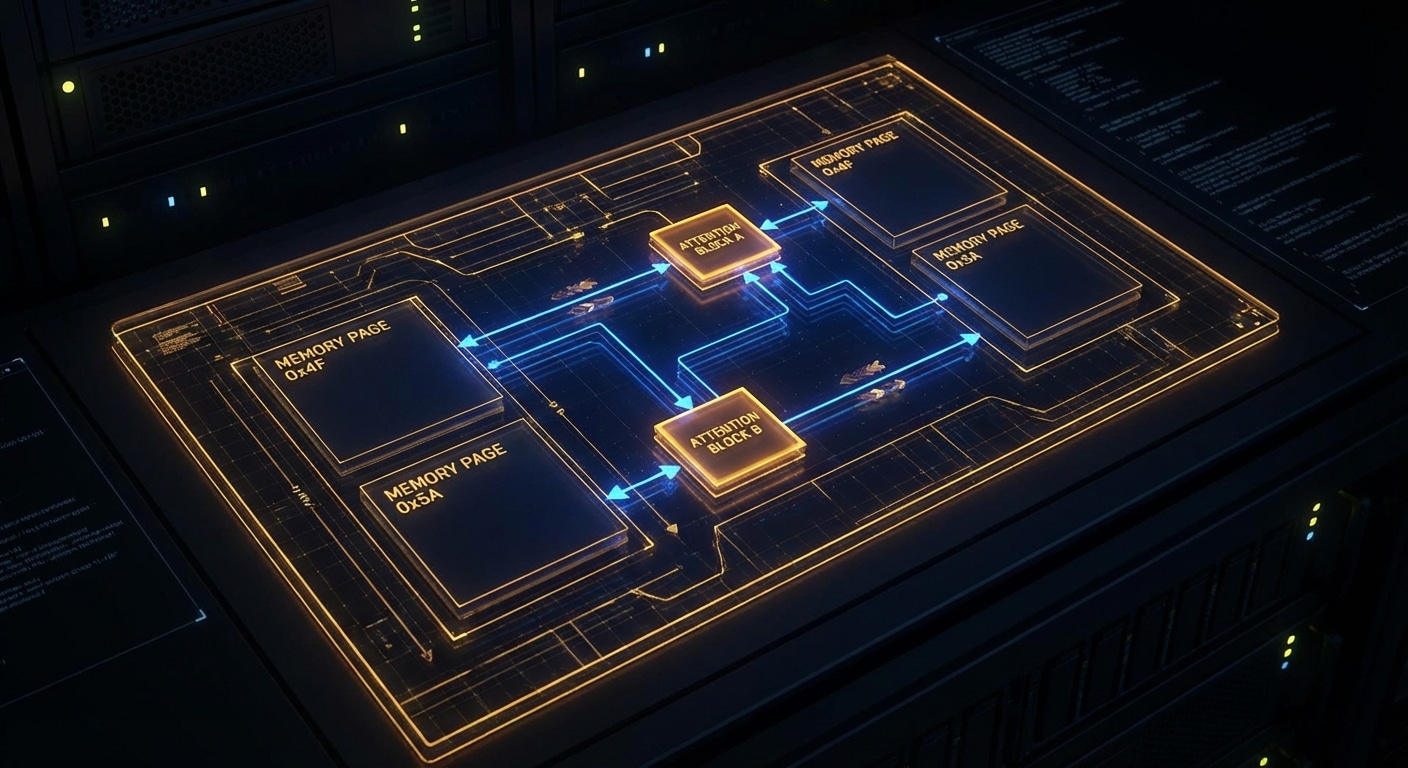
Early LLM APIs hit a wall: GPUs had plenty of compute, but memory for the “KV cache”, the key and value tensors that attention uses for long contexts, fragmented and wasted space. Different requests had different sequence lengths, so pre-allocating a block per request either ran out of memory or left big holes. vLLM’s insight was to borrow an idea from operating systems: paging. Treat the KV cache as a heap of fixed-size blocks and allocate only what each request actually needs. That one change drove huge gains in throughput and made long-context serving practical.

PagedAttention works like virtual memory. The logical KV cache for a sequence is split into blocks. A request allocates blocks as it generates; when the request ends, blocks go back to a pool. No more worst-case allocation per request, and no fragmentation in the same way. The attention kernel then has to gather from these non-contiguous blocks, which vLLM does efficiently. The result is that you can pack many more concurrent requests onto one GPU, and latency stays predictable.

The rest of vLLM is built around this: continuous batching (add new requests and decode steps as they’re ready), CUDA graphs and custom kernels to reduce overhead, and an OpenAI-compatible API so existing clients and apps work. It’s open source and has become the default choice for many teams serving Llama, Mistral, and similar models in production.

You do pay a small cost: the gather step and block management add some complexity and a bit of overhead compared to a single-request path. For short, single-user use cases, a simpler engine might be fine. For multi-tenant APIs and high utilisation, PagedAttention is what makes the numbers work.

Expect more variants: different block sizes, eviction policies for “infinite” context, and tighter integration with quantized and speculative decoding.

nJoy πŸ˜‰

How LLMs Actually Run: From Model Weights to Tokens

When you type a prompt and hit enter, you’re not “asking a brain”, you’re running a gigantic math function. That function is defined by hundreds of millions or billions of parameters (the “weights”) stored in a model file. Understanding that one idea clears up a lot of confusion about why LLMs need so much memory, why they’re deterministic at a fixed temperature, and why “thinking” is just more matrix multiplications.

Think of the weights as a fixed recipe. The recipe never changes during one run. The only thing that changes is the input you feed in: the sequence of token IDs representing your text. Each token is a small integer (e.g. 0 to 50,257 in GPT-2). The model looks up an “embedding” vector for each token, runs those vectors through dozens of transformer layers (attention and feed-forward steps), and at the end it has a vector of scores, one per possible next token. Sampling from those scores gives the next token; that token gets appended and the process repeats. So “generation” is a loop: embed β†’ transform β†’ score β†’ sample β†’ append β†’ repeat.

Under the hood, each layer is doing the same kind of linear algebra: matrix multiplies, softmax for attention, layer norms. The weights are just big matrices. Inference is a single forward pass per new token, with no gradient computation. That’s why it’s cheaper than training, but still compute-heavy: you’re still doing billions of multiply-adds per token for a 7B model.

The practical implications are everywhere. Bigger models need more VRAM because the weight matrices must fit in memory. Quantization helps by storing weights in lower precision (e.g. 4-bit instead of 16-bit), which trades a bit of quality for a lot less memory and faster math. Serving at scale is mostly about batching these forward passes and keeping the GPU busy.

We’re still in the early phase of making this pipeline efficient: better kernels, smarter batching, and distillation will keep pushing what’s possible on a single machine or a small cluster.

nJoy πŸ˜‰