
Every MCP session starts the same way: the client calls tools/list, gets back every tool schema your server exposes, and sends the entire payload to the LLM as part of the system context. For a server with 10 tools and concise descriptions, that is a few thousand tokens – barely noticeable. For a real enterprise setup with 5 MCP servers exposing 50-100 tools total, you are burning 50,000-80,000 tokens before the user has typed a single word. That is 40% of a 200K context window, gone to tool definitions alone. This lesson covers how to measure, reduce, and eventually eliminate that tax.
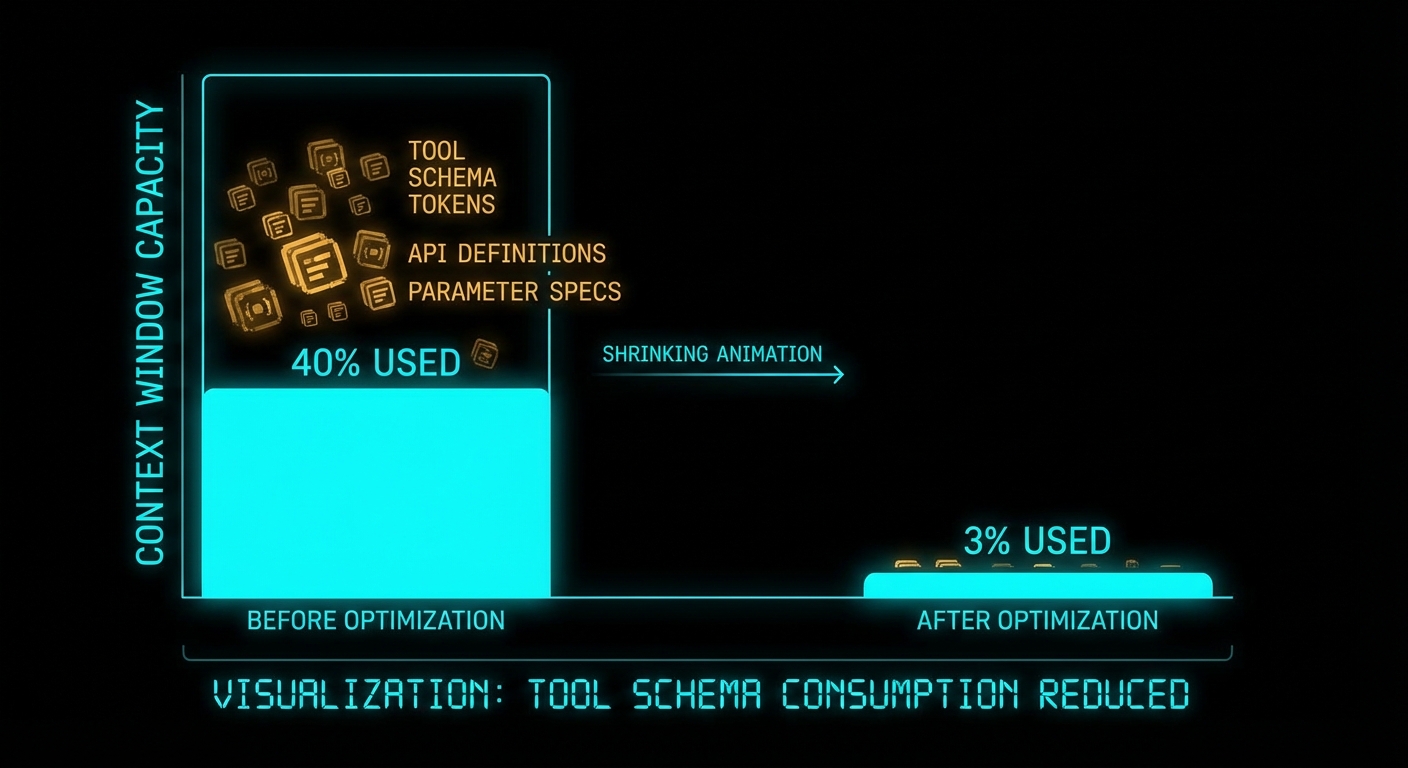
Measuring the Problem
Before optimizing, measure. The MCP Inspector shows you the raw tools/list response. To estimate the token cost, count the JSON payload size: roughly 1 token per 4 characters of JSON.
// measure-tool-tokens.js
// Connect to an MCP server and measure the token cost of its tool schemas
import { Client } from '@modelcontextprotocol/sdk/client/index.js';
import { StdioClientTransport } from '@modelcontextprotocol/sdk/client/stdio.js';

const transport = new StdioClientTransport({
  command: 'node',
  args: ['./your-server.js'],
});
const client = new Client({ name: 'token-measurer', version: '1.0.0' });
await client.connect(transport);

const { tools } = await client.listTools();
const payload = JSON.stringify(tools);
const estimatedTokens = Math.ceil(payload.length / 4);

console.log(`Tools: ${tools.length}`);
console.log(`Payload size: ${(payload.length / 1024).toFixed(1)} KB`);
console.log(`Estimated tokens: ${estimatedTokens.toLocaleString()}`);
console.log(`% of 200K context: ${((estimatedTokens / 200_000) * 100).toFixed(1)}%`);

// Per-tool breakdown
for (const tool of tools) {
  const toolJson = JSON.stringify(tool);
  console.log(`  ${tool.name}: ${Math.ceil(toolJson.length / 4)} tokens`);
}

await client.close();
Real-world numbers from production MCP servers:
| MCP Server | Tools | Tokens | % of 200K |
|---|---|---|---|
| MySQL Server | 106 | 54,600 | 27.3% |
| GitHub + Slack + Sentry + Grafana + Splunk | ~120 | ~77,200 | 38.6% |
| Typical 10-tool custom server | 10 | ~3,000 | 1.5% |
The problem is not a single server – it is the aggregate. Five servers with 20 tools each, at 300 tokens per tool, is 30,000 tokens. Add the system prompt, conversation history, and the reserved output buffer, and you have very little room left for actual work.
Server-Side: Description Economy
The single highest-impact optimization is writing shorter tool descriptions and leaner schemas. Here is the token cost per pattern:
| Schema Pattern | Tokens/Tool | Recommendation |
|---|---|---|
| Verbose description (200+ words) | ~300 | Trim to 1-2 sentences |
| Nested object params (3+ levels) | ~180 | Flatten to scalar params |
| Enum with 20+ values | ~120 | Use string + validate server-side |
| Concise description (1-2 sentences) | ~40 | Target this range |
// BEFORE: 280+ tokens per tool
server.tool(
  'search_orders',
  'Search for customer orders in the database. This tool allows you to find orders ' +
  'by various criteria including customer email, order status, date range, and product ' +
  'category. It returns a paginated list of matching orders with full details including ' +
  'line items, shipping status, payment method, and customer information. Use this tool ' +
  'when the user asks about their orders, wants to check order status, or needs to find ' +
  'a specific purchase. Results are sorted by date descending by default.',
  {
    filters: z.object({
      customer: z.object({
        email: z.string().email().optional(),
        id: z.string().optional(),
      }).optional(),
      status: z.enum(['pending', 'processing', 'shipped', 'delivered', 'returned', 'cancelled', 'refunded']).optional(),
      date_range: z.object({
        start: z.string().optional(),
        end: z.string().optional(),
      }).optional(),
    }),
    pagination: z.object({
      page: z.number().int().min(1).default(1),
      per_page: z.number().int().min(1).max(100).default(20),
    }).optional(),
  },
  handler
);

// AFTER: ~45 tokens per tool (same functionality)
server.tool(
  'search_orders',
  'Find orders by email, status, or date. Returns order ID, status, total, date.',
  {
    email: z.string().optional().describe('Customer email'),
    status: z.string().optional().describe('Order status filter'),
    after: z.string().optional().describe('ISO date lower bound'),
    before: z.string().optional().describe('ISO date upper bound'),
    limit: z.number().int().max(100).default(20).describe('Max results'),
  },
  handler
);
Key changes: flattened nested objects to scalar params, replaced the verbose description with one sentence, removed the long enum (validate server-side instead), dropped the pagination wrapper object. Same functionality, 85% fewer tokens.
Server-Side: Tool Consolidation
If you have multiple similar tools, consolidate them into one with a mode or provider parameter:
// BEFORE: 4 tools, ~2,800 tokens total
// search_tavily, search_brave, search_kagi, search_exa

// AFTER: 1 tool, ~700 tokens
server.tool(
  'web_search',
  'Search the web. Returns title, URL, snippet for each result.',
  {
    query: z.string().describe('Search query'),
    provider: z.enum(['tavily', 'brave', 'kagi', 'exa']).default('tavily')
      .describe('Search provider'),
    limit: z.number().int().max(20).default(5).describe('Max results'),
  },
  async ({ query, provider, limit }) => {
    const results = await searchProviders[provider].search(query, limit);
    return { content: [{ type: 'text', text: JSON.stringify(results) }] };
  }
);
A real-world case study: consolidating 20 tools into 8 reduced token cost from 14,214 to 5,663 – a 60% reduction with identical functionality.
Anthropic Tool Search: 85% Token Reduction
For servers with many tools, Anthropic offers a client-side solution: tool search with defer_loading. Instead of sending all tool schemas to the LLM upfront, you mark tools as deferred. The LLM sees only a search interface and your server’s instructions. When it needs a tool, it searches the catalog, and only the matching schemas are loaded into context.
This is an Anthropic API feature, not part of the MCP specification itself. It works with the Anthropic Messages API and Claude Code:
// Using the Anthropic Messages API with tool search
// The MCP client gathers tools from multiple servers, then marks them as deferred

import Anthropic from '@anthropic-ai/sdk';

const anthropic = new Anthropic();

// Collect tools from MCP servers
const allTools = await mcpClient.listAllTools(); // your multi-server aggregation

// Mark large/infrequent tools as deferred
const toolDefinitions = allTools.map(tool => ({
  name: tool.name,
  description: tool.description,
  input_schema: tool.inputSchema,
  // Tools marked defer_loading are NOT sent to the LLM initially
  // They are loaded on-demand via tool search
  defer_loading: allTools.length > 30 ? true : false,
}));

// Include the tool search tool (Anthropic provides two variants)
toolDefinitions.push({
  type: 'tool_search_tool_bm25_20251119', // BM25 natural language search
});

const response = await anthropic.messages.create({
  model: 'claude-sonnet-4-20250514',
  max_tokens: 4096,
  tools: toolDefinitions,
  messages: [{ role: 'user', content: 'Check the latest PR reviews on the main repo' }],
});

// Claude will:
// 1. See only the tool_search tool + non-deferred tools
// 2. Search for relevant tools using natural language
// 3. Get back 3-5 tool_reference blocks with full schemas
// 4. Call the discovered tools normally
The token impact is dramatic:
| Mode | Tokens | Context Preserved |
|---|---|---|
| All tools loaded | ~77,200 | 122,800 / 200K |
| Tool search (defer_loading) | ~8,700 | 191,300 / 200K |
Two search variants exist:
tool_search_tool_regex_20251119– Claude constructs regex patterns to search tool names and descriptions. Fast, precise.tool_search_tool_bm25_20251119– Claude uses natural language queries to search. Better for fuzzy matching.
Critical interaction with server instructions: when tool search is active, the LLM does not see individual tool schemas upfront. It sees only your server’s instructions field and the search tool. This makes instructions the primary signal for tool discovery – if your instructions don’t mention a capability, the model may never search for the tools that implement it.
Protocol-Level: Lazy Tool Hydration (Proposed)
The MCP community has proposed a protocol-level solution: lazy tool hydration (Issue #1978). The idea:
- Add a
minimalflag totools/listthat returns only names, categories, and one-line summaries (~5K tokens for 106 tools instead of ~55K). - Add a new
tools/get_schemamethod that fetches the full schema for a specific tool on demand (~400 tokens per tool). - Clients send the minimal list to the LLM. When the LLM wants to use a tool, the client fetches its full schema and adds it to context.
Estimated savings: 91% token reduction for the initial tool payload (54,604 tokens to 4,899 tokens for 106 tools). This is a proposal, not yet part of the specification, but it signals the direction the protocol is heading.
A related proposal, SEP-1576, adds $ref deduplication for shared parameter types across tools. If ten tools all take a customer_id parameter with the same schema, the definition is included once and referenced by all ten.
Host-Side: Claude Code Context Budget
Claude Code provides a /context command that shows the exact token breakdown per component. A typical over-provisioned setup looks like this:
System prompt:     3,100 tokens  ( 1.5%)
System tools:     12,400 tokens  ( 6.2%)
MCP tools:        82,000 tokens  (41.0%)  <-- THE PROBLEM
Conversation:     45,000 tokens  (22.5%)
Reserved output:  45,000 tokens  (22.5%)
Free space:       12,500 tokens  ( 6.3%)  <-- NOTHING LEFT
After applying the optimizations from this lesson (lean descriptions, tool consolidation, defer_loading):
System prompt:     3,100 tokens  ( 1.5%)
System tools:     12,400 tokens  ( 6.2%)
MCP tools:         5,700 tokens  ( 2.8%)  <-- FIXED
Conversation:     45,000 tokens  (22.5%)
Reserved output:  45,000 tokens  (22.5%)
Free space:       88,800 tokens  (44.4%)  <-- ROOM TO WORK
Claude Code v2.1.7+ automatically triggers MCP Tool Search when tool descriptions exceed 10% of context. If you’ve done the server-side optimization, this threshold is rarely hit. If you haven’t, Claude Code compensates by searching on demand – but at the cost of an extra round trip per tool discovery.
Optimization Checklist
Apply these in order of impact:
- Trim descriptions to 1-2 sentences – the biggest single win. Tool names carry semantic weight; the description just needs to disambiguate.
- Flatten nested object params –
emailinstead ofcustomer.email. Nested objects add structural JSON tokens. - Consolidate similar tools – replace N tools with 1 tool + a mode parameter when the schemas are similar.
- Set sensible defaults –
z.number().default(20)is better than documenting what happens when the field is omitted. - Validate server-side, not in the schema – replace long enums (20+ values) with a string and validate in the handler.
- Use
defer_loadingfor large tool sets (Anthropic API) – if you have >30 tools across your servers. - Write strong server instructions – when tool search is active, instructions are the primary discovery signal.
- Add TTL caching to read-only tools – reduces repeated calls, which reduces total tokens spent on tool results across the conversation.
- Filter API responses before returning – return only the fields the LLM needs, not the full API response. Every field in a tool result is a token.
What to Check Right Now
- Run the measurement script above on your MCP server. If any single tool exceeds 200 tokens, it needs trimming.
- Check your Claude Code context budget – run
/contextin Claude Code and see how much of your context window is consumed by MCP tools. - Identify consolidation candidates – any group of 3+ tools with similar schemas is a consolidation opportunity.
- Write server instructions if you haven’t – they are free (one-time cost) and they improve tool discovery accuracy for all clients.
nJoy 😉