
The transport layer is what carries JSON-RPC messages between client and server. MCP defines multiple transports, and choosing the right one for your use case is the first architectural decision you make when building a server. The stdio transport – using standard input and standard output – is the right choice for local, on-machine server processes, and it is the most widely deployed transport in the MCP ecosystem today. This lesson covers what it is, how it works, when to use it, and when not to.
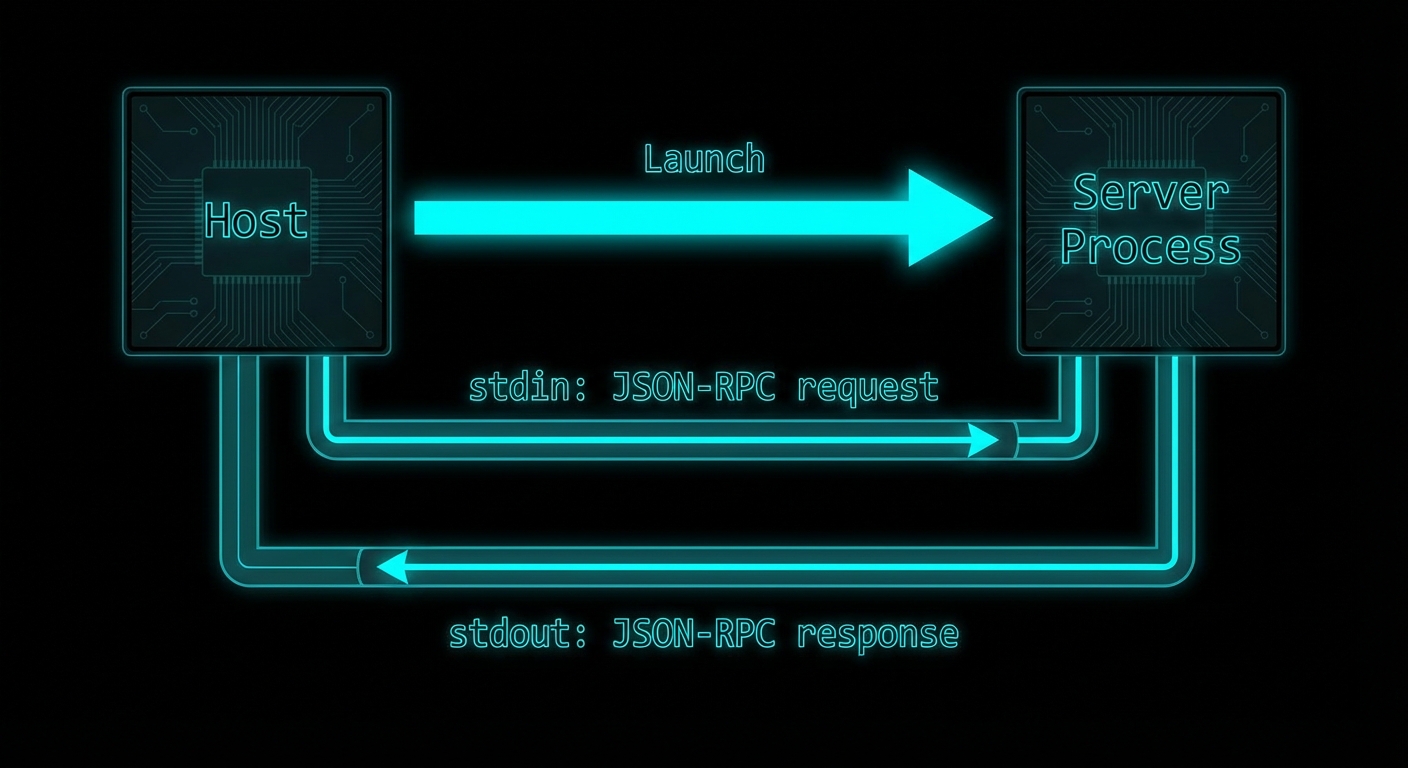
How stdio Transport Works
With stdio transport, the host launches the MCP server as a child process. JSON-RPC messages are sent to the server via its stdin and received from the server via its stdout. Each message is delimited by a newline character. The server’s stderr is typically forwarded to the host’s logs for debugging. The server process lives for as long as the client needs it and is terminated when the client disconnects or the host exits.
This is a well-understood pattern in Unix tooling – it is how shells pipe data between commands (cat file | grep pattern | wc -l). MCP adopts it for the same reason: simplicity, no network setup required, OS-managed process isolation, and easy integration with any host that can launch subprocesses.
// Server side: connect to stdio transport
import { McpServer } from '@modelcontextprotocol/sdk/server/mcp.js';
import { StdioServerTransport } from '@modelcontextprotocol/sdk/server/stdio.js';

const server = new McpServer({ name: 'my-server', version: '1.0.0' });
// ... register tools, resources, prompts ...

const transport = new StdioServerTransport();
await server.connect(transport);
// Server is now listening on stdin, writing to stdout
// Client side: launch server as subprocess
import { Client } from '@modelcontextprotocol/sdk/client/index.js';
import { StdioClientTransport } from '@modelcontextprotocol/sdk/client/stdio.js';

const client = new Client({ name: 'my-host', version: '1.0.0' }, { capabilities: {} });

const transport = new StdioClientTransport({
  command: 'node',                    // The command to launch the server
  args: ['./server.js'],              // Arguments
  env: {                              // Environment variables for the subprocess
    ...process.env,
    DATABASE_URL: process.env.DATABASE_URL,
  },
  cwd: '/path/to/project',           // Working directory (optional)
});

await client.connect(transport);
// The transport has launched server.js as a subprocess
// and established stdin/stdout communication
“The stdio transport is ideal for local integrations and command-line tools. It allows processes to communicate through standard input and output streams, making it simple to implement and easy to debug.” – MCP Documentation, Transports
stdio in Configuration Files
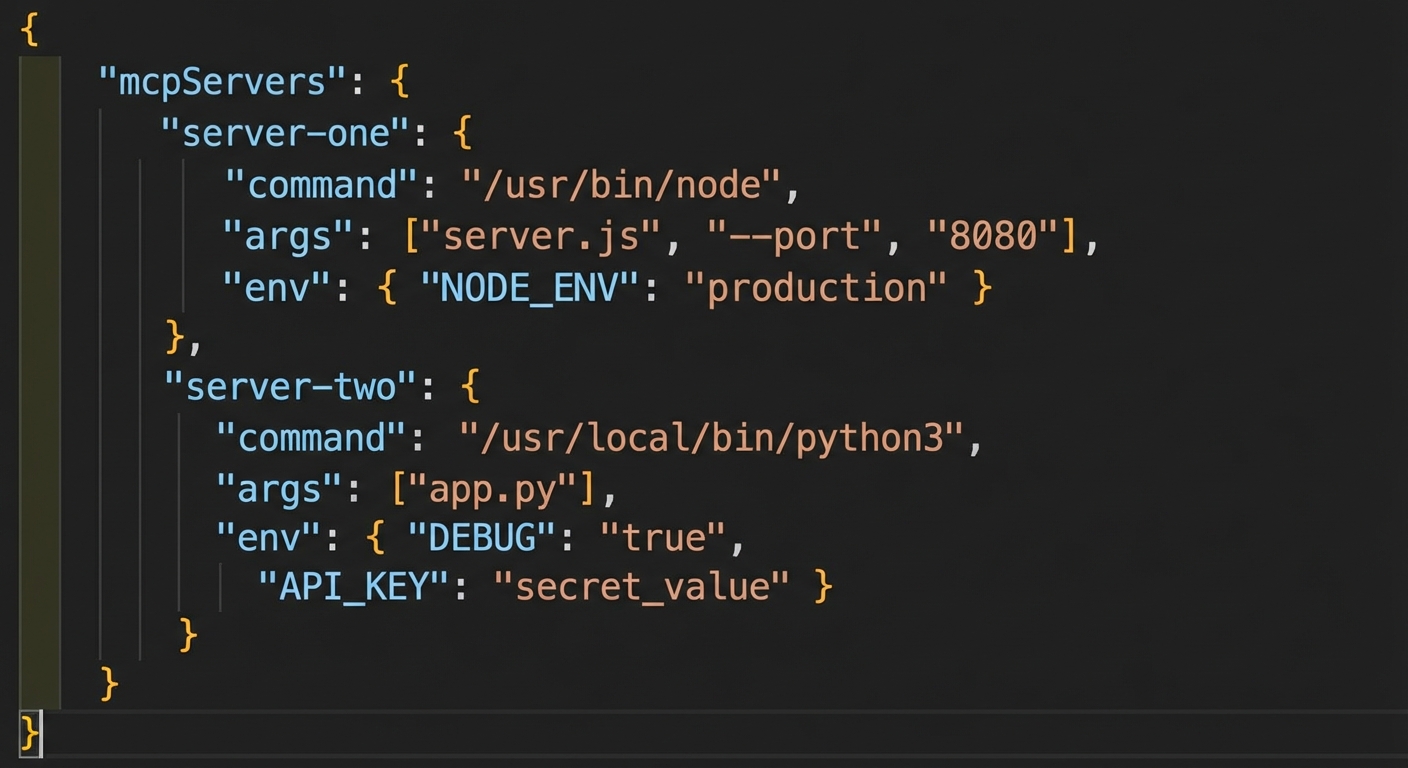
Most MCP hosts (Claude Desktop, VS Code extensions, Cursor) use a configuration file that lists servers with their launch commands. The host reads this file and launches each server as a stdio subprocess when needed. Understanding this format is essential for distributing your MCP server.
// claude_desktop_config.json format
{
  "mcpServers": {
    "my-database-server": {
      "command": "node",
      "args": ["/path/to/db-server.js"],
      "env": {
        "DATABASE_URL": "postgresql://localhost:5432/mydb"
      }
    },
    "my-file-server": {
      "command": "npx",
      "args": ["@myorg/mcp-file-server"],
      "env": {}
    }
  }
}
stdio vs HTTP Transport: When to Use Each
| Factor | stdio | HTTP/SSE |
|---|---|---|
| Deployment | Local machine only | Local or remote |
| Multiple clients | One client per process | Many concurrent clients |
| Network setup | None required | Ports, TLS, CORS |
| Security isolation | OS process isolation | Network + auth required |
| Sharing | Not shareable | Shareable across team/internet |
| State persistence | Lives with host process | Independent lifetime |
Failure Modes with stdio
Case 1: Writing to stdout from Server Code
The most common stdio failure. Anything written to stdout by the server process becomes part of the JSON-RPC stream and corrupts the protocol. Use stderr for all logging.
// WRONG: console.log goes to stdout and corrupts the JSON-RPC stream
console.log('Server started');
console.log('Processing request...');

// CORRECT: Use stderr for all server-side output
console.error('Server started');
process.stderr.write('Processing request...\n');

// OR: Use the MCP logging notification capability
server.server.sendLoggingMessage({ level: 'info', data: 'Server started' });
Case 2: Blocking the Event Loop in stdio Server
stdio servers run in a single Node.js process. If a tool handler blocks the event loop (synchronous file read, a tight computation loop), all other requests to the server will queue up and timeout. Always use async I/O in tool handlers.
// WRONG: Synchronous file read blocks event loop
server.tool('read_large_file', '...', { path: z.string() }, ({ path }) => {
  const content = fs.readFileSync(path); // BLOCKS the event loop
  return { content: [{ type: 'text', text: content }] };
});

// CORRECT: Async I/O
server.tool('read_large_file', '...', { path: z.string() }, async ({ path }) => {
  const content = await fs.promises.readFile(path, 'utf8'); // Non-blocking
  return { content: [{ type: 'text', text: content }] };
});
What to Check Right Now
- Run your server through cat – a quick sanity check:
echo '{"jsonrpc":"2.0","id":1,"method":"initialize","params":{"protocolVersion":"2024-11-05","clientInfo":{"name":"test","version":"1.0"},"capabilities":{}}}' | node server.js. You should see a JSON-RPC response on stdout and any logs on stderr. - Check for stdout pollution – search your server code for
console.logand replace withconsole.error. Any package that logs to stdout will also cause issues. - Use the Inspector as a stdio test harness –
npx @modelcontextprotocol/inspector node server.jsgives you a complete GUI client for your stdio server. - Handle SIGTERM gracefully – when the host terminates your server, it sends SIGTERM. Handle it to close database connections and flush logs:
process.on('SIGTERM', cleanup).
nJoy 😉