
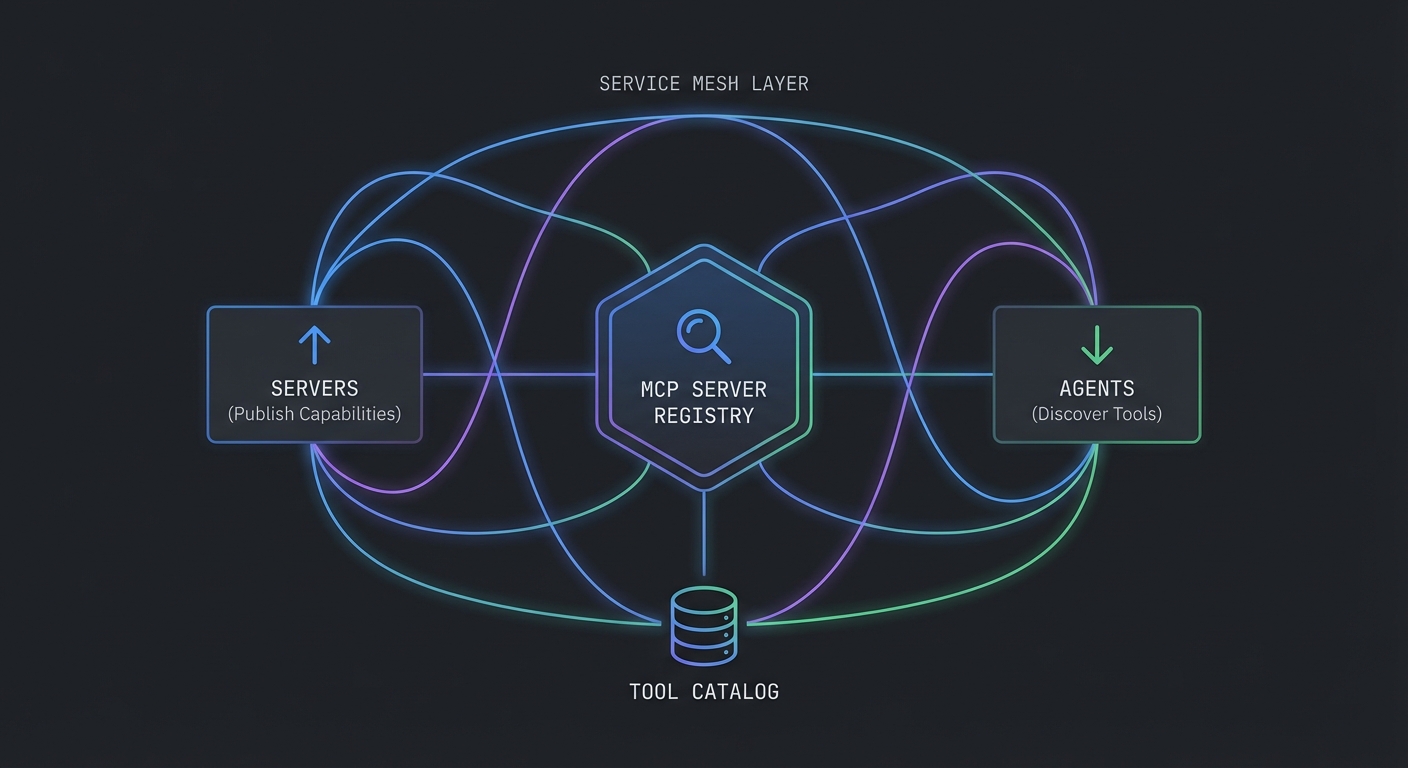
In large organizations, the number of MCP servers grows quickly. A payments MCP server, a customer data MCP server, a product catalog server, an analytics server – each maintained by different teams. Without a registry, every agent developer must manually configure each server’s URL, credentials, and capabilities. A registry solves this: publish once, discover everywhere. This lesson builds an MCP server registry, a discovery client, and covers service mesh integration patterns for enterprise deployments.
Registry Data Model
// A registry entry describes one MCP server
/**
 * @typedef {Object} RegistryEntry
 * @property {string} id - Unique server identifier (slug)
 * @property {string} name - Human-readable name
 * @property {string} description - What this server does
 * @property {string} url - Base URL for Streamable HTTP transport
 * @property {string} version - Server version (semver)
 * @property {string[]} tags - Capability tags for discovery (e.g., ['products', 'inventory'])
 * @property {Object} auth - Authentication requirements
 * @property {string} auth.type - 'none' | 'bearer' | 'oauth2'
 * @property {string} [auth.tokenEndpoint] - OAuth token endpoint if auth.type === 'oauth2'
 * @property {string} healthUrl - Health check endpoint
 * @property {Date} lastSeen - Last successful health check
 * @property {'healthy' | 'degraded' | 'down'} status - Current health status
 */
A shared schema keeps every team describing servers the same way: URL and version for routing upgrades, tags for capability search, and auth metadata so hosts know whether to attach a bearer token or run an OAuth flow. healthUrl and lastSeen let the registry drop or deprioritize dead endpoints before agents waste time connecting.
Simple Registry Server
// registry-server.js - A lightweight HTTP registry for MCP servers
import express from 'express';

const app = express();
app.use(express.json());

// In-memory store (use Redis or PostgreSQL in production)
const registry = new Map();

// Register a server
app.post('/servers', (req, res) => {
  const entry = {
    ...req.body,
    registeredAt: new Date().toISOString(),
    lastSeen: new Date().toISOString(),
    status: 'healthy',
  };
  registry.set(entry.id, entry);
  res.status(201).json({ id: entry.id });
});

// List all healthy servers (with optional tag filter)
app.get('/servers', (req, res) => {
  const { tags, status = 'healthy' } = req.query;
  let servers = [...registry.values()].filter(s => s.status === status);

  if (tags) {
    const filterTags = tags.split(',');
    servers = servers.filter(s => filterTags.some(t => s.tags?.includes(t)));
  }

  res.json({ servers });
});

// Health check runner: poll all registered servers every 30 seconds
setInterval(async () => {
  for (const [id, entry] of registry) {
    try {
      const res = await fetch(entry.healthUrl, { signal: AbortSignal.timeout(5000) });
      entry.status = res.ok ? 'healthy' : 'degraded';
      entry.lastSeen = new Date().toISOString();
    } catch {
      entry.status = 'down';
    }
    registry.set(id, entry);
  }
}, 30_000);

app.listen(4000, () => console.log('Registry listening on :4000'));
The in-memory Map is enough to learn the flow; in a real project, you would persist entries in PostgreSQL or Redis, authenticate POST /servers so only CI or cluster identity can register, and run the health poller as a separate worker or cron so API latency stays predictable under many servers.
Discovery Client for Agents
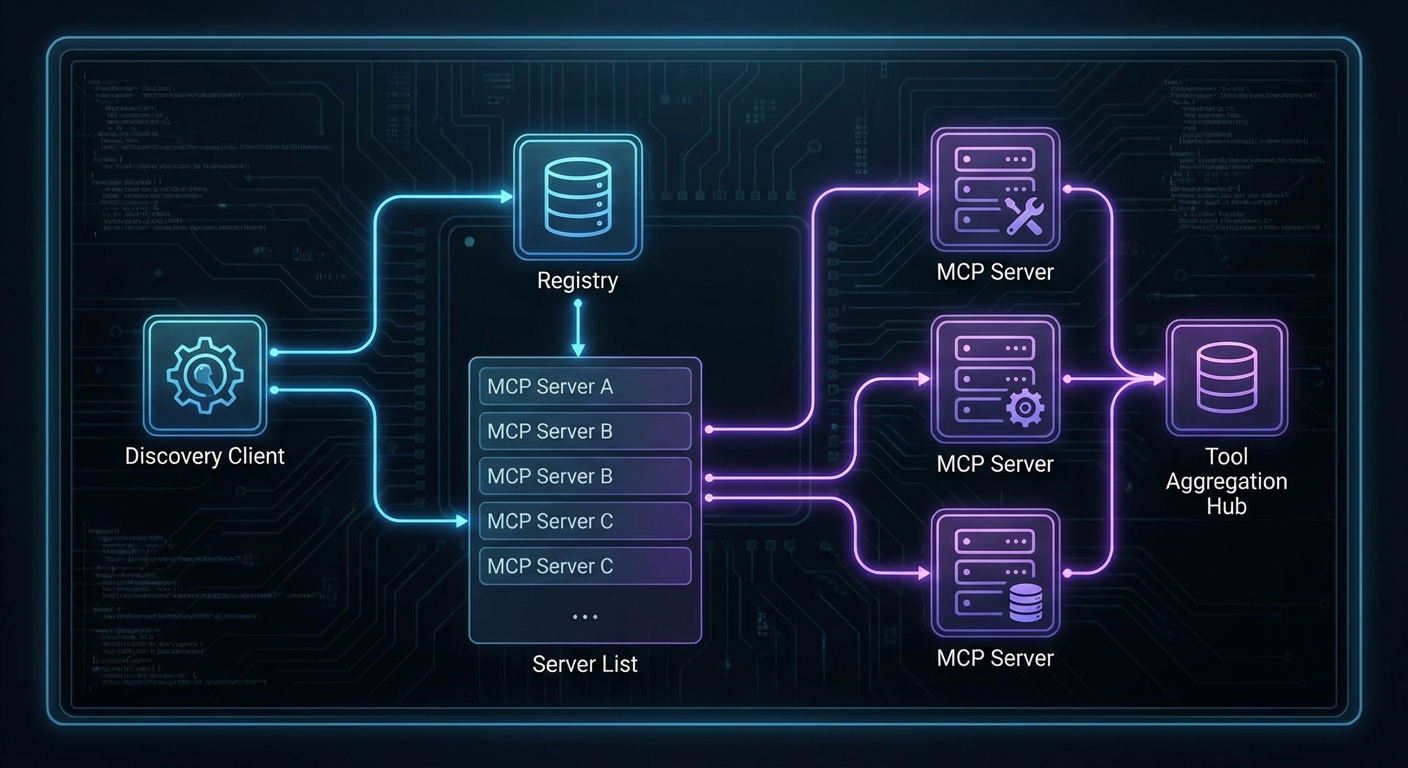
The discovery client connects to servers found in the registry, lists their tools once, builds an index, and routes tool calls to the correct server without repeating the listTools() round trip on every invocation.
// discovery-client.js - Used by agent hosts to discover MCP servers
import { Client } from '@modelcontextprotocol/sdk/client/index.js';
import { StreamableHTTPClientTransport } from '@modelcontextprotocol/sdk/client/streamable-http.js';

class McpDiscoveryClient {
  #registryUrl;
  #connections = new Map();   // serverId -> { client, server }
  #toolIndex = new Map();     // toolName -> client (built once, refreshed on change)

  constructor(registryUrl) {
    this.#registryUrl = registryUrl;
  }

  // Discover servers by tags, connect, and build the tool index
  async connect(tags = []) {
    const query = tags.length ? `?tags=${tags.join(',')}` : '';
    const res = await fetch(`${this.#registryUrl}/servers${query}`);
    const { servers } = await res.json();

    const connected = [];
    for (const server of servers) {
      if (this.#connections.has(server.id)) {
        connected.push(server);
        continue;
      }

      try {
        const transport = new StreamableHTTPClientTransport(new URL(`${server.url}/mcp`));
        const client = new Client({ name: 'discovery-host', version: '1.0.0' });
        await client.connect(transport);

        // Listen for tool list changes so the index stays current
        client.setNotificationHandler(
          { method: 'notifications/tools/list_changed' },
          async () => { await this.#rebuildIndex(); }
        );

        this.#connections.set(server.id, { client, server });
        connected.push(server);
        console.log(`Connected to ${server.name} (${server.id})`);
      } catch (err) {
        console.error(`Failed to connect to ${server.name}: ${err.message}`);
      }
    }

    // Build the tool index once after all connections are established
    await this.#rebuildIndex();
    return connected;
  }

  // Build a Map<toolName, client> from all connected servers
  // Called once on connect() and again if any server signals tools/list_changed
  async #rebuildIndex() {
    this.#toolIndex.clear();
    for (const [id, { client }] of this.#connections) {
      try {
        const { tools } = await client.listTools();
        for (const tool of tools) {
          this.#toolIndex.set(tool.name, client);
        }
      } catch (err) {
        console.error(`Failed to index tools from ${id}: ${err.message}`);
      }
    }
    console.log(`Tool index rebuilt: ${this.#toolIndex.size} tools across ${this.#connections.size} servers`);
  }

  // Get all tools from all connected servers (uses cached index)
  async getAllTools() {
    const allTools = [];
    for (const [id, { client }] of this.#connections) {
      try {
        const { tools } = await client.listTools();
        allTools.push(...tools.map(t => ({ ...t, serverId: id })));
      } catch (err) {
        console.error(`Failed to list tools from ${id}: ${err.message}`);
      }
    }
    return allTools;
  }

  // Route a tool call to the correct server via the pre-built index
  // No listTools() round trip on each call - O(1) lookup
  async callTool(toolName, args) {
    const client = this.#toolIndex.get(toolName);
    if (!client) {
      throw new Error(`Tool '${toolName}' not found in any connected server`);
    }
    return client.callTool({ name: toolName, arguments: args });
  }
}

// Usage
const discovery = new McpDiscoveryClient('https://registry.internal');
await discovery.connect(['products', 'analytics']);
const allTools = await discovery.getAllTools();
console.log(`Discovered ${allTools.length} tools across all servers`);

// Tool calls now use the index - no extra round trip
const result = await discovery.callTool('search_products', { query: 'laptop', limit: 5 });
The previous version of this code called listTools() on every server on every callTool() invocation – a quadratic round-trip cost that gets expensive fast. The index is built once and refreshed automatically when a server emits notifications/tools/list_changed.
Service Mesh Integration (Istio / Linkerd)
In Kubernetes environments, a service mesh handles mutual TLS, traffic routing, and observability for all service-to-service communication, including MCP connections:
# With Istio, MCP server-to-server communication is automatically mTLS
# No code changes required - the sidecar proxy handles it

# Example: VirtualService for traffic splitting during MCP server rollout
apiVersion: networking.istio.io/v1alpha3
kind: VirtualService
metadata:
  name: mcp-product-server
spec:
  hosts:
    - mcp-product-server
  http:
    - route:
        - destination:
            host: mcp-product-server
            subset: v2
          weight: 10  # 10% to new version
        - destination:
            host: mcp-product-server
            subset: v1
          weight: 90  # 90% to stable version
Weighted routes let you canary a new MCP build while most sessions stay on the known-good subset. In a real project, you would pair this with metric and trace dashboards so a spike in tool errors on the new subset triggers an automatic rollback or traffic shift.
Server Health Aggregation
// Aggregate health status across all registered servers for a status page
app.get('/status', async (req, res) => {
  const servers = [...registry.values()];
  const healthy = servers.filter(s => s.status === 'healthy').length;
  const degraded = servers.filter(s => s.status === 'degraded').length;
  const down = servers.filter(s => s.status === 'down').length;

  const overall = down > 0 ? 'degraded' : (degraded > 0 ? 'degraded' : 'operational');

  res.json({
    status: overall,
    summary: { total: servers.length, healthy, degraded, down },
    servers: servers.map(s => ({
      id: s.id, name: s.name, status: s.status, lastSeen: s.lastSeen,
    })),
  });
});
A single /status response gives operators and internal portals a fleet-wide view without opening each MCP server. In a real project, you would cache or rate-limit heavy dashboards and map down servers to paging rules so on-call sees registry-level outages, not only per-pod alerts.
What to Build Next
- Deploy the registry server alongside your existing MCP servers. Register each server on startup using a POST to the registry.
- Build a simple status page that reads from
/statusand shows which MCP servers are healthy.
nJoy 😉