
Most MCP developers learn about tools and resources and stop there, treating prompts as a nice-to-have. This is a mistake. Prompts are the mechanism that turns a raw capability server into a polished, user-facing product. They let you bake your best workflows into the server itself, expose them through any MCP-compatible host, and guarantee that users get the same high-quality prompt structure regardless of which host they use. Think of prompts as the “saved queries” of the AI world.
What Prompts Are and Why They Matter
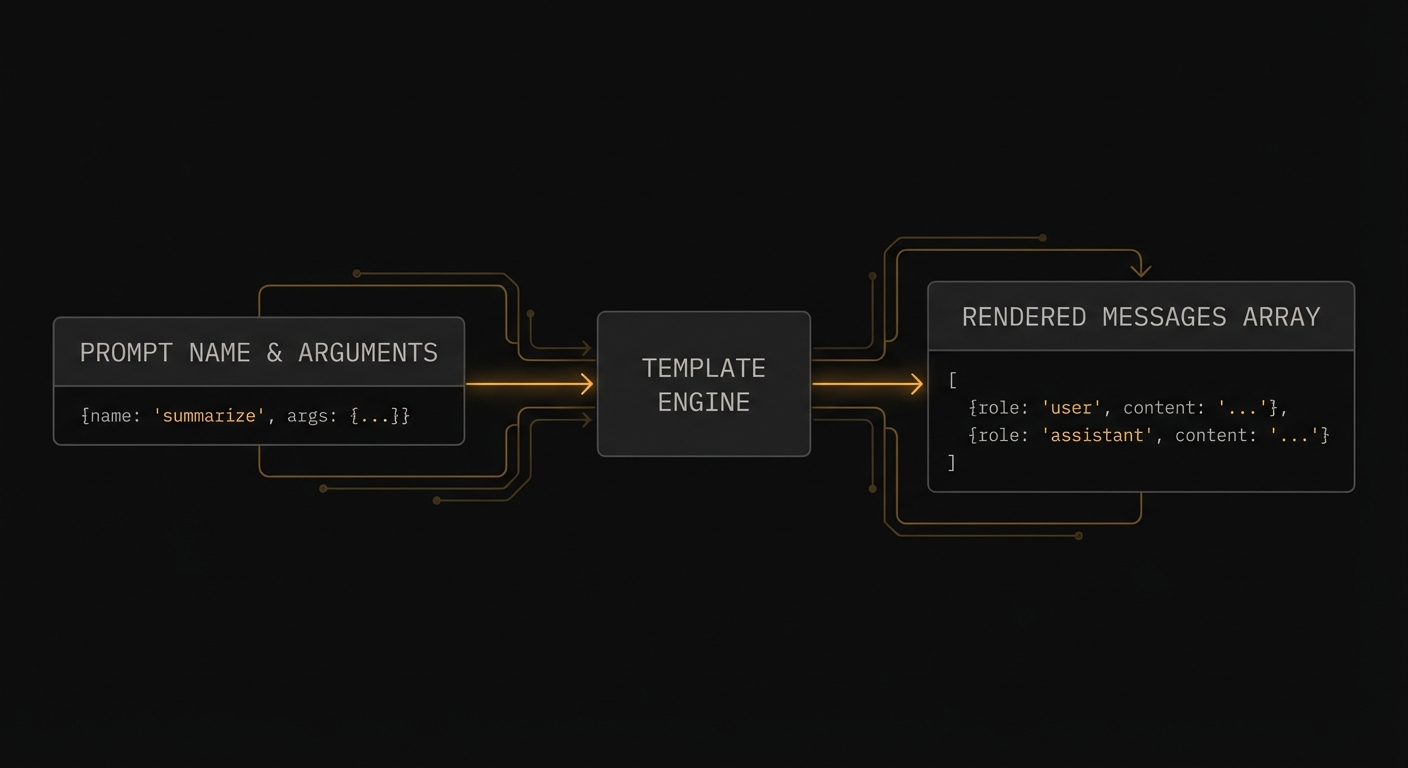
An MCP prompt is a named, reusable prompt template that the server exposes for clients to use. When a client calls prompts/get with a prompt name and arguments, the server returns a list of messages ready to be sent to an LLM. The messages can reference resources (to inject dynamic content), contain multi-turn conversation history, and include both user and assistant roles.
The key difference from tools: prompts are human-initiated workflows. A user explicitly selects a prompt from the host UI (“Code Review”, “Summarise Document”, “Translate to French”). Tools are model-initiated – the LLM decides to call them based on context. Prompts are the programmatic equivalent of slash commands.
import { McpServer } from '@modelcontextprotocol/sdk/server/mcp.js';
import { z } from 'zod';

const server = new McpServer({ name: 'dev-assistant', version: '1.0.0' });

// Simple prompt with arguments
server.prompt(
  'code_review',
  'Review code for quality, security, and best practices',
  {
    code: z.string().describe('The code to review'),
    language: z.string().describe('Programming language (e.g. javascript, python, rust)'),
    focus: z.enum(['security', 'performance', 'style', 'all']).default('all')
      .describe('What aspect to focus the review on'),
  },
  async ({ code, language, focus }) => ({
    messages: [
      {
        role: 'user',
        content: {
          type: 'text',
          text: `Please review the following ${language} code with a focus on ${focus}:\n\n\`\`\`${language}\n${code}\n\`\`\`\n\nProvide specific, actionable feedback with examples.`,
        },
      },
    ],
  })
);
This matters because without prompts, every user has to manually craft the same instructions over and over. A well-designed prompt bakes in your team’s best practices – the right system instructions, the correct output format, the domain-specific framing – so that every user gets consistent, high-quality results regardless of how they phrase their request.
“Prompts enable servers to define reusable prompt templates and workflows that clients can easily surface to users and LLMs. They provide a way to standardize and share common LLM interactions.” – MCP Documentation, Prompts
Prompts with Resource Embedding
Prompts can embed resources directly into messages. When the server returns a message with a resource content block, the client reads the resource and injects its content into the conversation context before sending it to the LLM.
server.prompt(
  'analyse_file',
  'Analyse the contents of a file',
  { file_uri: z.string().describe('The URI of the file to analyse') },
  async ({ file_uri }) => ({
    messages: [
      {
        role: 'user',
        content: [
          {
            type: 'text',
            text: 'Please analyse the following file and provide a summary of its contents, structure, and any notable patterns:',
          },
          {
            type: 'resource',
            resource: { uri: file_uri }, // Client resolves this URI and injects content
          },
        ],
      },
    ],
  })
);

// Multi-turn prompt with context
server.prompt(
  'debug_error',
  'Debug an error with context',
  {
    error_message: z.string(),
    stack_trace: z.string().optional(),
    context: z.string().optional().describe('Additional context about what you were doing'),
  },
  async ({ error_message, stack_trace, context }) => ({
    messages: [
      {
        role: 'user',
        content: { type: 'text', text: 'I am getting the following error:' },
      },
      {
        role: 'user',
        content: {
          type: 'text',
          text: `Error: ${error_message}${stack_trace ? `\n\nStack trace:\n${stack_trace}` : ''}${context ? `\n\nContext: ${context}` : ''}`,
        },
      },
      {
        role: 'assistant',
        content: { type: 'text', text: 'I can help debug this. Let me analyse the error...' },
      },
      {
        role: 'user',
        content: { type: 'text', text: 'What is causing this error and how do I fix it?' },
      },
    ],
  })
);
In a production deployment, the multi-turn pattern shown above is especially useful for support workflows. Pre-filling an assistant message like “I can help debug this” primes the model’s tone and focus, reducing the chance of generic or off-topic responses. Think of it as setting the stage for the conversation, not just the first question.
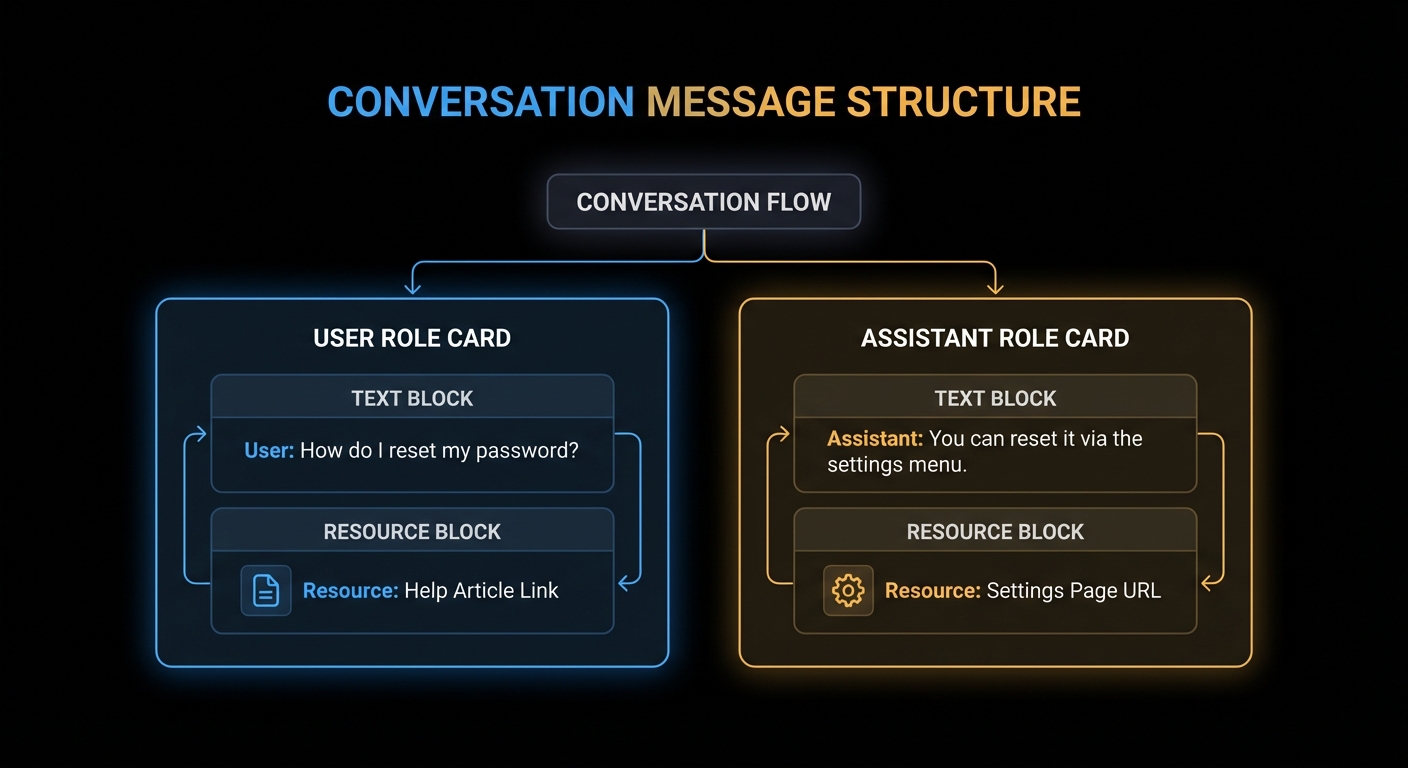
Resource embedding and multi-turn prompts give you a powerful composition model. But with that power comes a few common traps that are easy to fall into, especially when coming from a background of building direct LLM integrations. The failure modes below cover the most frequent mistakes.
Failure Modes with Prompts
Case 1: Putting LLM Logic Inside the Prompt Handler
A prompt handler should assemble and return messages. It should not call an LLM. Calling an LLM inside a prompt handler breaks the separation between prompt construction (server’s job) and prompt execution (host’s job). It also makes your server non-deterministic and slow.
// WRONG: Calling an LLM inside the prompt handler
server.prompt('summarise', '...', { text: z.string() }, async ({ text }) => {
  const openai = new OpenAI();
  const summary = await openai.chat.completions.create({ ... }); // WRONG
  return { messages: [{ role: 'user', content: { type: 'text', text: summary } }] };
});

// CORRECT: Return the prompt; let the host's LLM execute it
server.prompt('summarise', '...', { text: z.string() }, async ({ text }) => ({
  messages: [{
    role: 'user',
    content: { type: 'text', text: `Please summarise the following text in 3 bullet points:\n\n${text}` },
  }],
}));
The first case is about respecting the boundary between prompt assembly and prompt execution. The next case deals with a subtler problem: data freshness. If you inline content directly into a prompt, it becomes a frozen snapshot that will silently go stale.
Case 2: Hardcoding Content That Should Be a Resource Reference
If your prompt inlines large amounts of data (a whole document, a database dump), the data will not be updated when the underlying source changes and the prompt will grow stale. Reference a resource URI instead, letting the client fetch fresh content at prompt execution time.
// BAD: Hardcoded data goes stale
server.prompt('analyse_policy', '...', {}, async () => ({
  messages: [{ role: 'user', content: { type: 'text', text: ENTIRE_POLICY_TEXT_INLINED } }],
}));

// GOOD: Resource reference - always fresh
server.prompt('analyse_policy', '...', {}, async () => ({
  messages: [{
    role: 'user',
    content: [
      { type: 'text', text: 'Please analyse our current company policy for compliance issues:' },
      { type: 'resource', resource: { uri: 'docs://company/policy-current' } },
    ],
  }],
}));
Prompt Metadata: title and icons
title: New in 2025-06-18 | icons: New in 2025-11-25
Like tools and resources, prompts now support a title field for human-readable display names and an icons array for visual identification in host UIs. The title is what users see in a prompt picker or slash-command menu. The name remains the stable programmatic identifier.
// In the prompts/list response
{
  name: 'code_review',
  title: 'Code Review',                  // User-facing label
  description: 'Review code for quality, security, and best practices',
  icons: [
    { src: 'https://cdn.example.com/icons/review.svg', mimeType: 'image/svg+xml' },
  ],
  arguments: [
    { name: 'code', description: 'The code to review', required: true },
    { name: 'language', description: 'Programming language', required: true },
  ],
}
Icons help users quickly scan a list of available prompts in a host that renders a visual picker. Multiple sizes are supported via the sizes property. SVG icons are a good default since they scale to any resolution.
What to Check Right Now
- Identify your power workflows – what are the 3-5 most common things your users ask the AI to do? Each one is a prompt candidate.
- Test prompts in the Inspector – the Inspector shows prompts in a dedicated tab. Fill in arguments and render the messages to verify the output before integrating with an LLM.
- Use resource references for dynamic content – never inline large or frequently-changing data in prompt text. Reference it by URI.
- Notify on changes – if your prompts change (updated templates, new prompts added), send
notifications/prompts/list_changedso clients can refresh their prompt catalogues.
nJoy 😉