
Real-world AI assistants need to integrate many APIs: a CRM for customer data, a ticketing system for support requests, a payment processor for billing status, a calendar for scheduling. Each of these becomes an MCP server, and the multi-provider abstraction layer from Lesson 29 routes queries to the right provider. This capstone builds a multi-API integration hub that unifies five real-world APIs behind a single MCP interface, with tool routing, error handling, and a unified context window.
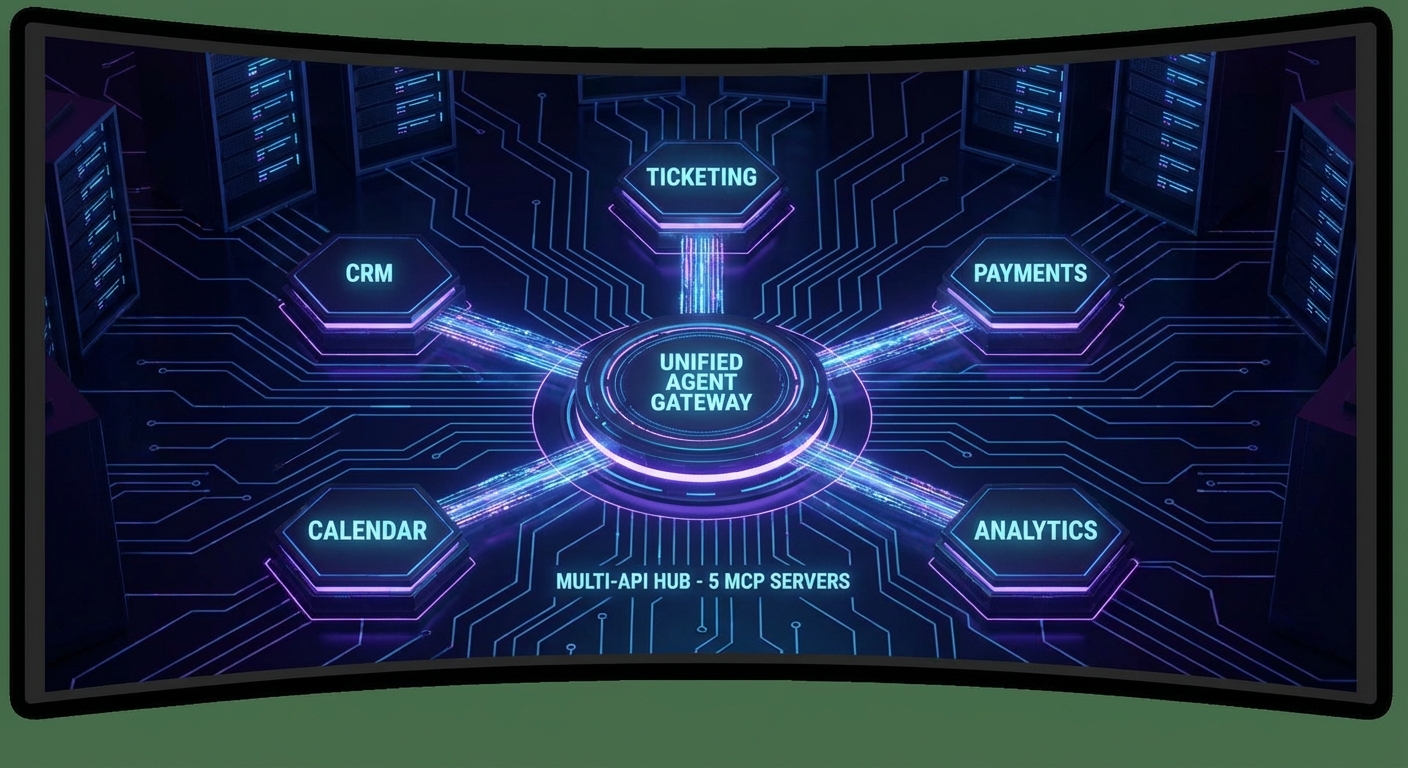
Project Architecture
mcp-api-hub/
├── servers/
│   ├── crm-server.js          (Customer data: search, get, update)
│   ├── tickets-server.js      (Support tickets: list, create, update)
│   ├── payments-server.js     (Billing: get_invoice, check_subscription)
│   ├── calendar-server.js     (Meetings: list, create, cancel)
│   └── analytics-server.js   (Metrics: get_report, get_trend)
├── agent/
│   └── hub-agent.js           (Multi-server MCP + OpenAI agent)
└── index.js
The key architectural decision here is one agent, many servers. Each API gets its own MCP server process, which means they are isolated – a crash in the payments server does not take down the CRM. It also means you can develop, test, and deploy each server independently, exactly like microservices.
The Multi-Server Agent
// agent/hub-agent.js
import OpenAI from 'openai';
import { Client } from '@modelcontextprotocol/sdk/client/index.js';
import { StdioClientTransport } from '@modelcontextprotocol/sdk/client/stdio.js';

const SERVER_CONFIGS = [
  { id: 'crm', command: 'node', args: ['./servers/crm-server.js'] },
  { id: 'tickets', command: 'node', args: ['./servers/tickets-server.js'] },
  { id: 'payments', command: 'node', args: ['./servers/payments-server.js'] },
  { id: 'calendar', command: 'node', args: ['./servers/calendar-server.js'] },
  { id: 'analytics', command: 'node', args: ['./servers/analytics-server.js'] },
];

export async function createHubAgent() {
  const openai = new OpenAI();
  const connections = new Map();
  const allTools = [];

  // Connect to all servers in parallel
  await Promise.all(SERVER_CONFIGS.map(async config => {
    const transport = new StdioClientTransport({ command: config.command, args: config.args, env: process.env });
    const client = new Client({ name: 'hub-agent', version: '1.0.0' });
    await client.connect(transport);
    connections.set(config.id, client);

    const { tools } = await client.listTools();
    for (const tool of tools) {
      allTools.push({
        serverId: config.id,
        tool,
        openaiFormat: {
          type: 'function',
          function: { name: tool.name, description: `[${config.id}] ${tool.description}`, parameters: tool.inputSchema, strict: true },
        },
      });
    }
  }));

  console.log(`Hub connected to ${connections.size} servers, ${allTools.length} tools total`);

  // Find which server owns a tool
  const toolIndex = new Map(allTools.map(t => [t.tool.name, t]));

  return {
    async query(userMessage) {
      const messages = [
        {
          role: 'system',
          content: `You are a comprehensive business assistant with access to CRM, ticketing, payments, calendar, and analytics systems.
Tools are prefixed with their system: [crm], [tickets], [payments], [calendar], [analytics].
When answering questions, use tools from multiple systems as needed to give a complete answer.
Always check multiple related systems when investigating customer issues.`,
        },
        { role: 'user', content: userMessage },
      ];

      const openaiTools = allTools.map(t => t.openaiFormat);
      let turns = 0;

      while (true) {
        const response = await openai.chat.completions.create({
          model: 'gpt-4o', messages, tools: openaiTools, tool_choice: 'auto',
          parallel_tool_calls: true,
        });
        const msg = response.choices[0].message;
        messages.push(msg);

        if (msg.finish_reason !== 'tool_calls') return msg.content;
        if (++turns > 15) throw new Error('Max turns exceeded');

        const results = await Promise.all(msg.tool_calls.map(async tc => {
          const entry = toolIndex.get(tc.function.name);
          if (!entry) {
            return { role: 'tool', tool_call_id: tc.id, content: `Tool '${tc.function.name}' not found` };
          }
          const client = connections.get(entry.serverId);
          const args = JSON.parse(tc.function.arguments);
          const result = await client.callTool({ name: tc.function.name, arguments: args });
          const text = result.content.filter(c => c.type === 'text').map(c => c.text).join('\n');
          return { role: 'tool', tool_call_id: tc.id, content: text };
        }));
        messages.push(...results);
      }
    },

    async close() {
      await Promise.all([...connections.values()].map(c => c.close()));
    },
  };
}
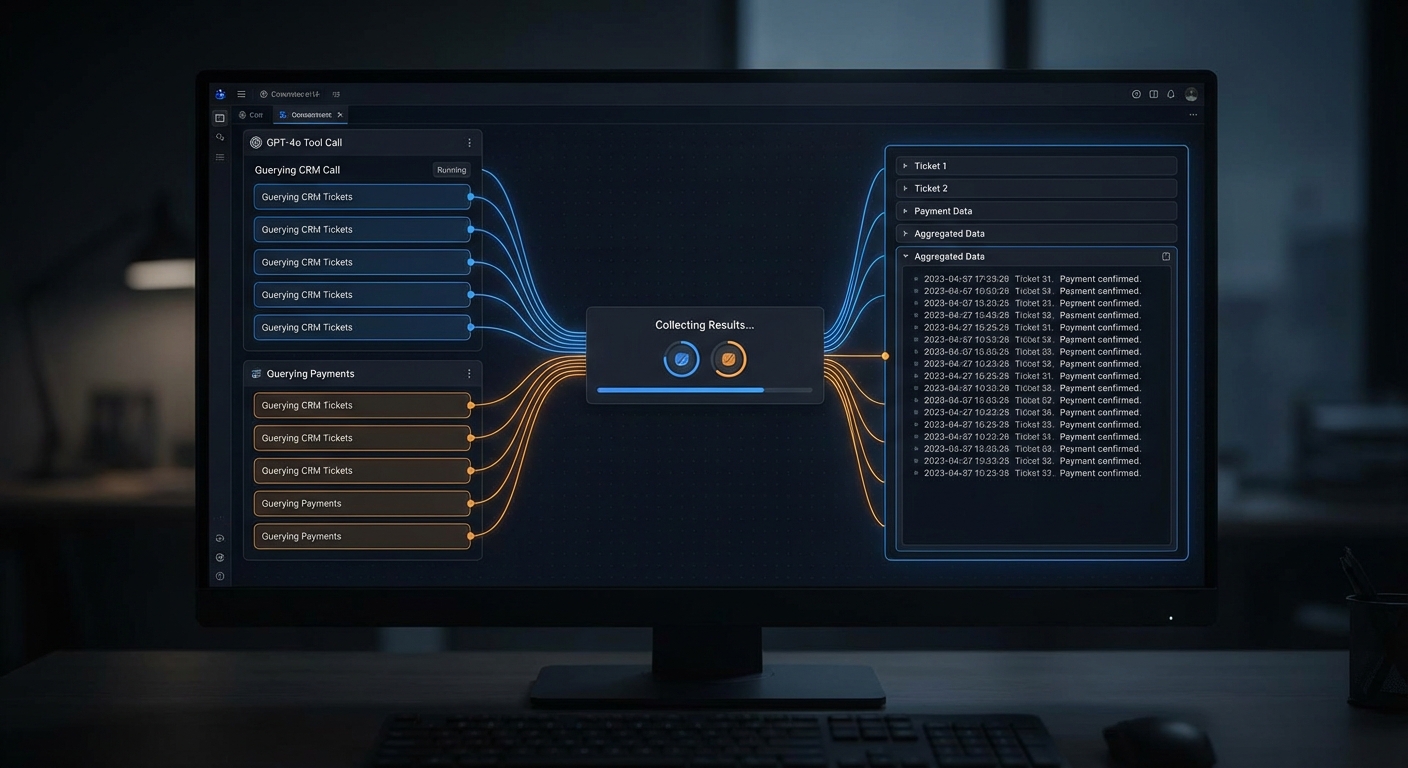
The parallel_tool_calls: true flag is critical for performance. Without it, the model would call CRM, wait for the response, then call tickets, wait again, then call payments. With parallel calls, all three fire simultaneously and the total latency is the slowest server, not the sum of all servers. For customer-facing support bots, this can cut response time from 6 seconds to 2.
One thing that can go wrong here: tool name collisions. If both the CRM server and the tickets server expose a tool called search, the toolIndex map will silently overwrite one with the other. The description prefix ([crm], [tickets]) helps the model distinguish them, but the routing map needs unique names. Namespace your tool names (like crm_search, tickets_search) to avoid this.
Sample CRM Server (Condensed)
// servers/crm-server.js
import { McpServer } from '@modelcontextprotocol/sdk/server/mcp.js';
import { StdioServerTransport } from '@modelcontextprotocol/sdk/server/stdio.js';
import { z } from 'zod';

const server = new McpServer({ name: 'crm-server', version: '1.0.0' });

server.tool('search_customers', {
  query: z.string().min(1).max(100),
  limit: z.number().int().min(1).max(20).default(10),
}, async ({ query, limit }) => {
  const customers = await crmApi.search(query, limit);
  return { content: [{ type: 'text', text: JSON.stringify(customers) }] };
});

server.tool('get_customer', {
  id: z.string().uuid(),
}, async ({ id }) => {
  const customer = await crmApi.getById(id);
  if (!customer) return { content: [{ type: 'text', text: 'Customer not found' }], isError: true };
  return { content: [{ type: 'text', text: JSON.stringify(customer) }] };
});

const transport = new StdioServerTransport();
await server.connect(transport);
Example Usage
const agent = await createHubAgent();

const answer = await agent.query(
  'Customer john.smith@acme.com says their subscription renewal failed last week. ' +
  'What is their account status, do they have any open support tickets, ' +
  'and what does their payment history look like?'
);
// Agent will call: search_customers, get_subscription, list_tickets, get_payment_history
// in parallel, then synthesize a complete answer

console.log(answer);
await agent.close();
This hub pattern is how enterprise support platforms like Zendesk and Intercom are building their AI assistants. A single user question like “why was this customer charged twice?” requires data from billing, CRM, and ticketing systems simultaneously. Without MCP’s standardized tool interface, you would need custom integration code for every API combination.
nJoy 😉