
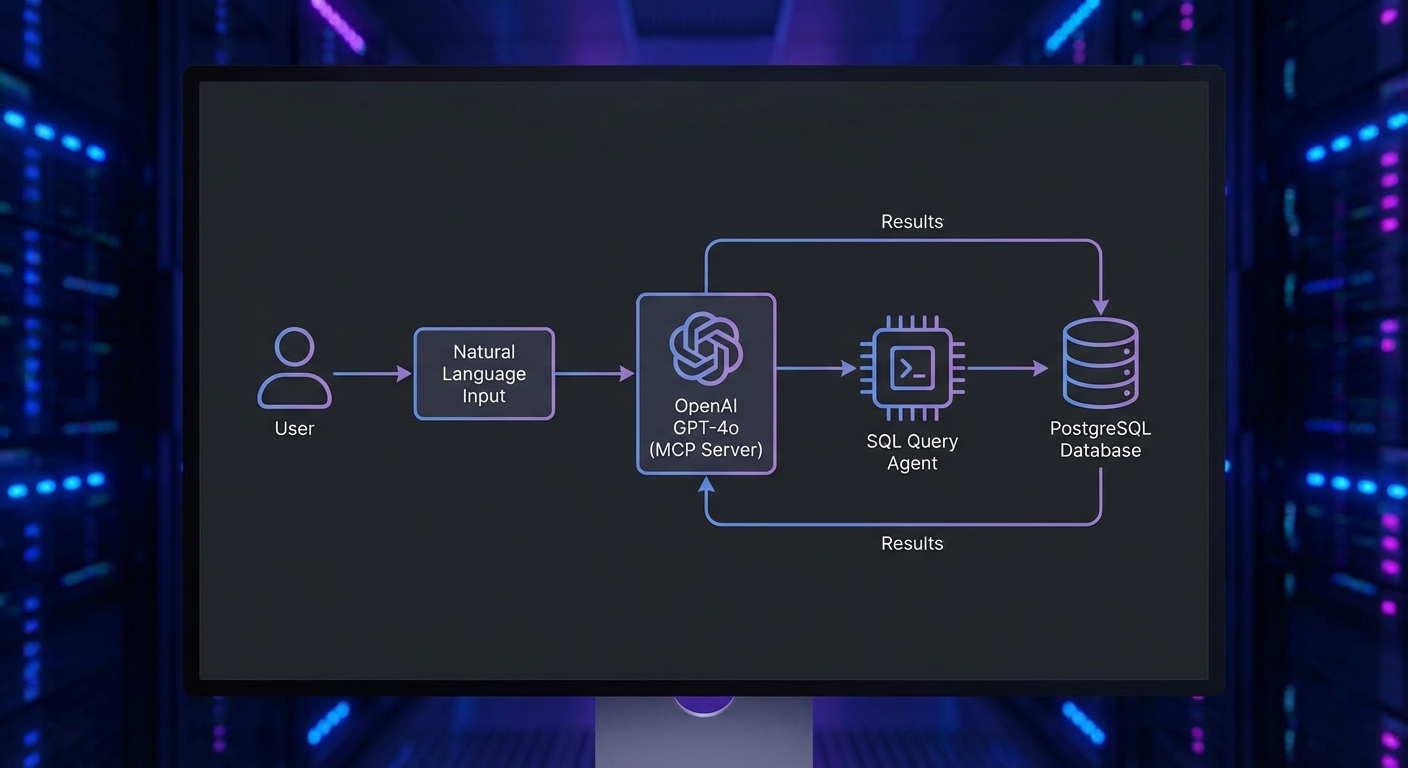
This capstone project builds a complete, production-ready PostgreSQL query agent using OpenAI GPT-4o and MCP. By the end you will have a fully functional system where a user can ask questions in natural language and the agent translates them to safe, parameterized SQL queries, executes them against a real PostgreSQL database, formats the results, and explains its reasoning. The project incorporates lessons from throughout the course: schema validation, tool safety, audit logging, retry logic, and graceful shutdown.
Project Structure
mcp-db-agent/
├── package.json         (type: module, node 22+)
├── .env                 (DATABASE_URL, OPENAI_API_KEY)
├── servers/
│   └── db-server.js     (MCP server with database tools)
├── agent/
│   └── query-agent.js   (OpenAI + MCP client loop)
├── lib/
│   ├── db.js            (PostgreSQL connection pool)
│   ├── audit.js         (Audit logger)
│   └── safety.js        (SQL safety checks)
└── index.js             (CLI entry point)
The MCP Database Server
// servers/db-server.js
import { McpServer } from '@modelcontextprotocol/sdk/server/mcp.js';
import { StdioServerTransport } from '@modelcontextprotocol/sdk/server/stdio.js';
import { z } from 'zod';
import pg from 'pg';

const pool = new pg.Pool({ connectionString: process.env.DATABASE_URL });
const server = new McpServer({ name: 'db-server', version: '1.0.0' });

// Tool 1: List available tables
server.tool('list_tables', {}, async () => {
  const { rows } = await pool.query(
    "SELECT table_name, table_type FROM information_schema.tables WHERE table_schema = 'public' ORDER BY table_name"
  );
  return { content: [{ type: 'text', text: JSON.stringify(rows) }] };
});

// Tool 2: Describe a table's columns
server.tool('describe_table', {
  table_name: z.string().regex(/^[a-zA-Z_][a-zA-Z0-9_]*$/, 'Invalid table name'),
}, async ({ table_name }) => {
  const { rows } = await pool.query(
    'SELECT column_name, data_type, is_nullable, column_default FROM information_schema.columns WHERE table_schema = $1 AND table_name = $2 ORDER BY ordinal_position',
    ['public', table_name]
  );
  if (rows.length === 0) {
    return { content: [{ type: 'text', text: `Table '${table_name}' not found` }], isError: true };
  }
  return { content: [{ type: 'text', text: JSON.stringify(rows) }] };
});

// Tool 3: Execute a read-only query (SELECT only)
server.tool('execute_query', {
  sql: z.string().max(2000),
  params: z.array(z.union([z.string(), z.number(), z.null()])).max(20).default([]),
}, async ({ sql, params }) => {
  // Safety check: only allow SELECT statements
  const normalizedSql = sql.trim().toUpperCase();
  if (!normalizedSql.startsWith('SELECT') && !normalizedSql.startsWith('WITH')) {
    return { content: [{ type: 'text', text: 'Only SELECT queries are allowed' }], isError: true };
  }

  // Forbid dangerous keywords
  const dangerous = ['DROP', 'DELETE', 'UPDATE', 'INSERT', 'ALTER', 'TRUNCATE', 'GRANT', 'REVOKE'];
  if (dangerous.some(kw => normalizedSql.includes(kw))) {
    return { content: [{ type: 'text', text: 'Query contains forbidden keywords' }], isError: true };
  }

  try {
    const { rows, rowCount } = await pool.query(sql, params);
    return {
      content: [{ type: 'text', text: JSON.stringify({ rows: rows.slice(0, 100), total: rowCount, truncated: rowCount > 100 }) }],
    };
  } catch (err) {
    return { content: [{ type: 'text', text: `Query failed: ${err.message}` }], isError: true };
  }
});

// Tool 4: Get row count (for planning queries)
server.tool('count_rows', {
  table_name: z.string().regex(/^[a-zA-Z_][a-zA-Z0-9_]*$/),
  where_clause: z.string().max(500).optional(),
}, async ({ table_name, where_clause }) => {
  const sql = where_clause
    ? `SELECT COUNT(*) as count FROM ${table_name} WHERE ${where_clause}`
    : `SELECT COUNT(*) as count FROM ${table_name}`;
  const { rows } = await pool.query(sql);
  return { content: [{ type: 'text', text: JSON.stringify(rows[0]) }] };
});

const transport = new StdioServerTransport();
await server.connect(transport);
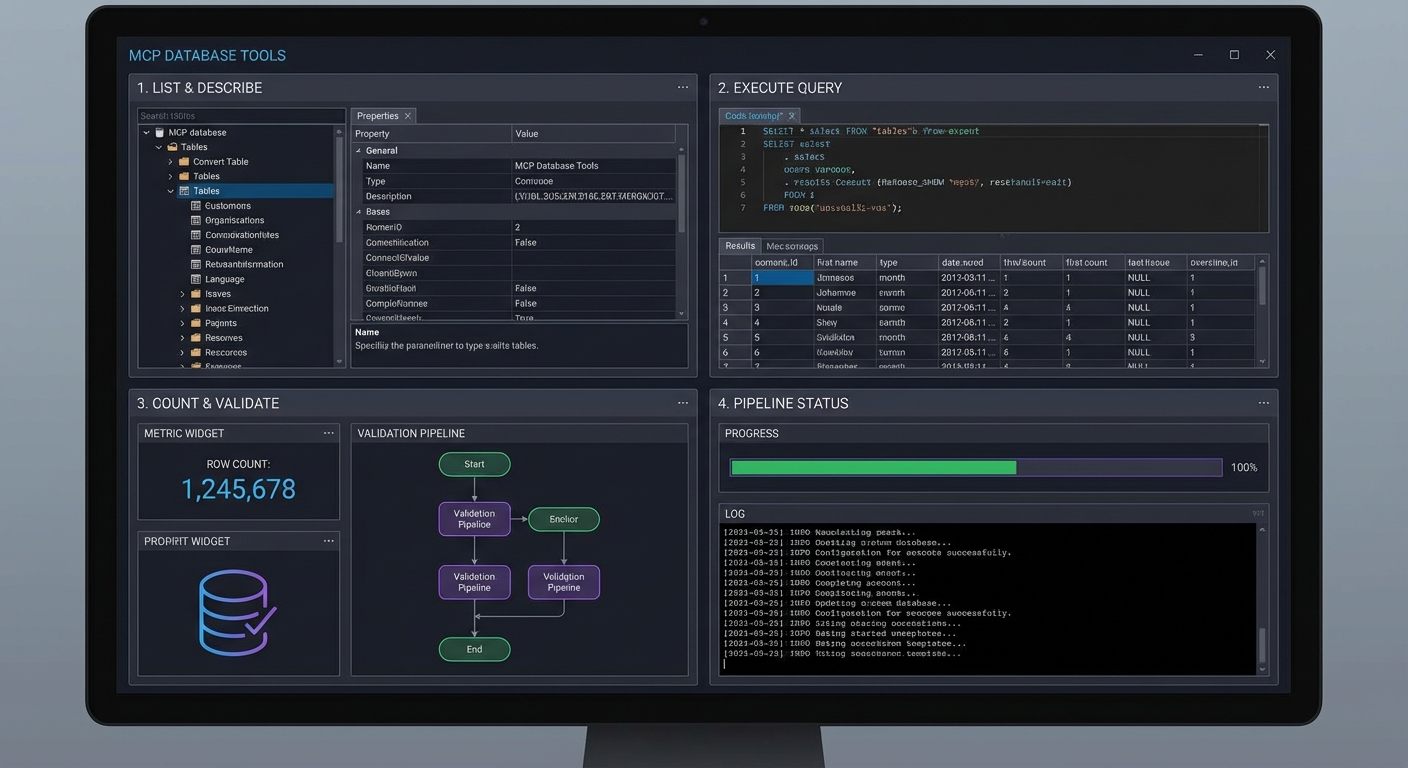
In practice, this four-tool design is intentional: it mirrors how a careful human analyst works. Rather than handing the model a single “run any SQL” tool, you force it through a discovery workflow – list tables, inspect columns, then query. This staged approach dramatically reduces hallucinated column names and malformed joins because the model sees the real schema before writing SQL.
Watch the safety check in execute_query closely. The keyword blocklist approach is simple but brittle – a query like SELECT * FROM updates would be rejected because “UPDATE” appears in the table name. In a production system, you would use a proper SQL parser or run queries through a read-only database user instead of string matching.
The OpenAI Query Agent
// agent/query-agent.js
import OpenAI from 'openai';
import { Client } from '@modelcontextprotocol/sdk/client/index.js';
import { StdioClientTransport } from '@modelcontextprotocol/sdk/client/stdio.js';

const openai = new OpenAI();

export async function createQueryAgent() {
  const transport = new StdioClientTransport({
    command: 'node',
    args: ['./servers/db-server.js'],
    env: { ...process.env },
  });
  const mcp = new Client({ name: 'query-agent', version: '1.0.0' });
  await mcp.connect(transport);
  const { tools: mcpTools } = await mcp.listTools();

  const tools = mcpTools.map(t => ({
    type: 'function',
    function: { name: t.name, description: t.description, parameters: t.inputSchema, strict: true },
  }));

  const SYSTEM_PROMPT = `You are a precise database analyst.
You have access to a PostgreSQL database. To answer questions:
1. First call list_tables to see available tables
2. Call describe_table for tables relevant to the question
3. Plan a safe SELECT query (use parameters for any user values)
4. Call execute_query with the query and parameters
5. Present results clearly with a brief interpretation

Always use parameterized queries. Never build SQL by string concatenation.
If a question cannot be answered with a SELECT, say so clearly.`;

  return {
    async query(userQuestion) {
      const messages = [
        { role: 'system', content: SYSTEM_PROMPT },
        { role: 'user', content: userQuestion },
      ];
      let turns = 0;

      while (true) {
        const response = await openai.chat.completions.create({
          model: 'gpt-4o', messages, tools, tool_choice: 'auto',
        });
        const msg = response.choices[0].message;
        messages.push(msg);

        if (msg.finish_reason !== 'tool_calls') {
          return msg.content;
        }

        if (++turns > 10) throw new Error('Max turns exceeded');

        const results = await Promise.all(msg.tool_calls.map(async tc => {
          const args = JSON.parse(tc.function.arguments);
          const result = await mcp.callTool({ name: tc.function.name, arguments: args });
          const text = result.content.filter(c => c.type === 'text').map(c => c.text).join('\n');
          return { role: 'tool', tool_call_id: tc.id, content: text };
        }));
        messages.push(...results);
      }
    },
    async close() { await mcp.close(); },
  };
}
The agent loop here follows the same pattern you have seen throughout the course, but notice the turn cap of 10. Without it, a confusing question could cause the model to loop indefinitely – calling tools, misinterpreting results, and calling more tools. In a billing-sensitive environment, a runaway loop like that translates directly into unexpected API costs.
Running the Agent
// index.js
import { createQueryAgent } from './agent/query-agent.js';
import readline from 'node:readline';

const agent = await createQueryAgent();
const rl = readline.createInterface({ input: process.stdin, output: process.stdout });

console.log('PostgreSQL Query Agent ready. Ask anything about your data.');
console.log('Type "exit" to quit.\n');

rl.on('line', async (line) => {
  if (line.trim() === 'exit') { await agent.close(); process.exit(0); }
  if (!line.trim()) return;
  try {
    const answer = await agent.query(line);
    console.log('\n' + answer + '\n');
  } catch (err) {
    console.error('Error:', err.message);
  }
});
Teams commonly deploy this exact pattern as an internal analytics bot on Slack or Teams. A support engineer asks “how many orders shipped last week from warehouse 3?” and gets an answer in seconds, without needing SQL skills or database access credentials. The read-only constraint means the bot is safe to hand to non-technical staff.
What to Extend
- Add the audit logging middleware from Lesson 35 to log every
execute_querycall with the SQL, user, and result count. - Add a
sample_rowstool that returns 3 rows from any table – helps the model understand data format before writing queries. - Connect it to your real production database with a read-only service account.
nJoy 😉