
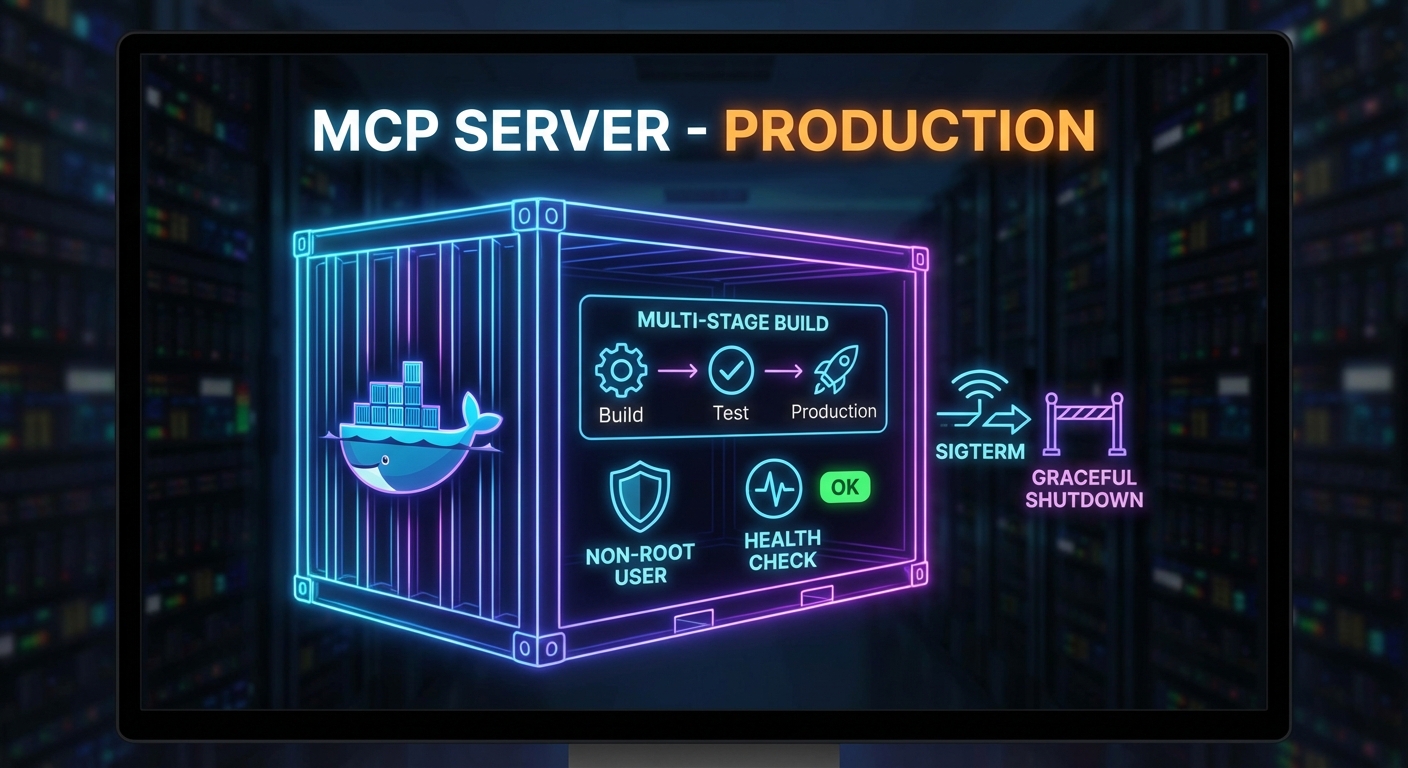
Running an MCP server in development with node server.js and running it in production are very different things. Production requires a container image that handles signals correctly, a health check endpoint that Docker and Kubernetes can poll, graceful shutdown that finishes in-flight requests before exiting, and a process supervisor that restarts the server on crashes. This lesson builds the complete production deployment stack for an MCP server: Dockerfile, health endpoint, graceful shutdown, and Docker Compose configuration.
The Production Dockerfile
# Multi-stage build: separate build and runtime stages
FROM node:22-alpine AS builder

WORKDIR /app
COPY package*.json ./
RUN npm ci --only=production

# Runtime stage: minimal image with only production deps
FROM node:22-alpine

# Run as non-root user (security best practice)
RUN addgroup -S mcp && adduser -S mcp -G mcp
WORKDIR /app

COPY --from=builder /app/node_modules ./node_modules
COPY --chown=mcp:mcp . .

USER mcp

# Health check: poll /health every 30s, timeout 5s, 3 retries before unhealthy
HEALTHCHECK --interval=30s --timeout=5s --start-period=10s --retries=3 \
  CMD wget -qO- http://localhost:3000/health || exit 1

EXPOSE 3000

# Use exec form to get PID 1 (receives SIGTERM correctly)
CMD ["node", "server.js"]
Smaller runtime images start faster, cost less to pull, and expose fewer packages to attackers. Non-root users limit damage if a dependency is compromised, and a declared HEALTHCHECK gives Docker and Kubernetes a single, consistent signal that the process is ready and still responding. Exec-form CMD matters because PID 1 must be Node so SIGTERM from docker stop or a rolling update reaches your shutdown code instead of being swallowed by a shell wrapper.
The Dockerfile assumes your app exposes /health and can exit cleanly; the next section implements that contract in Express and ties connection draining to the MCP server lifecycle.
Graceful Shutdown
import { McpServer } from '@modelcontextprotocol/sdk/server/mcp.js';
import { StreamableHTTPServerTransport } from '@modelcontextprotocol/sdk/server/streamable-http.js';
import express from 'express';

const app = express();
const server = new McpServer({ name: 'my-mcp-server', version: '1.0.0' });

// Health endpoint (required for container health checks)
app.get('/health', (req, res) => {
  res.json({ status: 'ok', uptime: process.uptime(), pid: process.pid });
});

// Track active connections for graceful drain
const activeConnections = new Set();
const httpServer = app.listen(3000, () => {
  console.log('MCP server listening on :3000');
});

httpServer.on('connection', (socket) => {
  activeConnections.add(socket);
  socket.once('close', () => activeConnections.delete(socket));
});

// Graceful shutdown handler
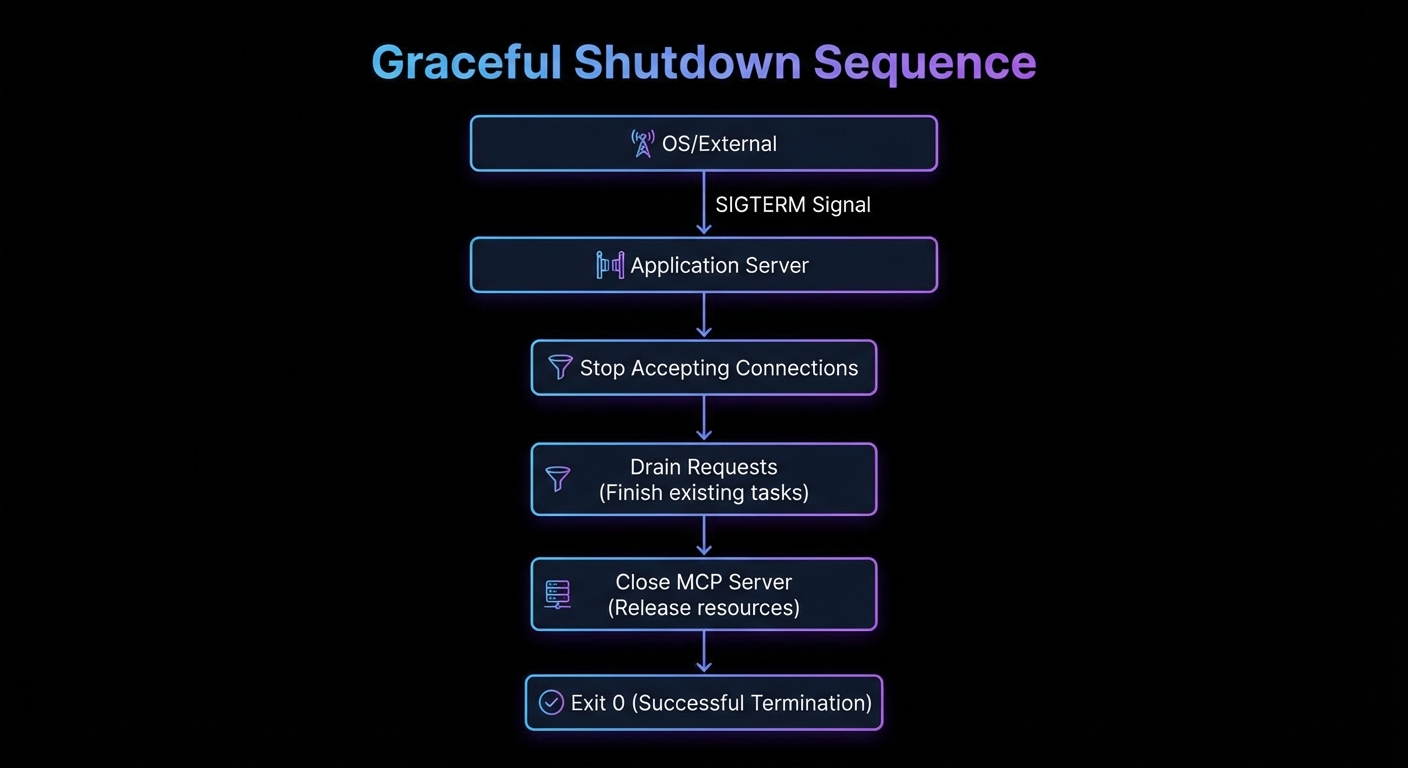
async function shutdown(signal) {
  console.log(`Received ${signal}, shutting down gracefully...`);

  // Stop accepting new connections
  httpServer.close(async () => {
    console.log('HTTP server closed');

    // Close MCP server (finishes in-flight tool calls)
    await server.close();
    console.log('MCP server closed');

    process.exit(0);
  });

  // Force-close remaining connections after 30 seconds
  setTimeout(() => {
    console.error('Forced shutdown after 30s timeout');
    for (const socket of activeConnections) socket.destroy();
    process.exit(1);
  }, 30_000);
}

process.on('SIGTERM', () => shutdown('SIGTERM'));
process.on('SIGINT', () => shutdown('SIGINT'));

// Prevent unhandled errors from crashing without cleanup
process.on('uncaughtException', (err) => {
  console.error('Uncaught exception:', err);
  shutdown('uncaughtException');
});
If you skip graceful shutdown, deploys and scale-down events can cut off in-flight tool calls and leave clients with ambiguous errors. In a real project, you would set container stop_grace_period and Kubernetes terminationGracePeriodSeconds slightly above your forced-shutdown timeout so the platform always waits long enough for httpServer.close and server.close() to finish.
Docker Compose for Production
services:
  mcp-server:
    image: mycompany/mcp-product-server:1.2.0
    restart: unless-stopped
    ports:
      - "3000:3000"
    environment:
      NODE_ENV: production
      DATABASE_URL: ${DATABASE_URL}
    env_file:
      - .env.production
    healthcheck:
      test: ["CMD", "wget", "-qO-", "http://localhost:3000/health"]
      interval: 30s
      timeout: 5s
      retries: 3
      start_period: 15s
    deploy:
      resources:
        limits:
          cpus: "1.0"
          memory: 512M
        reservations:
          cpus: "0.25"
          memory: 128M
    logging:
      driver: json-file
      options:
        max-size: "100m"
        max-file: "3"
    stop_grace_period: 30s
Compose bundles image reference, env files, log rotation, and resource caps for one host or a small staging stack without a full cluster. The same image tag and /health path you validate here should match what you promote to production so regressions show up before users do.
Kubernetes Deployment (Minimal Example)
apiVersion: apps/v1
kind: Deployment
metadata:
  name: mcp-product-server
spec:
  replicas: 2
  selector:
    matchLabels:
      app: mcp-product-server
  template:
    metadata:
      labels:
        app: mcp-product-server
    spec:
      containers:
        - name: mcp-server
          image: mycompany/mcp-product-server:1.2.0
          ports:
            - containerPort: 3000
          env:
            - name: DATABASE_URL
              valueFrom:
                secretKeyRef:
                  name: mcp-secrets
                  key: database-url
          livenessProbe:
            httpGet:
              path: /health
              port: 3000
            initialDelaySeconds: 10
            periodSeconds: 30
          readinessProbe:
            httpGet:
              path: /health
              port: 3000
            initialDelaySeconds: 5
            periodSeconds: 10
          resources:
            requests:
              memory: "128Mi"
              cpu: "250m"
            limits:
              memory: "512Mi"
              cpu: "1000m"
      terminationGracePeriodSeconds: 35
Readiness probes delay sending traffic until the pod can serve MCP traffic; liveness probes restart containers that deadlock without exiting. Running more than one replica lets you drain one instance while others keep serving. In a real project, you would mirror the DATABASE_URL pattern for all secrets and keep non-secret config in ConfigMaps so rollouts stay repeatable.
Common Deployment Failures
- SIGTERM not reaching Node.js: If you use shell form in CMD (
CMD node server.js), Docker wraps it in/bin/sh -c. The shell receives SIGTERM but does not forward it to Node. Always use exec form:CMD ["node", "server.js"]. - Health check during startup: The server may not be ready immediately. Set
start_periodto give the server time to initialize before health checks begin counting failures. - Container running as root: Running as root means a process escape gives an attacker full container root. Always add a non-root user in the Dockerfile.
- No resource limits: An MCP server with a memory leak will eventually OOM the host. Always set memory limits in production.
What to Build Next
- Dockerize your existing MCP server using the multi-stage Dockerfile above. Verify that
docker stoptriggers graceful shutdown by checking the log output. - Add the
/healthendpoint and test it returns 200 within 5 seconds of startup.
nJoy 😉