
OpenAI’s tool calling is where MCP integration becomes immediately tangible. You have an MCP server with tools registered on it. You have a GPT-4o or o3 model that needs to use those tools. The integration is three steps: list tools from MCP, convert them to OpenAI’s function format, run the completion loop. This lesson builds that integration from scratch, explains every conversion step, and covers the failure modes that will break your agent in the middle of a production run.
The OpenAI Tool Calling Model
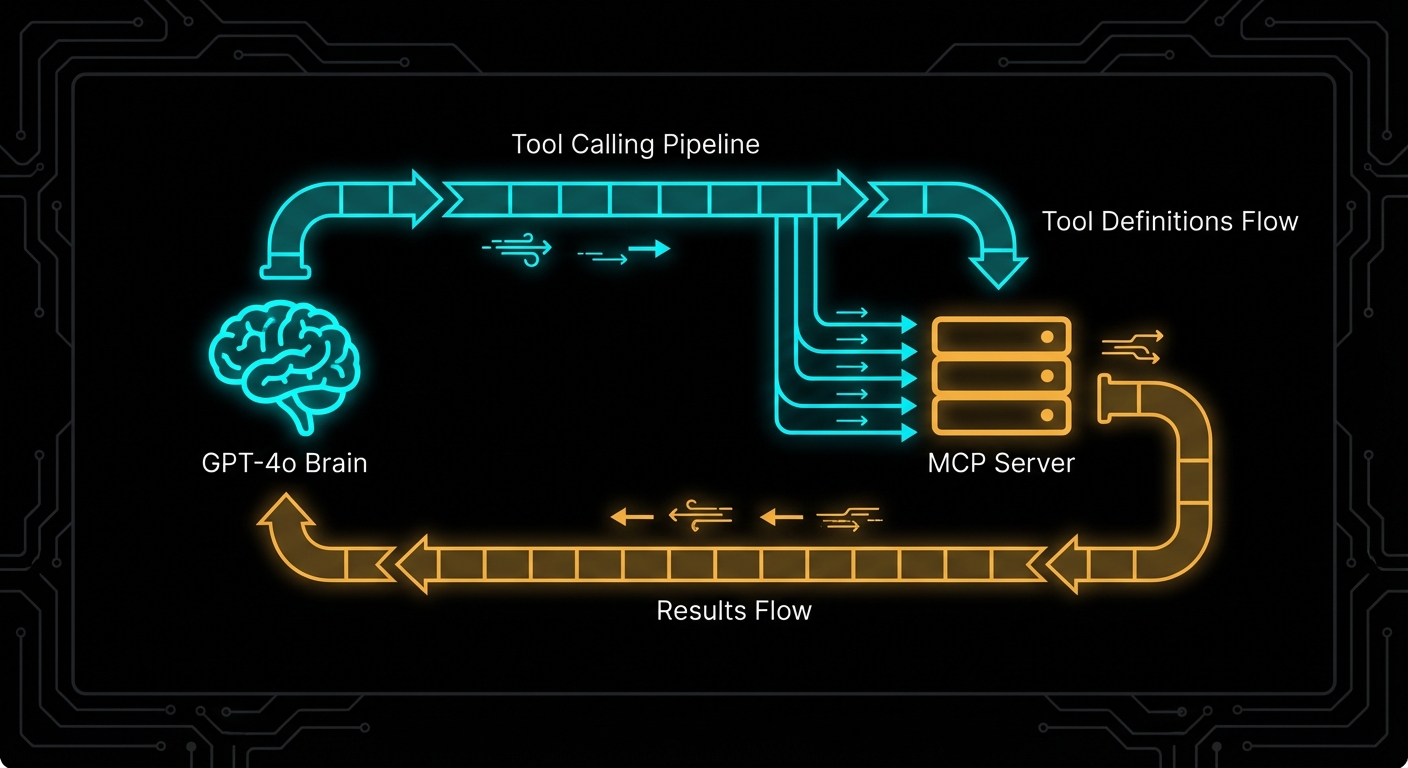
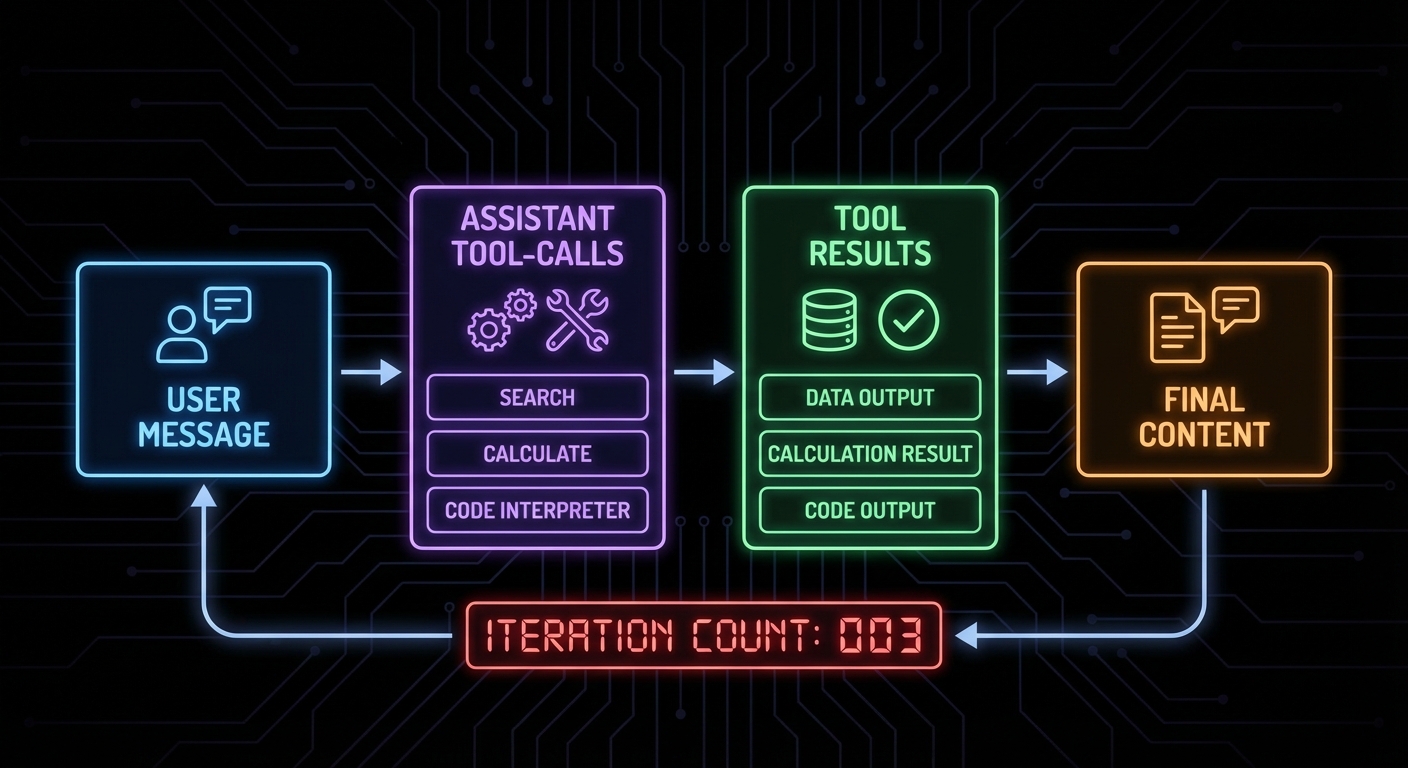
OpenAI’s tool calling (formerly function calling) works by providing the model with a list of functions it can invoke. When the model decides to use a tool, the API returns a response with tool_calls instead of content. Your application executes the tool, then appends the result to the conversation and calls the API again. This loop continues until the model returns content with no pending tool calls.
MCP tools map cleanly onto OpenAI’s function schema. The conversion is mechanical: take the MCP tool’s name, description, and JSON Schema, and wrap them in OpenAI’s format.
// MCP tool schema (what the MCP server provides)
// {
//   name: "search_products",
//   description: "Search the product catalogue",
//   inputSchema: {
//     type: "object",
//     properties: {
//       query: { type: "string", description: "Search terms" },
//       limit: { type: "number", description: "Max results" }
//     },
//     required: ["query"]
//   }
// }

// OpenAI tool format (what openai.chat.completions.create() expects)
function mcpToolToOpenAITool(mcpTool) {
  return {
    type: 'function',
    function: {
      name: mcpTool.name,
      description: mcpTool.description,
      parameters: mcpTool.inputSchema,  // Direct pass-through - formats are compatible
    },
  };
}
“Tool calls allow models to call user-defined tools. Tools are specified in the request by the user, and the model can call them during message generation.” – OpenAI Documentation, Function Calling
The Complete Integration: MCP Client + OpenAI Loop
// mcp-openai-host.js
import OpenAI from 'openai';
import { Client } from '@modelcontextprotocol/sdk/client/index.js';
import { StdioClientTransport } from '@modelcontextprotocol/sdk/client/stdio.js';

const openai = new OpenAI({ apiKey: process.env.OPENAI_API_KEY });

// Step 1: Connect to MCP server
const mcpClient = new Client(
  { name: 'openai-host', version: '1.0.0' },
  { capabilities: {} }
);

const transport = new StdioClientTransport({
  command: 'node',
  args: ['./my-mcp-server.js'],
  env: process.env,
});

await mcpClient.connect(transport);

// Step 2: Discover tools and convert to OpenAI format
const { tools: mcpTools } = await mcpClient.listTools();
const openAITools = mcpTools.map(tool => ({
  type: 'function',
  function: {
    name: tool.name,
    description: tool.description,
    parameters: tool.inputSchema,
  },
}));

console.log(`Loaded ${openAITools.length} tools from MCP server`);

// Step 3: Build the tool-calling loop
async function runWithTools(userMessage) {
  const messages = [{ role: 'user', content: userMessage }];

  while (true) {
    const response = await openai.chat.completions.create({
      model: 'gpt-4o',
      messages,
      tools: openAITools,
      tool_choice: 'auto',  // Let the model decide
    });

    const choice = response.choices[0];
    const message = choice.message;

    // Append the assistant message to conversation
    messages.push(message);

    // If no tool calls, we have the final answer
    if (choice.finish_reason !== 'tool_calls') {
      return message.content;
    }

    // Execute each tool call through MCP
    const toolResults = await Promise.all(
      message.tool_calls.map(async (toolCall) => {
        const args = JSON.parse(toolCall.function.arguments);

        console.log(`Calling tool: ${toolCall.function.name}`, args);

        const result = await mcpClient.callTool({
          name: toolCall.function.name,
          arguments: args,
        });

        // Format result for OpenAI
        const resultText = result.content
          .filter(c => c.type === 'text')
          .map(c => c.text)
          .join('\n');

        return {
          role: 'tool',
          tool_call_id: toolCall.id,
          content: resultText,
        };
      })
    );

    // Append all tool results to conversation
    messages.push(...toolResults);
    // Loop back to get the model's response to the tool results
  }
}

// Run it
const answer = await runWithTools('Find the top 5 electronics products under $100');
console.log('\nFinal answer:', answer);

await mcpClient.close();
Using GPT-4o vs o3 with MCP Tools
Different OpenAI models have different tool calling behaviours. GPT-4o is the most reliable for agentic tool use: it calls tools precisely, handles multi-tool scenarios well, and respects tool descriptions. The o3 and o3-mini reasoning models think before calling tools, which improves accuracy on complex multi-step tasks but adds latency and cost.
// For fast, reliable tool calling:
model: 'gpt-4o'

// For complex reasoning tasks where accuracy matters more than speed:
model: 'o3-mini'

// o3 supports a different parameter for "thinking budget":
const response = await openai.chat.completions.create({
  model: 'o3',
  messages,
  tools: openAITools,
  reasoning_effort: 'medium',  // 'low', 'medium', 'high'
});
Failure Modes with OpenAI + MCP
Case 1: Not Handling Multiple Simultaneous Tool Calls
GPT-4o can call multiple tools in a single response. If you only handle the first tool call, you will get protocol errors when the model expects all tool call results before it continues.
// WRONG: Only handles first tool call
const toolCall = message.tool_calls[0];
const result = await mcpClient.callTool({ name: toolCall.function.name, arguments: ... });

// CORRECT: Handle all tool calls, run them in parallel
const toolResults = await Promise.all(
  message.tool_calls.map(async (toolCall) => { ... })
);
messages.push(...toolResults);
Case 2: Infinite Tool Call Loops
If a tool always returns data that prompts another tool call, the loop never terminates. Set a maximum iteration count.
const MAX_ITERATIONS = 10;
let iterations = 0;

while (true) {
  if (++iterations > MAX_ITERATIONS) {
    throw new Error(`Tool calling loop exceeded ${MAX_ITERATIONS} iterations`);
  }
  // ... rest of loop
}
Case 3: Passing MCP Tool Input Schema Directly Without Validation
OpenAI requires tool parameter schemas to be valid JSON Schema. MCP’s inputSchema is JSON Schema, so it should work – but some edge cases (like Zod’s default values, which add non-standard keys) can cause OpenAI API errors. Strip unknown keys before passing to OpenAI.
// Safe schema extraction
function safeInputSchema(mcpTool) {
  const schema = mcpTool.inputSchema;
  // OpenAI does not accept 'default' at the schema root level
  // Strip it to avoid API validation errors
  const { default: _, ...safeSchema } = schema;
  return safeSchema;
}
What to Check Right Now
- Test tool conversion – print your OpenAI tools array and verify each tool has the correct name, description, and parameter schema.
- Run with gpt-4o-mini first – use the cheaper model during development to iterate faster and avoid burning GPT-4o quota on debugging.
- Log tool calls and results – add logging every time a tool is called and its result received. This makes agentic debugging dramatically easier.
- Cap iteration count – always set a maximum loop iteration and handle the case where the model runs out of allowed turns.
nJoy 😉