
Setting up a dev environment is the least glamorous part of any course, but it is also the part where the most time gets silently destroyed. This lesson sets up the Node.js MCP development environment properly, once, so you never have to think about it again. We cover the SDK, Zod for schema validation, ESM module configuration, the MCP Inspector, and the small quality-of-life tools that make the workflow fast. Every code example in this course starts from this base.
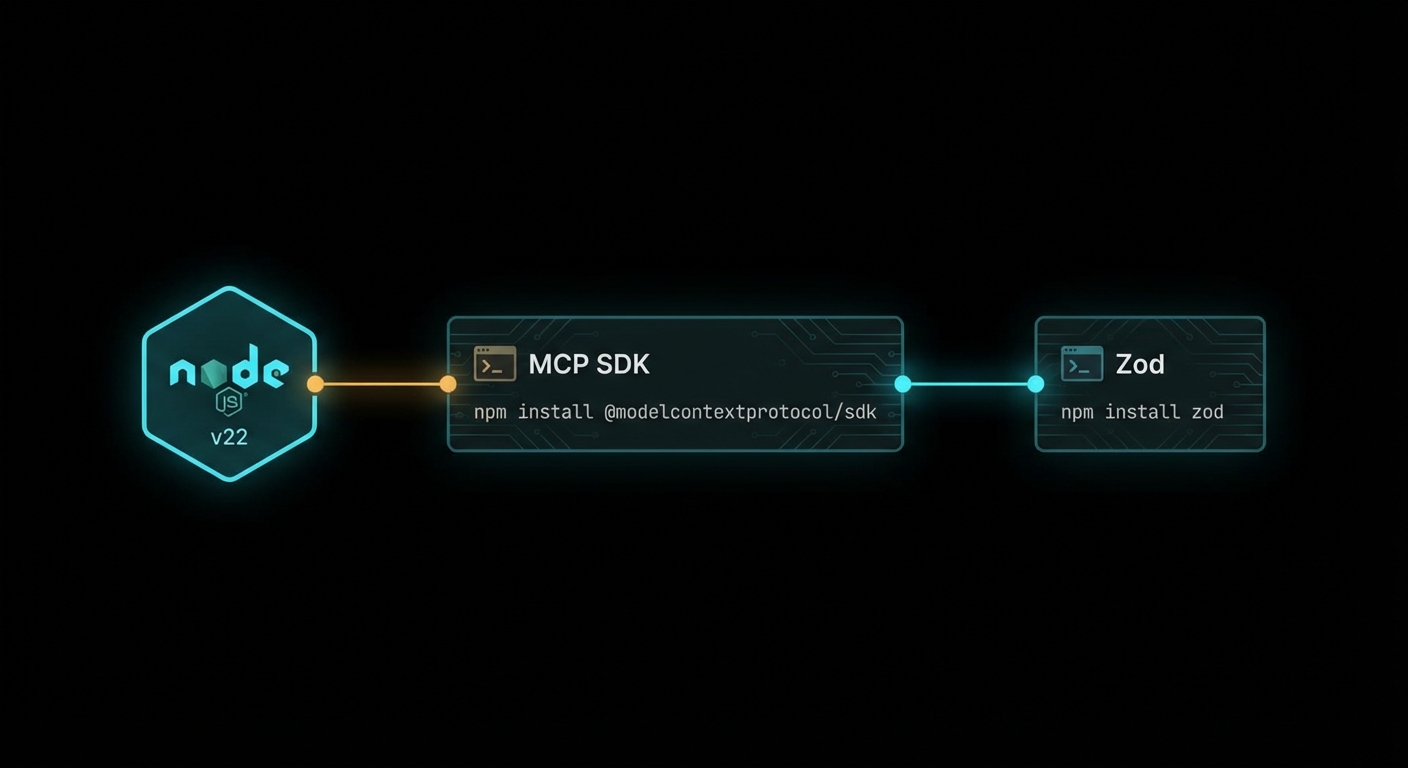
Node.js Version and ESM Setup
This course requires Node.js 22 or higher. Node.js 22 is the current LTS release and it ships several features we use throughout the course: native --env-file support (no more dotenv package), the stable node:test built-in test runner, and improved native fetch. Check your version:
node --version
# Should print v22.x.x or higher
# If not: nvm install 22 && nvm use 22
All code in this course uses ESM (ECMAScript Modules) – the import/export syntax. This is the modern Node.js module system and the MCP SDK is distributed as ESM. To use ESM in Node.js, add "type": "module" to your package.json. Here is the base package.json for every project in this course:
{
  "name": "my-mcp-project",
  "version": "1.0.0",
  "type": "module",
  "description": "MCP server / client",
  "engines": { "node": ">=22" }
}
With "type": "module", all .js files in your project are treated as ESM. You can use import and export freely. You cannot use require() directly (use createRequire from node:module if you ever need to load a CJS module from an ESM file). File extensions must be explicit in import paths: ./server.js, not ./server.
Installing the MCP SDK and Zod
Two packages cover everything you need to build and run MCP servers and clients:
npm install @modelcontextprotocol/sdk zod
@modelcontextprotocol/sdk is the official MCP implementation. It provides McpServer (for building servers), Client (for building clients), all transport implementations, and the full type definitions. It is the only MCP-specific dependency you need.
zod is a schema validation library. In MCP, it is used to define the input schemas for tools. When you register a tool on an MCP server, you pass a Zod schema that describes what arguments the tool accepts. The SDK uses this schema to generate the JSON Schema that gets advertised to clients, and to validate incoming tool call arguments before your handler runs. Zod v4 is required (v3 has a different API for .describe() on fields).
// Zod schema for a tool that searches a database
import { z } from 'zod';

const SearchSchema = {
  query: z.string().min(1).max(500).describe('The search query string'),
  limit: z.number().int().min(1).max(100).default(10).describe('Max results to return'),
  category: z.enum(['posts', 'users', 'products']).optional().describe('Filter by category'),
};

// The SDK converts this to JSON Schema for the tool manifest:
// { query: { type: 'string', minLength: 1, maxLength: 500, description: '...' }, ... }
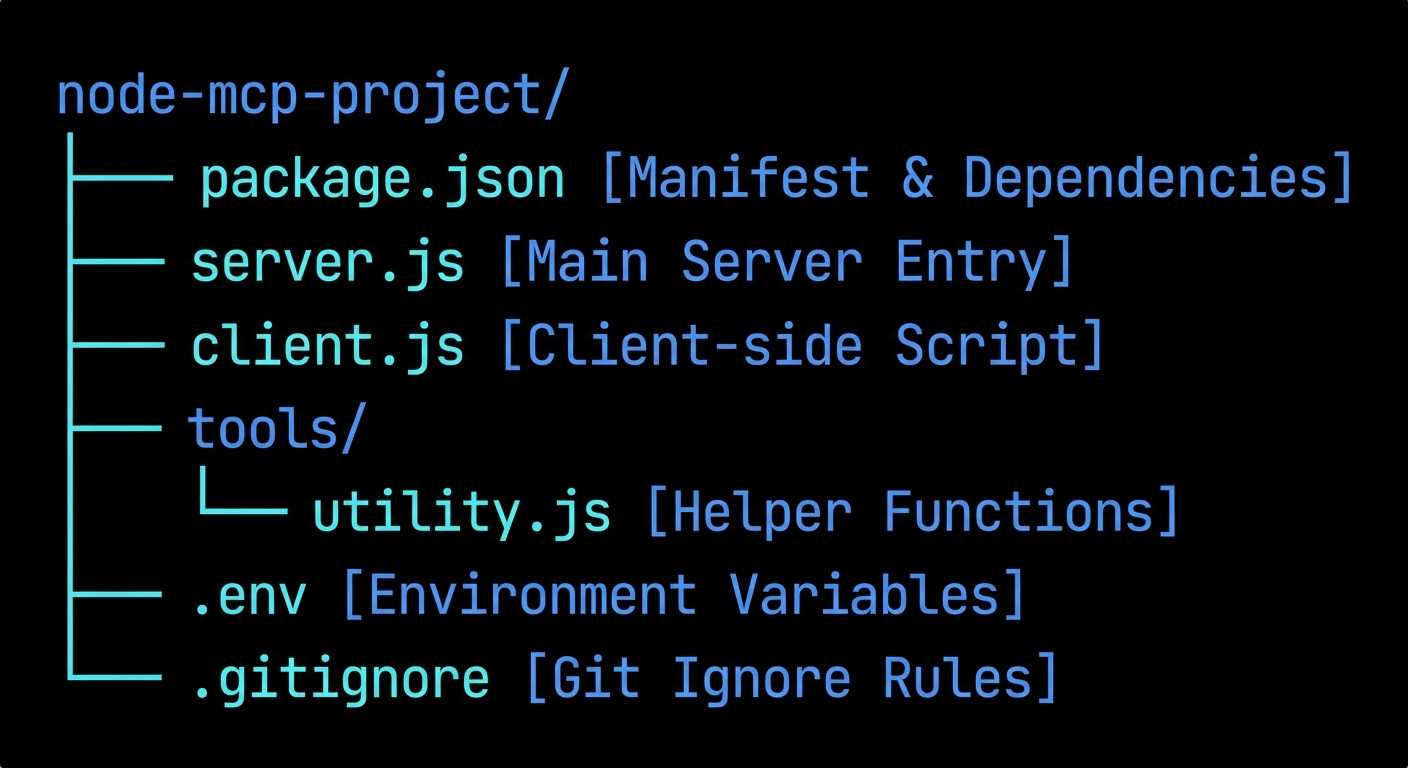
Project Structure Convention
Every project in this course follows this directory structure:
my-mcp-project/
  package.json          # "type": "module", dependencies
  .env                  # API keys and config (never committed)
  .gitignore            # includes .env and node_modules
  server.js             # MCP server entry point (or servers/ for multiple)
  client.js             # MCP client / host entry point
  tools/                # One file per tool for larger servers
    search.js
    fetch.js
  resources/            # One file per resource type
    database.js
For API keys, use Node.js 22’s native --env-file flag instead of the dotenv package. This keeps the dependency count low and the setup obvious:
# .env
OPENAI_API_KEY=sk-...
ANTHROPIC_API_KEY=sk-ant-...
GOOGLE_API_KEY=AIza...
DATABASE_URL=postgresql://localhost:5432/mydb
# Run server with env file loaded natively
node --env-file=.env server.js

# Or in package.json scripts
{
  "scripts": {
    "start": "node --env-file=.env server.js",
    "dev": "node --watch --env-file=.env server.js"
  }
}
The --watch flag (Node.js 18+) restarts the process when files change. No nodemon required.
The MCP Inspector
The MCP Inspector is an official tool for testing and debugging MCP servers interactively. It is the most important development tool in your MCP workflow. You can use it without installing anything:
npx @modelcontextprotocol/inspector node server.js
This opens a web UI at http://localhost:5173 (or similar). From the Inspector you can:
- See all tools, resources, and prompts the server exposes
- Call any tool with custom arguments and see the raw response
- Browse resources by URI
- Render prompts with template arguments
- Watch all JSON-RPC messages in the network panel in real time
The Inspector is the fastest way to verify that your server is working correctly before integrating it with an LLM. Always test with the Inspector first.
Common Environment Failures
Case 1: Using CJS require() in an ESM Project
With "type": "module" in package.json, all .js files are ESM. Using require() will throw ReferenceError: require is not defined in ES module scope.
// WRONG in an ESM project
const { McpServer } = require('@modelcontextprotocol/sdk/server/mcp.js');

// CORRECT
import { McpServer } from '@modelcontextprotocol/sdk/server/mcp.js';
If you need to import a CJS module from ESM (rare), use dynamic import or createRequire:
import { createRequire } from 'node:module';
const require = createRequire(import.meta.url);
const someCjsModule = require('some-cjs-package');
Case 2: Missing File Extensions in Import Paths
Unlike bundlers (webpack, Vite), Node.js ESM requires explicit file extensions in relative import paths. Omitting the extension causes a Cannot find module error.
// WRONG
import { myTool } from './tools/search';

// CORRECT
import { myTool } from './tools/search.js';
Case 3: Using Zod v3 with SDK v1
The MCP SDK v1 peer-depends on Zod v4 (not v3). Zod v3 and v4 have different APIs for field descriptions. If you have Zod v3 installed, the .describe() calls on schema fields will behave differently and tool descriptions may be missing from the manifest.
# Check which Zod version you have
npm list zod

# Install Zod v4 explicitly
npm install zod@^4.0.0
“The TypeScript SDK requires Node.js 18 or higher. Node.js 22+ is recommended for native .env file support and the stable built-in test runner.” – MCP TypeScript SDK, README
What to Check Right Now
- Create a scratch project – run
mkdir mcp-scratch && cd mcp-scratch && npm init -y && npm pkg set type=module && npm install @modelcontextprotocol/sdk zod. This is the baseline for Lesson 5. - Verify zod version – run
npm list zod. It should show 4.x.x. If not,npm install zod@latest. - Test the Inspector – run
npx @modelcontextprotocol/inspector --helpto verify it is reachable. No install needed; it runs from the npm cache. - Add node_modules and .env to .gitignore – these are the two most important things to exclude. Run
echo "node_modules/\n.env" > .gitignore.
nJoy 😉