
Theory becomes knowledge when you type it. This lesson builds a complete, working MCP server and a complete, working client, from a blank directory to a running system with tool calling. By the end, you will have a tangible artefact – code you wrote, running on your machine – that embodies every concept from the first four lessons. Everything after this lesson builds on this foundation.
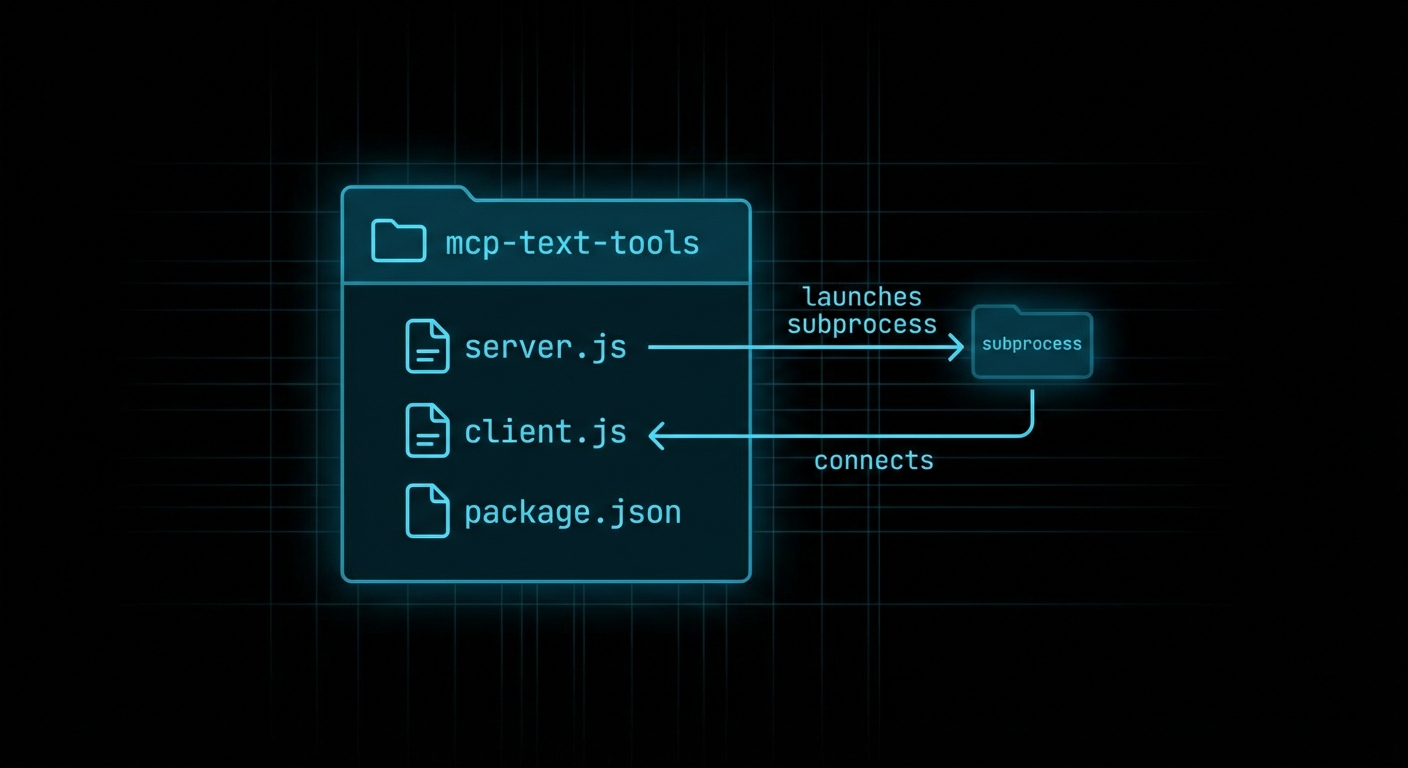
What We Are Building
We will build a “text tools” MCP server – a server that exposes three tools for working with text: word_count (counts words in a string), reverse_text (reverses a string), and extract_keywords (returns unique words above a minimum length). These are deliberately simple tools – the complexity will come later. The goal right now is to write the wiring, understand what each piece does, and verify the whole thing works end to end.
We will also build a client that connects to the server, discovers its tools, and calls each one. In later lessons, the client will call an LLM and route tool calls from model output. Here, the client calls tools directly so you can see the raw MCP protocol working without an LLM in the middle.
Final project structure:
mcp-text-tools/
  package.json
  .env
  server.js      # MCP server with three tools
  client.js      # MCP client that calls the tools
Building the Server
Start with the package setup:
mkdir mcp-text-tools && cd mcp-text-tools
npm init -y
npm pkg set type=module
npm install @modelcontextprotocol/sdk zod
Now write server.js:
// server.js
import { McpServer } from '@modelcontextprotocol/sdk/server/mcp.js';
import { StdioServerTransport } from '@modelcontextprotocol/sdk/server/stdio.js';
import { z } from 'zod';

const server = new McpServer({
  name: 'text-tools',
  version: '1.0.0',
});

// Tool 1: Count words in a string
server.tool(
  'word_count',
  'Counts the number of words in a text string',
  { text: z.string().min(1).describe('The text to count words in') },
  async ({ text }) => {
    const count = text.trim().split(/\s+/).filter(Boolean).length;
    return {
      content: [{ type: 'text', text: `Word count: ${count}` }],
    };
  }
);

// Tool 2: Reverse a string
server.tool(
  'reverse_text',
  'Reverses the characters in a text string',
  { text: z.string().min(1).describe('The text to reverse') },
  async ({ text }) => ({
    content: [{ type: 'text', text: text.split('').reverse().join('') }],
  })
);

// Tool 3: Extract unique keywords above a minimum length
server.tool(
  'extract_keywords',
  'Extracts unique keywords from text, filtered by minimum character length',
  {
    text: z.string().min(1).describe('The text to extract keywords from'),
    min_length: z.number().int().min(2).max(20).default(4)
      .describe('Minimum keyword length in characters'),
  },
  async ({ text, min_length }) => {
    const words = text
      .toLowerCase()
      .replace(/[^a-z0-9\s]/g, '')
      .split(/\s+/)
      .filter(w => w.length >= min_length);
    const unique = [...new Set(words)].sort();
    return {
      content: [{ type: 'text', text: unique.join(', ') || '(none found)' }],
    };
  }
);

// Start the server on stdio transport
const transport = new StdioServerTransport();
await server.connect(transport);
console.error('text-tools MCP server running on stdio');
A few things to note: console.error is used for server logging (not console.log) because stdio transport uses stdout for protocol messages. Anything written to stdout must be valid JSON-RPC. Log to stderr for human-readable messages.
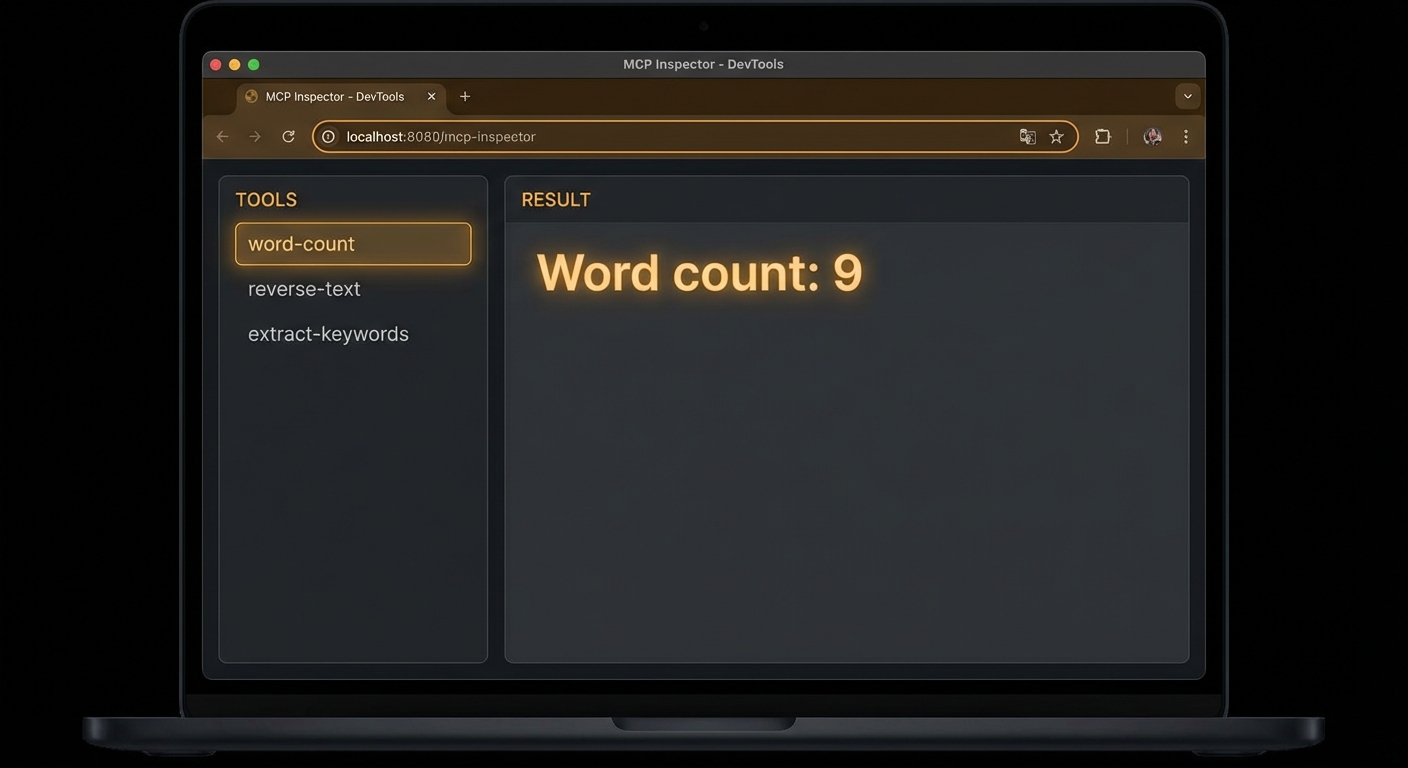
Testing with the Inspector First
Before writing the client, test the server with the MCP Inspector:
npx @modelcontextprotocol/inspector node server.js
Open the URL it prints (usually http://localhost:5173). You should see all three tools listed. Click word_count, enter some text in the text field, and click Run. You should get back a result like Word count: 7. If you do, the server is working correctly. If not, check the error panel for the JSON-RPC response.
Building the Client
Now write client.js – a host that connects to the server, lists tools, and calls each one:
// client.js
import { Client } from '@modelcontextprotocol/sdk/client/index.js';
import { StdioClientTransport } from '@modelcontextprotocol/sdk/client/stdio.js';

// Create the client
const client = new Client(
  { name: 'text-tools-host', version: '1.0.0' },
  { capabilities: {} }
);

// Create the transport - this will launch server.js as a subprocess
const transport = new StdioClientTransport({
  command: 'node',
  args: ['server.js'],
});

// Connect (performs the full MCP handshake)
await client.connect(transport);
console.log('Connected to text-tools server');

// Step 1: Discover what tools the server has
const { tools } = await client.listTools();
console.log('\nAvailable tools:');
for (const tool of tools) {
  console.log(`  ${tool.name}: ${tool.description}`);
  console.log(`    Input schema:`, JSON.stringify(tool.inputSchema, null, 4));
}

// Step 2: Call word_count
console.log('\n--- Calling word_count ---');
const result1 = await client.callTool({
  name: 'word_count',
  arguments: { text: 'The quick brown fox jumps over the lazy dog' },
});
console.log('Result:', result1.content[0].text);

// Step 3: Call reverse_text
console.log('\n--- Calling reverse_text ---');
const result2 = await client.callTool({
  name: 'reverse_text',
  arguments: { text: 'Hello, MCP World!' },
});
console.log('Result:', result2.content[0].text);

// Step 4: Call extract_keywords
console.log('\n--- Calling extract_keywords ---');
const result3 = await client.callTool({
  name: 'extract_keywords',
  arguments: {
    text: 'The Model Context Protocol is an open protocol for AI tool integration',
    min_length: 5,
  },
});
console.log('Result:', result3.content[0].text);

// Clean up
await client.close();
console.log('\nDone. Connection closed.');
Run the client:
node client.js
Expected output:
Connected to text-tools server

Available tools:
  word_count: Counts the number of words in a text string
    Input schema: { ... }
  reverse_text: Reverses the characters in a text string
    Input schema: { ... }
  extract_keywords: Extracts unique keywords from text...
    Input schema: { ... }

--- Calling word_count ---
Result: Word count: 9

--- Calling reverse_text ---
Result: !dlroW PCM ,olleH

--- Calling extract_keywords ---
Result: context, integration, model, open, protocol

Done. Connection closed.
Common First-Project Failures
Case 1: Logging to stdout from a stdio Server
This is the most common first-day mistake. With StdioServerTransport, stdout is the JSON-RPC pipe. If you write anything to stdout that is not valid JSON-RPC, the client will fail to parse it and the connection will break in confusing ways.
// WRONG: stdout output from a stdio server breaks the protocol
console.log('Server started!'); // This goes to stdout - corrupts the pipe

// CORRECT: use stderr for all server-side logging
console.error('Server started!'); // stderr is safe - not part of the protocol

// Or use the MCP logging capability (covered in Lesson 6)
server.server.sendLoggingMessage({ level: 'info', data: 'Server started' });
Case 2: Not Awaiting client.connect()
If you forget to await client.connect(), your subsequent tool calls will race with the initialisation handshake and fail with protocol errors.
// WRONG
client.connect(transport);
const tools = await client.listTools(); // Fails: handshake not complete

// CORRECT
await client.connect(transport);
const tools = await client.listTools(); // Safe
Case 3: Tool Handler Throwing Without isError
When a tool handler throws an exception, the server catches it and returns an error response. But if you want to signal a user-visible error (as opposed to a protocol error), you should return a result with isError: true rather than throwing. Throwing causes a JSON-RPC error response; returning with isError: true returns a normal result that the LLM can read and reason about.
// OK for protocol failures (server bug, network error)
throw new Error('Database connection failed');

// BETTER for user-visible errors the LLM should handle
return {
  isError: true,
  content: [{ type: 'text', text: 'No results found for that query.' }],
};
// The LLM will receive this as tool output and can adjust its response accordingly.
“Tools can signal that a tool call failed by including isError: true in the result. This allows the LLM to reason about the failure and potentially retry or adjust its approach, rather than treating the tool failure as a protocol error.” – MCP Documentation, Tools
What to Check Right Now
- Run the full project – build the text-tools server and client from this lesson. Do not copy-paste; type it. The act of typing catches misunderstandings that reading does not.
- Inspect it with the Inspector – run
npx @modelcontextprotocol/inspector node server.jsbefore running the client. Verify all three tools appear and work. - Add a fourth tool – practice the pattern by adding
uppercase_textas a fourth tool. Register it, implement the handler, test with the Inspector, then verify your client discovers it automatically. - Read the error – deliberately introduce a bug (typo in a field name, missing argument) and read the JSON-RPC error response. Understanding error messages now saves hours later.
nJoy 😉