
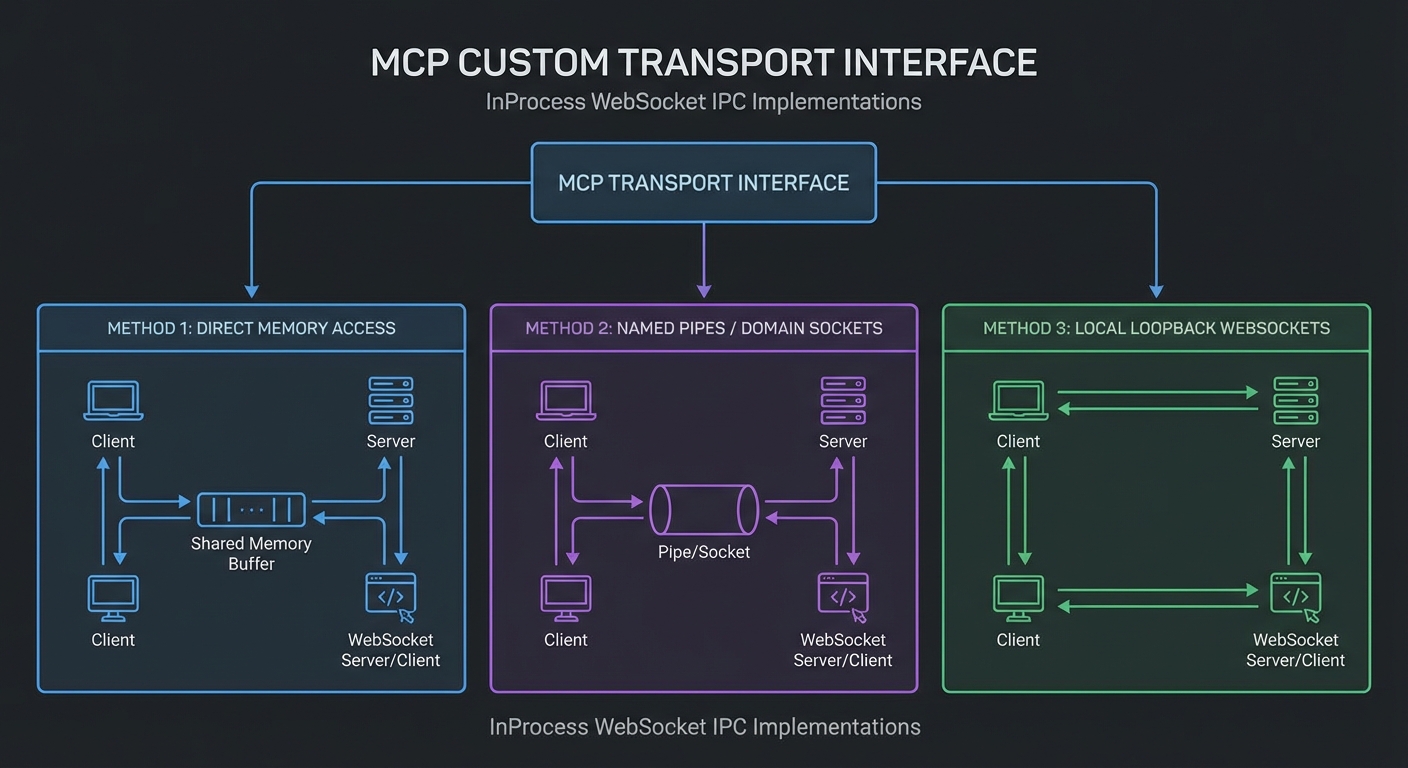
The MCP SDK ships with two built-in transports: stdio and Streamable HTTP. These cover the vast majority of use cases. But sometimes you need something different: an in-process transport for testing, a WebSocket transport for browser environments, an IPC transport for Electron apps, or a transport that encrypts the JSON-RPC stream at the application layer. The SDK’s transport interface is deliberately minimal, making it straightforward to implement your own. This lesson covers the interface, two reference implementations, and practical extension points.
The Transport Interface
// The MCP SDK Transport interface (TypeScript definition for reference)
// interface Transport {
//   start(): Promise;
//   send(message: JSONRPCMessage): Promise;
//   close(): Promise;
//   onmessage?: (message: JSONRPCMessage) => void;
//   onerror?: (error: Error) => void;
//   onclose?: () => void;
// }

// In JavaScript, implement the same shape:
class CustomTransport {
  onmessage = null;   // Called when a message is received
  onerror = null;     // Called on transport errors
  onclose = null;     // Called when the transport closes

  async start() {
    // Initialize the underlying communication channel
  }

  async send(message) {
    // Send a JSONRPCMessage object
  }

  async close() {
    // Clean up the channel
  }
}
The interface is intentionally minimal: three async methods and three event callbacks. This simplicity is the point. Any communication channel that can send and receive JSON objects – WebSockets, Unix domain sockets, shared memory, even a pair of browser MessageChannels – can become an MCP transport by implementing these six members.
In-Process Transport for Testing
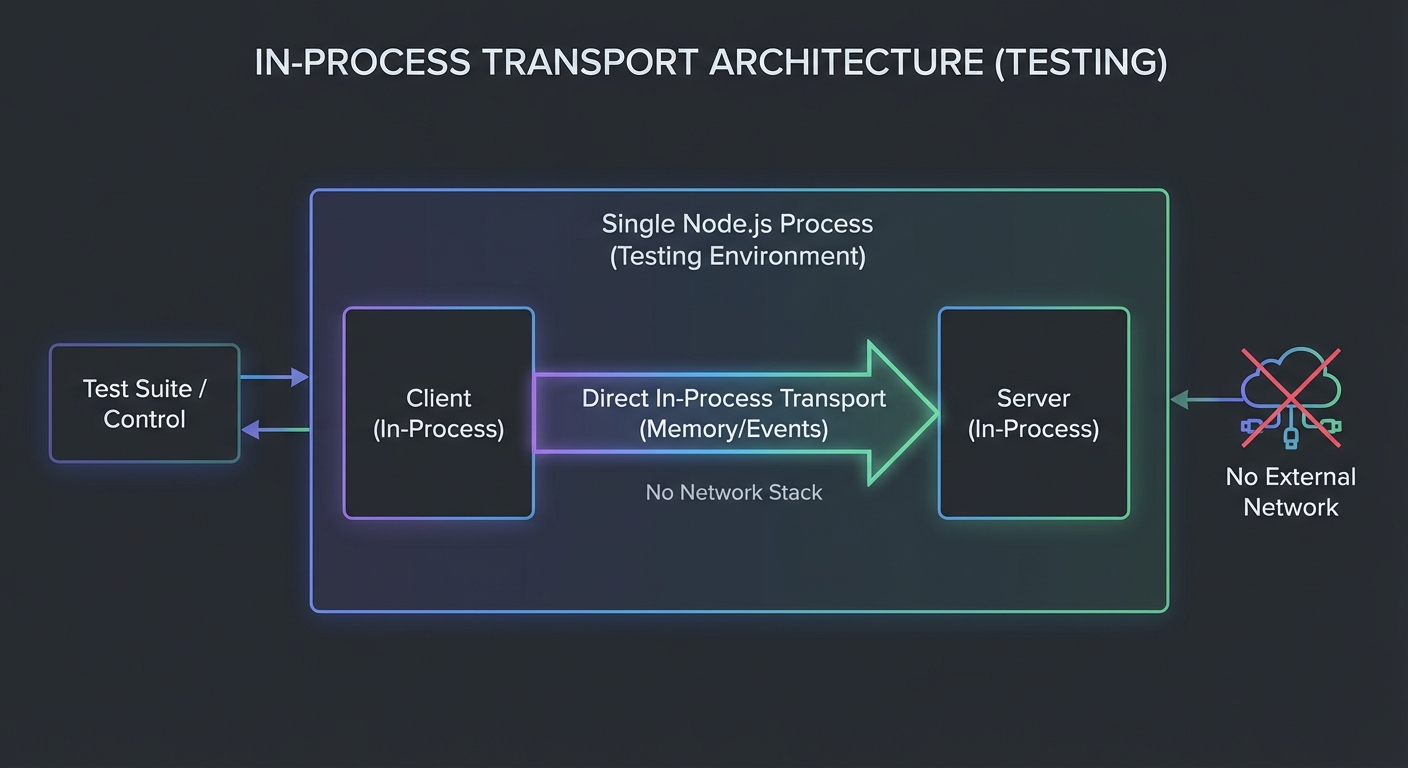
An in-process transport connects a client directly to a server in the same Node.js process. Essential for integration tests without spawning subprocesses:
// in-process-transport.js

export function createInProcessTransport() {
  let clientTransport, serverTransport;

  clientTransport = {
    onmessage: null, onerror: null, onclose: null,
    async start() {},
    async send(msg) {
      // Route to server
      if (serverTransport.onmessage) serverTransport.onmessage(msg);
    },
    async close() {
      if (clientTransport.onclose) clientTransport.onclose();
      if (serverTransport.onclose) serverTransport.onclose();
    },
  };

  serverTransport = {
    onmessage: null, onerror: null, onclose: null,
    async start() {},
    async send(msg) {
      // Route to client
      if (clientTransport.onmessage) clientTransport.onmessage(msg);
    },
    async close() {
      if (clientTransport.onclose) clientTransport.onclose();
      if (serverTransport.onclose) serverTransport.onclose();
    },
  };

  return { clientTransport, serverTransport };
}

// Usage in tests:
import { test } from 'node:test';
import { Client } from '@modelcontextprotocol/sdk/client/index.js';
import { McpServer } from '@modelcontextprotocol/sdk/server/mcp.js';
import { createInProcessTransport } from './in-process-transport.js';

test('in-process round trip', async (t) => {
  const { clientTransport, serverTransport } = createInProcessTransport();
  const server = buildServer();
  const client = new Client({ name: 'test', version: '1.0.0' });

  await server.connect(serverTransport);
  await client.connect(clientTransport);

  const { tools } = await client.listTools();
  assert.ok(tools.length > 0);

  await client.close();
});
This in-process transport eliminates the main pain point of MCP integration tests: subprocess management. No ports to allocate, no processes to spawn and kill, no race conditions between server startup and client connection. Tests using this pattern typically run 10-50x faster than their subprocess equivalents.
WebSocket Transport
npm install ws
// websocket-transport.js - client side
import WebSocket from 'ws';

export class WebSocketClientTransport {
  #url;
  #ws = null;
  onmessage = null;
  onerror = null;
  onclose = null;

  constructor(url) {
    this.#url = url;
  }

  async start() {
    return new Promise((resolve, reject) => {
      this.#ws = new WebSocket(this.#url);
      this.#ws.once('open', resolve);
      this.#ws.once('error', reject);
      this.#ws.on('message', (data) => {
        try {
          const msg = JSON.parse(data.toString());
          if (this.onmessage) this.onmessage(msg);
        } catch (err) {
          if (this.onerror) this.onerror(err);
        }
      });
      this.#ws.on('close', () => {
        if (this.onclose) this.onclose();
      });
      this.#ws.on('error', (err) => {
        if (this.onerror) this.onerror(err);
      });
    });
  }

  async send(message) {
    this.#ws.send(JSON.stringify(message));
  }

  async close() {
    this.#ws?.close();
  }
}

// WebSocket server transport
export class WebSocketServerTransport {
  #socket;
  onmessage = null;
  onerror = null;
  onclose = null;

  constructor(socket) {
    this.#socket = socket;
    socket.on('message', (data) => {
      try {
        const msg = JSON.parse(data.toString());
        if (this.onmessage) this.onmessage(msg);
      } catch (err) {
        if (this.onerror) this.onerror(err);
      }
    });
    socket.on('close', () => {
      if (this.onclose) this.onclose();
    });
  }

  async start() {}

  async send(message) {
    this.#socket.send(JSON.stringify(message));
  }

  async close() {
    this.#socket.close();
  }
}

// Server side: wrap ws.WebSocketServer
import { WebSocketServer } from 'ws';
import { McpServer } from '@modelcontextprotocol/sdk/server/mcp.js';

const wss = new WebSocketServer({ port: 9000 });
wss.on('connection', async (socket) => {
  const transport = new WebSocketServerTransport(socket);
  const server = buildMcpServer();
  await server.connect(transport);
});
WebSocket transport is the natural choice when your MCP client runs in a browser. Unlike Streamable HTTP, which requires the client to open new connections for each request, a WebSocket keeps a single persistent bidirectional channel open. The trade-off is that WebSocket connections are harder to load-balance (no standard sticky-session mechanism) and are not part of the official MCP spec, so you take on compatibility risk.
Protocol Extensions: Custom Methods
Beyond custom transports, MCP’s JSON-RPC foundation lets you add entirely new methods outside the spec. Prefixing them with your company namespace (like com.mycompany/) avoids collisions with future spec additions. This is useful for operational tooling – metrics, health checks, debug endpoints – that your internal clients need but that do not belong in the standard tool/resource model.
// MCP allows custom methods beyond the spec - they are prefixed with your namespace
// Use this for proprietary extensions that are specific to your deployment

// Server side: handle a custom method
server.server.setRequestHandler(
  { method: 'com.mycompany/getServerMetrics' },
  async (request) => {
    return {
      uptime: process.uptime(),
      activeSessions: sessionStore.size,
      memoryMB: Math.round(process.memoryUsage().heapUsed / 1024 / 1024),
    };
  }
);

// Client side: call a custom method
const metrics = await client.request(
  { method: 'com.mycompany/getServerMetrics', params: {} },
  /* ResultSchema */ undefined
);
One thing to watch out for with custom methods: they are invisible to standard MCP clients. If you add com.mycompany/getServerMetrics, only clients you control will know it exists. Standard MCP clients will not discover or call these methods via listTools, since they are not tools. Use them for internal operational purposes, not for functionality you expect third-party clients to use.
The extensions Capability Field
New in Draft – This feature is in the Draft spec and may be finalised in a future revision.
The Draft specification adds an extensions field to both ClientCapabilities and ServerCapabilities. This provides a standardised place to advertise optional protocol extensions beyond the core spec, replacing the ad-hoc approach of custom methods and namespaced capabilities.
// Server declaring support for a custom extension during initialization
{
  capabilities: {
    tools: {},
    resources: {},
    extensions: {
      'com.mycompany/streaming-progress': {
        version: '1.0.0',
      },
      'com.mycompany/team-collaboration': {
        version: '2.1.0',
      },
    },
  },
}

// Client checking for extension support
const serverCaps = client.getServerCapabilities();
if (serverCaps?.extensions?.['com.mycompany/streaming-progress']) {
  // Enable the streaming progress UI
}
The extensions field gives custom methods a discoverable surface. Instead of blindly calling com.mycompany/getServerMetrics and hoping it exists, a client can check capabilities.extensions during initialisation and adapt its behaviour. Namespace your extensions with a reverse-domain prefix (like Java packages) to avoid collisions with future spec additions or other vendors.
What to Build Next
- Replace subprocess spawning in your integration tests with the in-process transport. Measure the test speedup.
- If you have a browser-based MCP client, implement the WebSocket transport and test it against your existing MCP server with a WebSocket adapter.
nJoy 😉