
Authentication tells you who the client is. Authorization tells you what they can do. In MCP, the distinction matters because a tool like delete_file should not be callable by the same client that can only call read_file. This lesson covers scope-based tool filtering, incremental permission consent (asking for more access only when needed), and per-user resource isolation patterns that prevent privilege escalation in multi-tenant MCP deployments.
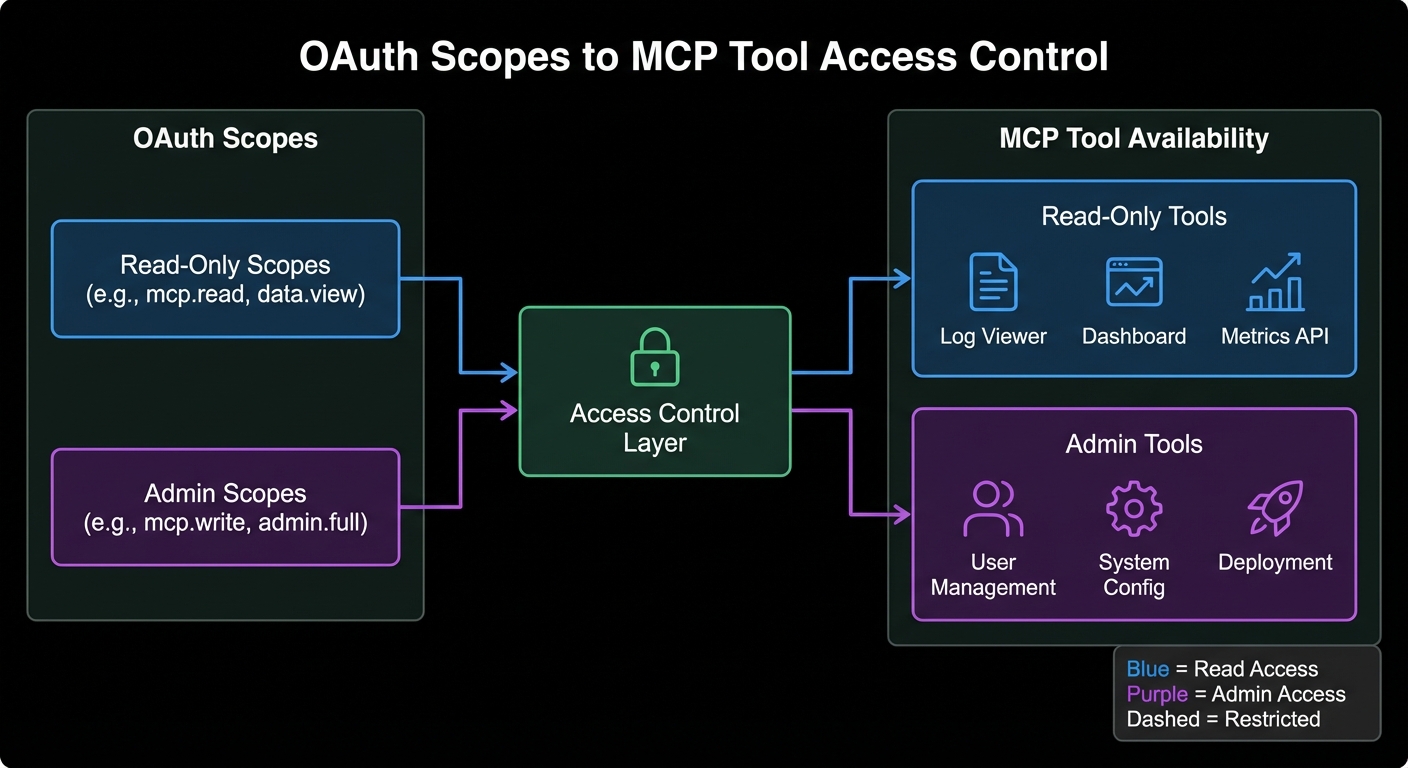
Designing MCP Scopes
Scope design follows least-privilege: start narrow and expand on explicit consent. For an MCP server managing a product database:
// Scope hierarchy for a product management MCP server
const SCOPE_TOOLS = {
  'products:read': ['search_products', 'get_product', 'list_categories'],
  'products:write': ['create_product', 'update_product'],
  'products:admin': ['delete_product', 'bulk_import', 'manage_categories'],
  'inventory:read': ['get_inventory', 'check_availability'],
  'inventory:write': ['update_stock', 'create_transfer'],
  'reports:read': ['get_sales_report', 'get_inventory_report'],
};

// Build allowed tools list from token scopes
export function getAllowedTools(tokenScopes, allTools) {
  const scopeArray = tokenScopes.split(' ');
  const allowedNames = new Set(
    scopeArray.flatMap(scope => SCOPE_TOOLS[scope] ?? [])
  );
  return allTools.filter(tool => allowedNames.has(tool.name));
}
Getting scope design right early saves you from painful migrations later. If you start with a single broad scope like products:all, splitting it into read/write/admin later means reissuing every client’s tokens and updating every integration. Start granular from the beginning, even if it feels like overkill.
Scope-Filtered MCP Server
import { McpServer } from '@modelcontextprotocol/sdk/server/mcp.js';
import { z } from 'zod';
import { getAllowedTools } from './scopes.js';

export function buildMcpServer(authClaims) {
  const server = new McpServer({ name: 'product-server', version: '1.0.0' });
  const scope = authClaims?.scope ?? '';

  // Define all tools, but only register those allowed by scope
  const allToolDefs = [
    {
      name: 'search_products',
      schema: { query: z.string(), limit: z.number().optional().default(10) },
      handler: async ({ query, limit }) => { /* ... */ },
    },
    {
      name: 'delete_product',
      schema: { id: z.string() },
      handler: async ({ id }) => {
        // Double-check scope at handler level (defense in depth)
        if (!scope.includes('products:admin')) {
          return { content: [{ type: 'text', text: 'Forbidden: requires products:admin scope' }], isError: true };
        }
        // ... perform deletion
      },
    },
    // ... more tools
  ];

  const allowedTools = getAllowedTools(scope, allToolDefs);
  for (const tool of allowedTools) {
    server.tool(tool.name, tool.schema, tool.handler);
  }

  return server;
}
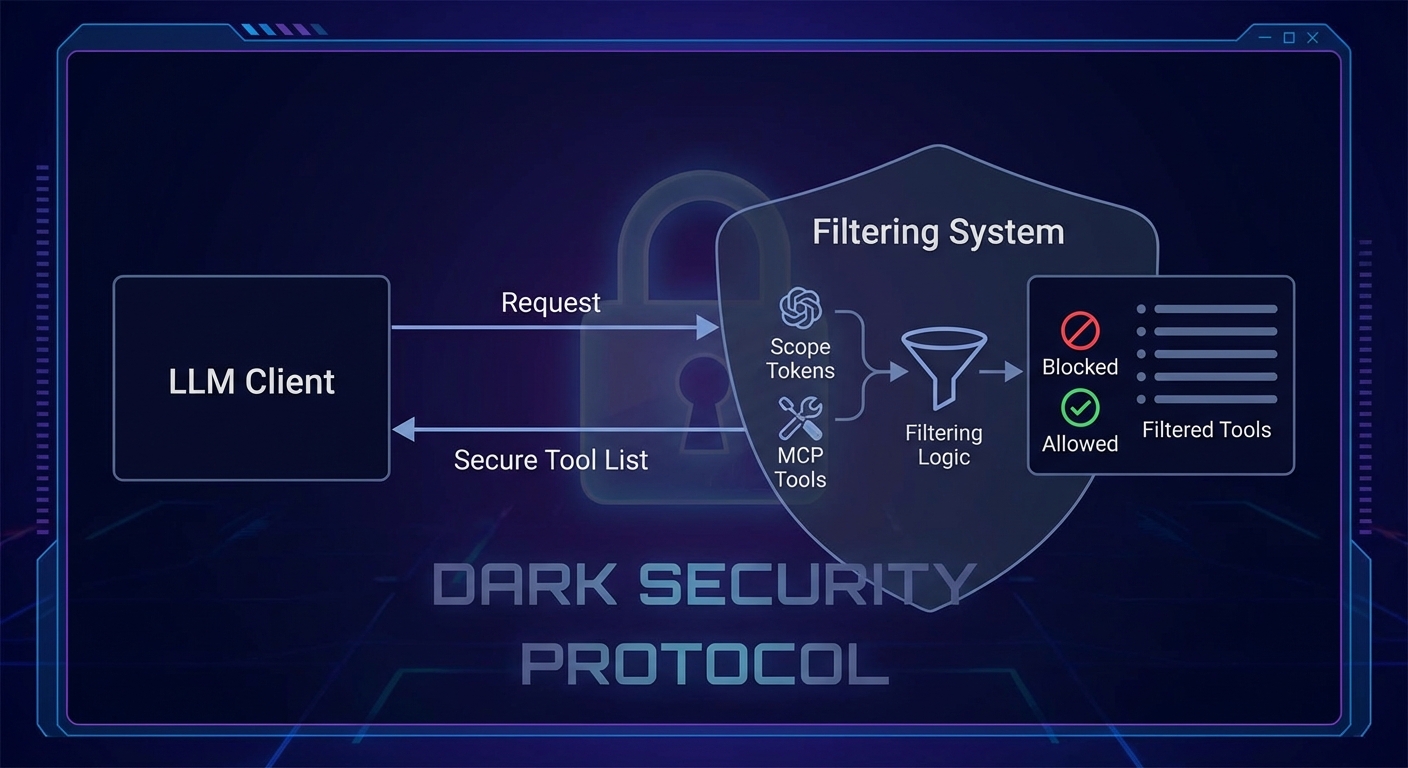
Notice the defense-in-depth pattern: delete_product checks the scope inside its handler even though it would not be registered for clients without products:admin. This double-check matters because a malicious client could bypass tool list filtering by sending a raw JSON-RPC request directly to the MCP endpoint.
Incremental Consent with MCP Elicitation
Incremental consent means requesting additional permissions only when the user explicitly needs them. Combined with MCP’s elicitation feature, this creates a smooth user experience where access expands progressively:
import { McpServer } from '@modelcontextprotocol/sdk/server/mcp.js';

// Tool that detects insufficient scope and requests consent via elicitation
server.tool('delete_product', { id: z.string() }, async ({ id }, context) => {
  const scope = context.clientCapabilities?.auth?.scope ?? '';

  if (!scope.includes('products:admin')) {
    // Use elicitation to ask the user to authorize the additional scope
    const result = await context.elicit(
      'Deleting a product requires the "products:admin" permission. Grant this permission?',
      {
        type: 'object',
        properties: {
          confirm: { type: 'boolean', description: 'Confirm granting admin permission' },
        },
      }
    );

    if (!result.content?.confirm) {
      return { content: [{ type: 'text', text: 'Operation cancelled.' }] };
    }

    // In production, redirect to OAuth consent screen here via a redirect URI
    return { content: [{ type: 'text', text: 'Please re-authorize at: ' + buildConsentUrl('products:admin') }] };
  }

  // Proceed with deletion...
});
Scope-based filtering controls which tool types a client can call. But in multi-tenant systems, that is only half the story. A client with products:read scope should still only see their own products, not every product in the database. The next section covers resource-level ownership checks that prevent horizontal privilege escalation.
Resource-Level Authorization: Per-User Isolation
// Ensure users can only access their own data
server.tool('get_order', { orderId: z.string() }, async ({ orderId }, context) => {
  const userId = context.auth?.sub;  // Subject from JWT
  if (!userId) return { content: [{ type: 'text', text: 'Not authenticated' }], isError: true };

  const order = await db.orders.findById(orderId);
  if (!order) return { content: [{ type: 'text', text: 'Order not found' }] };

  // Resource ownership check - prevents horizontal privilege escalation
  if (order.userId !== userId) {
    return { content: [{ type: 'text', text: 'Forbidden: this order does not belong to you' }], isError: true };
  }

  return { content: [{ type: 'text', text: JSON.stringify(order) }] };
});
Horizontal privilege escalation – where user A accesses user B’s data by guessing or enumerating IDs – is one of the most common API vulnerabilities in the real world. It consistently appears in OWASP Top 10 reports. The ownership check above is simple, but skipping it is the single most frequent authorization bug in production systems.
Role-Based Access Control (RBAC) with MCP
// Token claims can carry roles for coarse-grained access control
const ROLE_SCOPES = {
  viewer: 'products:read inventory:read reports:read',
  manager: 'products:read products:write inventory:read inventory:write reports:read',
  admin: 'products:read products:write products:admin inventory:read inventory:write reports:read',
};

function getRolesFromToken(claims) {
  // Roles can come from a custom claim in the JWT
  return claims['https://yourapp.com/roles'] ?? [];
}

function getScopeFromRoles(roles) {
  return [...new Set(roles.flatMap(r => (ROLE_SCOPES[r] ?? '').split(' ')))].join(' ');
}

// In your auth middleware
async function requireAuth(req, res, next) {
  const claims = await validateToken(token);
  const roles = getRolesFromToken(claims);
  req.auth = {
    ...claims,
    scope: getScopeFromRoles(roles),
  };
  next();
}
Testing Your Authorization Logic
// node:test - test scope filtering
import { test, describe } from 'node:test';
import assert from 'node:assert';
import { getAllowedTools } from './scopes.js';

const ALL_TOOLS = [
  { name: 'search_products' }, { name: 'delete_product' }, { name: 'get_inventory' },
];

describe('getAllowedTools', () => {
  test('read scope returns only read tools', () => {
    const tools = getAllowedTools('products:read', ALL_TOOLS);
    assert.ok(tools.some(t => t.name === 'search_products'));
    assert.ok(!tools.some(t => t.name === 'delete_product'));
  });

  test('admin scope includes delete', () => {
    const tools = getAllowedTools('products:read products:admin', ALL_TOOLS);
    assert.ok(tools.some(t => t.name === 'delete_product'));
  });

  test('empty scope returns no tools', () => {
    assert.strictEqual(getAllowedTools('', ALL_TOOLS).length, 0);
  });
});
These tests may look trivial, but authorization regressions are among the hardest bugs to catch in production. A refactor that accidentally registers an admin tool for all clients would be invisible to feature tests. Dedicated scope-filtering tests act as a safety net every time you add or rename tools.
Common Authorization Failures
- Relying solely on tool list filtering: Always add a scope check inside the handler as well (defense in depth). Tool list filtering prevents the model from calling a tool, but a malicious client could still craft a direct JSON-RPC request.
- Using wide scopes by default: Start with the narrowest scope and expand on request. Clients should not get admin access just because it is easier to configure.
- Forgetting resource ownership checks: Scope says “can call this tool type”, resource ownership says “can call it on this specific resource”. Both checks are required.
- Not auditing scope grants: Log every scope elevation request. If a client is frequently requesting elevated scopes, investigate why.
What to Build Next
- Define scopes for your MCP server and implement
getAllowedTools(). Verify that a token with onlyproducts:readcannot see or call write tools. - Add resource ownership checks to at least one tool handler. Write a test that verifies a user cannot access another user’s data.
nJoy 😉