
Every tool call made through an MCP server is a potential compliance event. Which user authorized it? Which model called it? What arguments were passed? What was the result? What data was accessed? In regulated industries (finance, healthcare, legal), the inability to answer these questions is itself a compliance violation. This lesson covers structured audit logging for MCP servers, retention policies, GDPR/HIPAA-relevant data minimization, and how to build audit trails that satisfy both security teams and auditors.
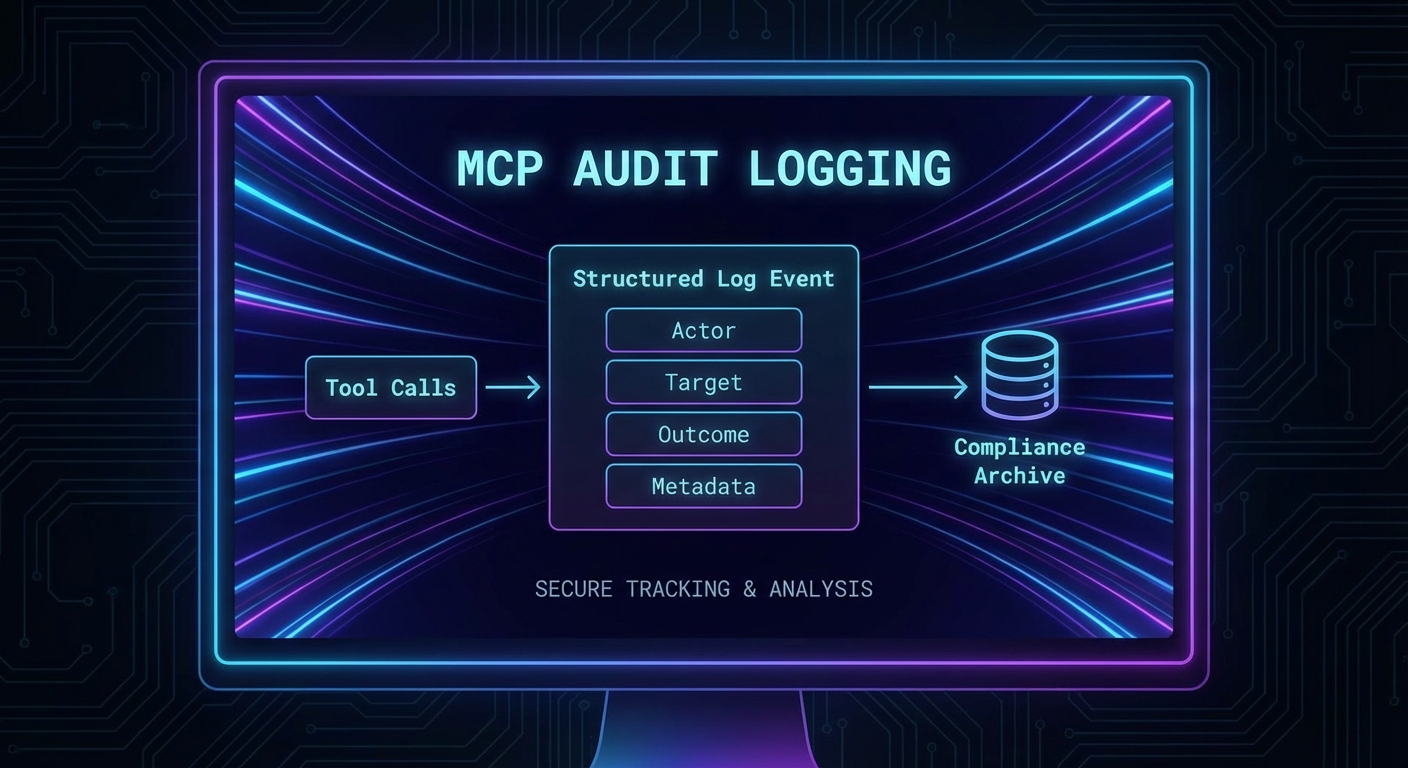
The Audit Event Schema
A structured audit event captures everything needed to reconstruct what happened without storing sensitive payload data:
/**
 * @typedef {Object} AuditEvent
 * @property {string} eventId - UUID for this specific event
 * @property {string} timestamp - ISO 8601 UTC timestamp
 * @property {string} eventType - 'tool_call', 'resource_read', 'connection', 'auth_failure'
 * @property {Object} actor - Who initiated the action
 * @property {string} actor.userId - Subject from JWT (hashed if needed for GDPR)
 * @property {string} actor.clientId - OAuth client_id
 * @property {string} actor.ipAddress - Originating IP
 * @property {Object} target - What was acted on
 * @property {string} target.toolName - MCP tool name
 * @property {string} target.serverId - MCP server identifier
 * @property {Object} outcome - What happened
 * @property {boolean} outcome.success
 * @property {number} outcome.durationMs
 * @property {string} [outcome.errorType] - Error class if failed
 * @property {Object} metadata - Additional context
 * @property {string[]} metadata.scopesUsed - OAuth scopes in effect
 * @property {string} metadata.sessionId - MCP session identifier
 */
This schema matters because unstructured log messages (“user called tool X”) become useless the moment you need to answer a compliance question like “which client accessed customer data in the last 30 days?” Structured events with consistent fields let you query, aggregate, and alert on audit data using standard tooling.
Audit Middleware for MCP Servers
import crypto from 'node:crypto';

export function createAuditMiddleware(auditLog) {
  return function wrapTool(name, schema, handler) {
    return async (args, context) => {
      const eventId = crypto.randomUUID();
      const start = Date.now();

      // Log the attempt (before execution)
      await auditLog.write({
        eventId,
        timestamp: new Date().toISOString(),
        eventType: 'tool_call',
        actor: {
          userId: hashIfPII(context.auth?.sub),
          clientId: context.auth?.client_id ?? 'unknown',
          ipAddress: context.clientIp ?? 'unknown',
        },
        target: {
          toolName: name,
          serverId: process.env.SERVER_ID ?? 'mcp-server',
          // Don't log args - may contain PII. Log arg keys only.
          argKeys: Object.keys(args),
        },
        metadata: {
          scopesUsed: (context.auth?.scope ?? '').split(' ').filter(Boolean),
          sessionId: context.sessionId ?? 'unknown',
          phase: 'attempt',
        },
      });

      let success = false;
      let errorType = null;
      let result;

      try {
        result = await handler(args, context);
        success = !result?.isError;
        if (result?.isError) errorType = 'tool_error';
      } catch (err) {
        errorType = err.constructor.name;
        throw err;
      } finally {
        // Log the outcome
        await auditLog.write({
          eventId,
          timestamp: new Date().toISOString(),
          eventType: 'tool_call',
          actor: {
            userId: hashIfPII(context.auth?.sub),
            clientId: context.auth?.client_id ?? 'unknown',
          },
          target: { toolName: name, serverId: process.env.SERVER_ID ?? 'mcp-server' },
          outcome: {
            success,
            durationMs: Date.now() - start,
            errorType,
          },
          metadata: {
            phase: 'result',
          },
        });
      }

      return result;
    };
  };
}

// Hash PII identifiers for GDPR compliance (still traceable via audit, but not directly PII)
function hashIfPII(userId) {
  if (!userId) return 'anonymous';
  return crypto.createHash('sha256').update(userId + process.env.PII_SALT).digest('hex').slice(0, 16);
}
A common mistake is logging tool arguments directly, which can expose PII, credentials, or sensitive query parameters in your audit trail. The middleware above deliberately logs only argument keys, not values. This gives you enough information to reconstruct what happened without turning your audit log into a data breach liability.
Audit Log Storage and Retention
// Write audit events to multiple destinations for reliability
class AuditLogger {
  #writers;

  constructor(writers) {
    this.#writers = writers;  // Array of write functions
  }

  async write(event) {
    const line = JSON.stringify(event) + '\n';
    await Promise.allSettled(this.#writers.map(w => w(line)));
  }
}

// File-based (append-only log)
import fs from 'node:fs';
const fileWriter = (line) => fs.promises.appendFile('/var/log/mcp-audit.jsonl', line);

// Cloud logging (GCP Cloud Logging, AWS CloudWatch)
const cloudWriter = async (line) => {
  await fetch(process.env.LOG_ENDPOINT, {
    method: 'POST',
    headers: { 'Content-Type': 'application/x-ndjson' },
    body: line,
  });
};

const auditLog = new AuditLogger([fileWriter, cloudWriter]);
Writing to multiple destinations with Promise.allSettled is deliberate: if cloud logging is temporarily unavailable, the local file still captures the event. Audit logs must survive transient infrastructure failures, because a gap in your audit trail during an incident is exactly when you need the data most.
Compliance Data Minimization
// GDPR Article 5: data minimization - only collect what is necessary
// HIPAA: minimum necessary standard

const TOOL_DATA_CLASSIFICATIONS = {
  search_products: 'low',       // No PII
  get_customer_order: 'high',   // Contains PII - log arg keys only, hash userId
  process_payment: 'critical',  // PCI-DSS - never log arguments at all
  send_email: 'high',           // Contains email addresses
};

function getAuditConfig(toolName) {
  const classification = TOOL_DATA_CLASSIFICATIONS[toolName] ?? 'medium';
  return {
    logArgs: classification === 'low',            // Only log args for non-PII tools
    logResult: classification !== 'critical',     // Never log critical tool results
    hashUserId: classification !== 'low',         // Hash user IDs for PII tools
    retentionDays: classification === 'critical' ? 2555 : 365,  // 7 years for PCI, 1 year otherwise
  };
}
In regulated environments, over-logging is almost as dangerous as under-logging. If your audit trail contains raw customer emails or health records, the audit system itself becomes subject to the same data protection rules as the primary database. Classify each tool’s data sensitivity upfront to avoid creating a compliance problem while trying to solve one.
Querying Audit Logs
// Use structured JSON logs (NDJSON) for easy querying with tools like jq
// Find all failed tool calls in the last hour:
// cat /var/log/mcp-audit.jsonl | \
//   jq -c 'select(.eventType == "tool_call" and .outcome.success == false)'

// Count tool calls by tool name today:
// cat /var/log/mcp-audit.jsonl | \
//   jq -r '.target.toolName' | sort | uniq -c | sort -rn

// Find all actions by a specific user:
// cat /var/log/mcp-audit.jsonl | \
//   jq -c 'select(.actor.userId == "a1b2c3d4e5f6")'
NDJSON (newline-delimited JSON) is the format of choice here because each line is an independent JSON object. This means you can append logs atomically, stream them to cloud logging services, and query them with jq without loading the entire file into memory. It also makes log rotation straightforward: just archive and compress old files.
Compliance Checklist
- GDPR Art. 5 – Data minimization: Audit logs do not store raw PII; user IDs are hashed
- GDPR Art. 17 – Right to erasure: Audit records use hashed user IDs, so deletion of the hash salt makes all records unlinkable
- HIPAA minimum necessary: Tool result content not logged for tools that return PHI
- SOC 2 Type II – Availability: Logs written to at least two destinations; file + cloud
- SOC 2 Type II – Integrity: Log lines are append-only; no update/delete operations
- PCI-DSS Req. 10 – Audit trails: All payment tool calls logged with timestamp, actor, and outcome (no card data)
What to Build Next
- Add
createAuditMiddlewareto your MCP server’s three most sensitive tools. Verify that the audit log file is being written with structured JSON events. - Run the jq query above to count tool calls by name over one day and identify any unexpected usage patterns.
nJoy 😉