
Three roles. One protocol. If you can hold this architecture in your head clearly – host, client, server, what each does, who owns each one, how they talk – then 80% of MCP suddenly makes sense. Most of the confusion beginners have about MCP traces back to fuzzy thinking about these three roles. This lesson is about making that mental model concrete and then keeping it concrete under stress.
The Host: What the User Runs
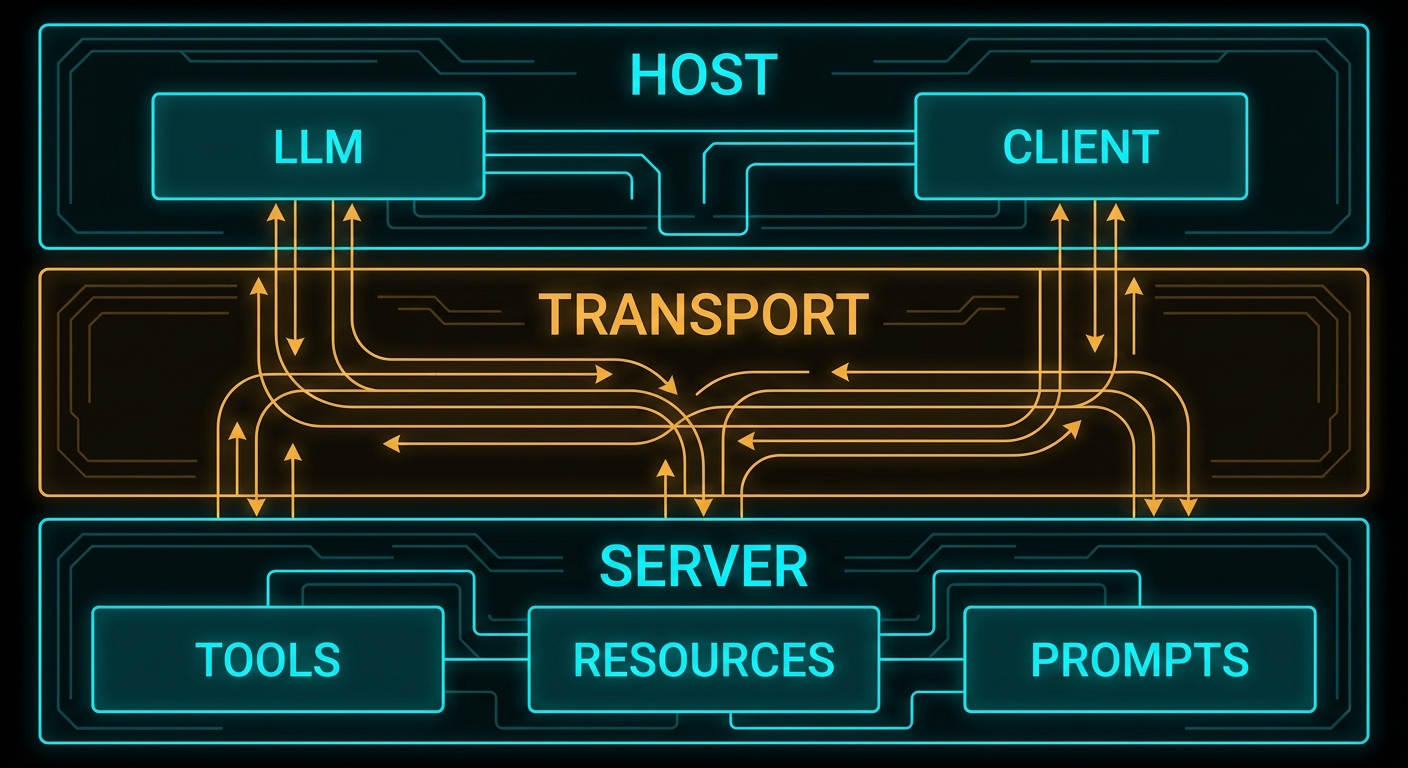
The host is the AI application that the end user interacts with. Claude Desktop is a host. VS Code with a Copilot extension is a host. Cursor is a host. Your custom Node.js chat application is a host. The host is the entry point: users direct it, it decides what to do with their input, and it is responsible for controlling the entire MCP lifecycle.
The host has several specific responsibilities in the MCP model:
- Creating and managing clients – the host decides which MCP servers to connect to, creates client instances for each one, and manages their lifecycle (connect, reconnect, disconnect).
- Security and consent – the host is the security boundary. It must obtain user consent before allowing servers to access data or invoke tools. It decides what each server is allowed to do.
- LLM integration – the host is what calls the LLM (OpenAI API, Anthropic API, Gemini API). The model does not participate in the MCP protocol directly. The host takes model output, decides when tool calls need to happen, routes those calls through its clients to the appropriate servers, and feeds the results back to the model.
- Aggregating context – if the host connects to multiple servers, it aggregates the available tools, resources, and prompts from all of them before presenting them to the model.
“Hosts are LLM applications that initiate connections to servers in order to access tools, resources, and prompts. The host application is responsible for managing client lifecycles and enforcing security policies.” – Model Context Protocol Specification
A host can maintain connections to multiple servers simultaneously. A typical production host might connect to a database server, a file system server, a calendar server, and a code execution server – all at the same time, each via its own client instance.
The Client: The Protocol Connector
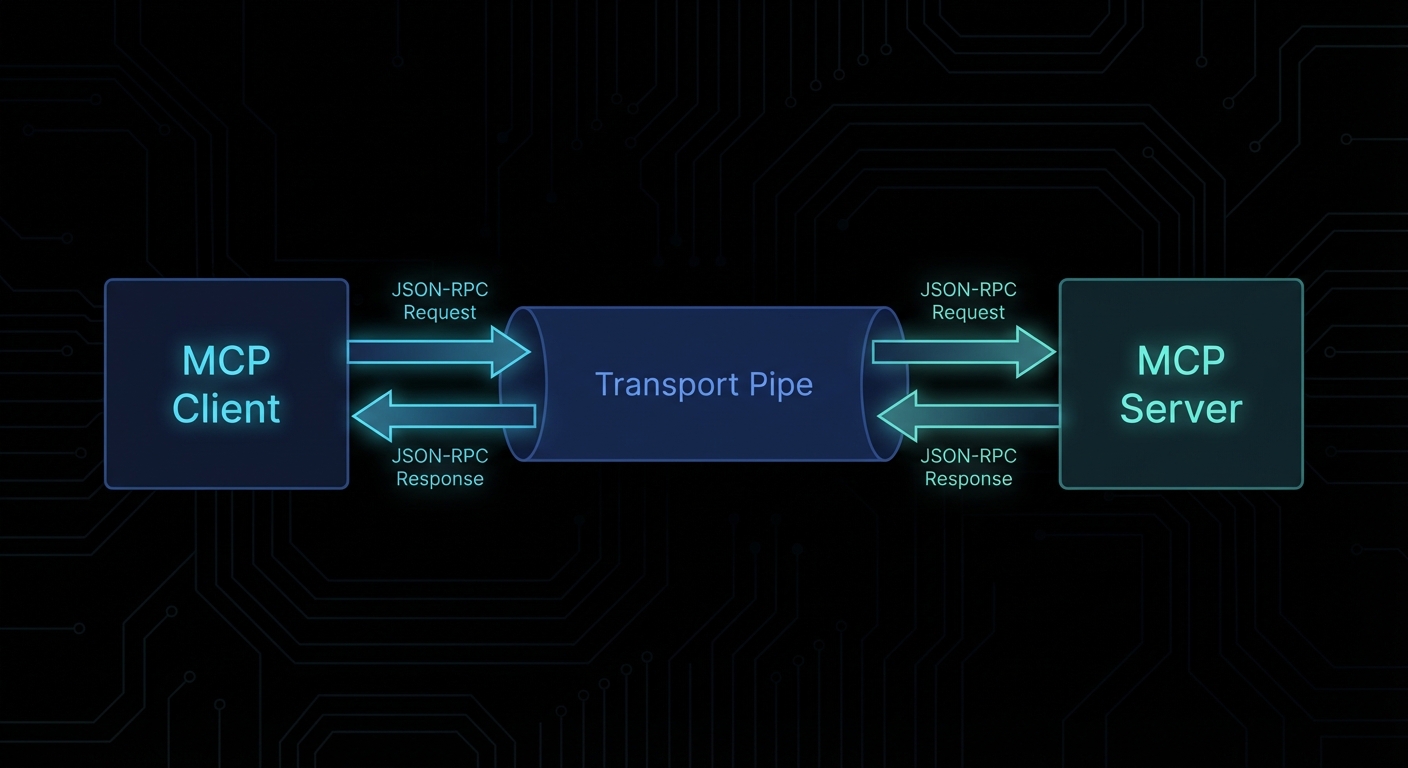
The client is the component inside the host that manages the connection to exactly one MCP server. Each server connection has its own client. Clients are not user-facing – users never interact with clients directly. They are the internal plumbing that translates between what the host needs and what the MCP protocol defines.
The client’s job is well-defined and narrow:
- Establish and maintain the transport connection to the server (stdio pipe, HTTP stream, etc.)
- Perform the protocol handshake (capability negotiation) when connecting
- Send JSON-RPC requests to the server on behalf of the host
- Receive and parse JSON-RPC responses and notifications from the server
- Handle protocol-level errors (timeouts, disconnects, malformed messages)
- Optionally: expose client-side capabilities back to the server (sampling, elicitation, roots)
In Node.js, you rarely write a client from scratch. The @modelcontextprotocol/sdk provides a Client class that handles all of this. You instantiate it, point it at a transport, connect it, and then call methods like client.listTools(), client.callTool(), client.listResources().
import { Client } from '@modelcontextprotocol/sdk/client/index.js';
import { StdioClientTransport } from '@modelcontextprotocol/sdk/client/stdio.js';

// One client per server connection
const client = new Client(
  { name: 'my-host-app', version: '1.0.0' },
  { capabilities: {} }
);

const transport = new StdioClientTransport({
  command: 'node',
  args: ['./my-mcp-server.js'],
});

await client.connect(transport);

// Now you can call into the server
const tools = await client.listTools();
console.log('Available tools:', tools.tools.map(t => t.name));
The Server: The Capability Provider
The server is what exposes capabilities to the AI ecosystem. A server can be anything that implements the MCP protocol and exposes tools, resources, or prompts. It might be:
- A local process launched by the host (stdio server – the most common pattern for developer tools)
- A remote HTTP service your team runs (a company’s internal knowledge base, a proprietary database)
- A third-party cloud service that publishes an MCP endpoint
The server is the thing you will build most often in this course. When someone says “I wrote an MCP integration for Jira” or “I built an MCP server for my Postgres database”, they mean they built an MCP server that exposes tools for interacting with those systems.
A minimal MCP server in Node.js looks like this:
import { McpServer } from '@modelcontextprotocol/sdk/server/mcp.js';
import { StdioServerTransport } from '@modelcontextprotocol/sdk/server/stdio.js';
import { z } from 'zod';

const server = new McpServer({
  name: 'my-first-server',
  version: '1.0.0',
});

// Register a tool
server.tool(
  'greet',
  'Returns a personalised greeting',
  { name: z.string().describe('The name to greet') },
  async ({ name }) => ({
    content: [{ type: 'text', text: `Hello, ${name}! Welcome to MCP.` }],
  })
);

// Connect and serve
const transport = new StdioServerTransport();
await server.connect(transport);
That is a complete, working MCP server. It has one tool called greet. Any MCP client can connect to it, discover the tool, and invoke it. We will build far more complex servers throughout this course, but every one of them is fundamentally this structure with more tools, resources, and prompts added.
Failure Modes in the Three-Role Model
Case 1: Building the Model Call Inside the Server
A common architectural mistake is putting the LLM API call inside the MCP server – reasoning that “the server needs to be smart, so the server should call the LLM”. This inverts the architecture and breaks the separation of concerns.
// WRONG: Server calling OpenAI directly
server.tool('analyse', 'Analyse a text', { text: z.string() }, async ({ text }) => {
  // This is wrong. The server should not call the LLM.
  // The server is a capability provider; the host is the LLM orchestrator.
  const openai = new OpenAI();
  const result = await openai.chat.completions.create({
    model: 'gpt-4o',
    messages: [{ role: 'user', content: `Analyse: ${text}` }],
  });
  return { content: [{ type: 'text', text: result.choices[0].message.content }] };
});
The correct pattern is to either return the raw data and let the host’s LLM do the analysis, or use the sampling capability to request a model call through the client (covered in Lesson 9). Putting LLM calls inside the server creates tight coupling between your capability provider and a specific LLM provider – exactly what MCP is designed to prevent.
// CORRECT: Server returns data; host's LLM does the analysis
server.tool('get_text', 'Fetch text for analysis', { doc_id: z.string() }, async ({ doc_id }) => {
  const text = await fetchDocumentText(doc_id);
  return { content: [{ type: 'text', text }] };
  // The host will pass this to the LLM for analysis.
  // The server just provides the data.
});
Case 2: One Client Connecting to Multiple Servers
The spec is explicit: each client maintains a connection to exactly one server. Attempting to use a single client instance to talk to multiple servers is not supported by the protocol.
// WRONG: Trying to use one client for two servers
const client = new Client({ name: 'host', version: '1.0.0' }, { capabilities: {} });
await client.connect(transport1);
await client.connect(transport2); // This will error or overwrite the first connection
// CORRECT: One client per server
const dbClient = new Client({ name: 'host-db', version: '1.0.0' }, { capabilities: {} });
const fsClient = new Client({ name: 'host-fs', version: '1.0.0' }, { capabilities: {} });

await dbClient.connect(dbTransport);
await fsClient.connect(fsTransport);

// Each client independently manages its own server connection
const dbTools = await dbClient.listTools();
const fsTools = await fsClient.listTools();
Case 3: Confusing Server Capabilities with Client Capabilities
The MCP spec defines capabilities for both sides of the connection. Server capabilities (tools, resources, prompts, logging, completions) are advertised by the server during the handshake. Client capabilities (sampling, elicitation, roots) are advertised by the client. These are negotiated in both directions. A common mistake is expecting the client to have tools, or the server to do sampling.
// During connection, both sides declare what they support:
const client = new Client(
  { name: 'my-host', version: '1.0.0' },
  {
    capabilities: {
      sampling: {},     // Client tells server: "I can handle sampling requests from you"
      roots: { listChanged: true }, // Client can provide root boundaries
    },
  }
);

// The server then declares its own capabilities:
const server = new McpServer({
  name: 'my-server',
  version: '1.0.0',
  // capabilities are inferred from what you register (tools, resources, prompts)
});
Multi-Server Host Architecture
In production, a host typically manages several server connections. Here is the pattern for a host that aggregates tools from multiple servers:
import { Client } from '@modelcontextprotocol/sdk/client/index.js';
import { StdioClientTransport } from '@modelcontextprotocol/sdk/client/stdio.js';

async function createHostClient(name, command, args) {
  const client = new Client(
    { name: `host-${name}`, version: '1.0.0' },
    { capabilities: {} }
  );
  const transport = new StdioClientTransport({ command, args });
  await client.connect(transport);
  return client;
}

// Create one client per server
const clients = {
  database: await createHostClient('database', 'node', ['servers/db-server.js']),
  filesystem: await createHostClient('filesystem', 'node', ['servers/fs-server.js']),
  calendar: await createHostClient('calendar', 'node', ['servers/calendar-server.js']),
};

// Aggregate all tools for the LLM
const allTools = [];
for (const [name, client] of Object.entries(clients)) {
  const { tools } = await client.listTools();
  allTools.push(...tools.map(t => ({ ...t, _server: name })));
}

console.log(`Total tools available: ${allTools.length}`);
// When the LLM decides to call a tool, you route it to the correct client
// based on the _server tag (or by name convention).
“Clients maintain 1:1 connections with servers, while hosts may run multiple client instances simultaneously.” – MCP Specification, Architecture Overview
What to Check Right Now
- Map your existing AI integrations to the three roles – for any LLM feature you currently maintain, ask: what is the host, what are the servers, where are the clients? This makes the MCP fit (or gap) immediately visible.
- Install the MCP SDK – run
npm install @modelcontextprotocol/sdk zodin a scratch project. The SDK is the only dependency you need to build your first server (next lesson). - Read the architecture page – modelcontextprotocol.io/docs/concepts/architecture has the official diagrams. Having the spec’s own diagrams alongside this lesson’s code is useful.
- Note the security boundary – in any architecture where you have a host managing multiple clients, think carefully about what each server is allowed to do. The host is the security boundary; it should not grant servers more access than they need.
nJoy 😉