
Your RAG pipeline is lying to you. Not maliciously, of course, but with the quiet confidence of a student who memorised the textbook’s index but never read a chapter. You feed it documents, it chunks them, embeds them, and when you ask a question it retrieves whichever chunks look “sort of similar” and hopes the LLM can stitch together a coherent answer. Sometimes it works. Sometimes it tells you Tokyo has 36 million people because it averaged two contradictory chunks. And you have no way to know which answer is real, because Vector RAG has no concept of “real”. It only knows “similar”. Context graphs are what happens when you decide similarity is not enough, and you want your AI to actually understand the relationships between things. TrustGraph just shipped a demo that shows exactly what that looks like in practice, and it is worth paying attention to.
What Context Graphs Actually Are (and Why They Are Not Just Knowledge Graphs With a Rebrand)
A context graph is a knowledge graph that has been specifically engineered for consumption by AI models. That sentence sounds like marketing, so let us unpack it. A traditional knowledge graph stores millions of entities and relationships, optimised for human querying and data warehousing. Brilliant for analysts running SPARQL queries. Terrible for an LLM with a context window that starts forgetting things after a few thousand tokens.
Context graphs solve this by dynamically extracting focused subgraphs based on query relevance. Instead of dumping the entire graph into the prompt, you extract only the entities and relationships that matter for this specific question, scored by relevance, annotated with provenance, and formatted to minimise token waste. TrustGraph’s own documentation claims a 70% token reduction in their structured-versus-prose comparison. That number is plausible for the specific example they show (a simple entity lookup), but it is a vendor benchmark, not an independent evaluation, and the savings will vary dramatically depending on query complexity, graph density, and how much context the LLM actually needs.
“Context graphs are knowledge graphs specifically engineered and optimized for consumption by AI models. They extend traditional knowledge graphs by incorporating AI-specific optimizations like token efficiency, relevance ranking, provenance tracking, and hallucination reduction.” — TrustGraph, Context Graphs Guide
Think of the distinction this way. A knowledge graph is your entire library. A context graph is the specific stack of books your librarian pulls when you ask a particular question, each one bookmarked at the relevant page, with a note explaining why it was selected. The librarian remembers which shelf each book came from, when it was last updated, and how confident she is that the information is still correct. That is what provenance tracking and relevance scoring give you.
Here is the structural difference in compact form:
// Traditional knowledge graph: everything, all at once
{
  entities: [/* millions */],
  relationships: [/* tens of millions */]
}

// Context graph: query-specific, AI-optimised
{
  query: "Who leads TechCorp?",
  entities: [
    { name: "Alice Johnson", role: "CEO", relevance: 0.95 },
    { name: "TechCorp", industry: "Enterprise Software", relevance: 0.92 }
  ],
  relationships: [
    { from: "Alice Johnson", to: "TechCorp", type: "leads", relevance: 0.90 }
  ],
  metadata: { tokensUsed: 350, confidenceScore: 0.94, sources: ["hr_database"] }
}
The verbose natural-language equivalent of that context graph would cost 150 tokens. The structured version costs 45. Same information, a third of the price. As Martin Kleppmann writes in Designing Data-Intensive Applications, the way you structure your data determines what questions you can efficiently answer. Context graphs are structured specifically to answer LLM questions efficiently.
The TrustGraph Demo: London Pubs, Craft Beer, and Why Semantics Matter
The video “Context Graphs in Action” by TrustGraph co-founders Daniel Davis and Mark Adams is a 27-minute live demo. No slides. No marketing deck. They built a context graph from data about London pubs, restaurants, and event spaces, then demonstrated something deceptively simple that reveals the entire value proposition of this technology.
They asked two questions that any human would consider identical:
- “Where can I drink craft beer?”
- “Can you recommend a pub which serves craft beer?”
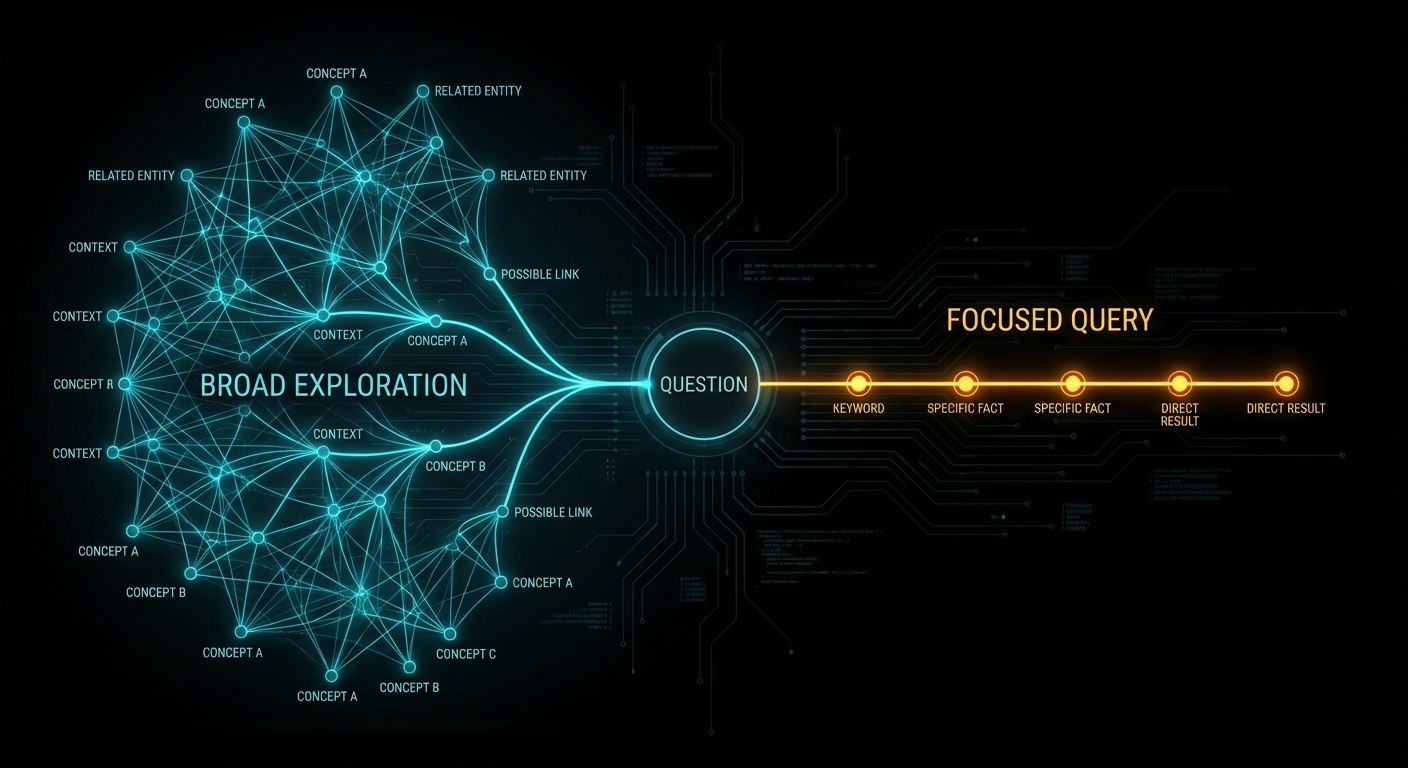
Both questions returned the same answer. But when they expanded the explainability trace, the paths through the graph were completely different. The first question, being open-ended, pulled in concepts from beer gardens, festivals, events, bars, cafes, and dozens of other venue types. The second question, with the word “pub” constraining the search, produced a far narrower traversal. The grounding concepts were different. The subgraph was different. The reasoning path was different. Only the final answer happened to converge.
This is the central insight the demo drives home: two questions that feel identical to a human are semantically distinct to a machine, and context graphs let you see exactly how and why. As Daniel puts it with characteristic bluntness: “If you ask a stupid question, you might get a stupid response.” The explainability trace lets you work backwards from a bad answer and determine whether the fault lay with the query, the data, or the retrieval path.
What the Workbench Actually Shows
The demo walks through TrustGraph’s Workbench interface (accessible at localhost:8888 after deployment). Here is what they demonstrated:
- Document ingestion: Plain text and PDF documents about London venues are uploaded through the Library page and processed through a GraphRAG flow. TrustGraph chunks the documents, extracts entities and relationships, generates vector embeddings, and builds the knowledge graph automatically.
- Vector search entry points: Searching for “Bermondsey” returns semantically similar terms. Clicking a result reveals the fabric of the graph: Bermondsey tube station connects to the Jubilee line, which has a type “transport line”. You can navigate relationships in 3D space.
- 3D graph visualisation: Interactive three-dimensional exploration of graph nodes and edges. Not intended for end users (Daniel jokes it would “send everybody over the edge insane”), but invaluable for understanding graph structure during development.
- Explainability traces: Every query records a full reasoning trace. You can see: the original query, which concepts were extracted, which graph nodes matched, which edges were traversed, why each piece of evidence was selected (with the LLM’s reasoning), and the final synthesis. All traceable back to source documents.
- Source provenance: Every fact in the graph links back to the specific document chunk it was extracted from. You can verify: where did this information come from? When was it ingested? Is it out of date? Do we trust this source?
The Ontology Question
Mark Adams demonstrates both approaches: schema-free extraction (GraphRAG) where the LLM discovers relationships freeform, and ontology-driven extraction (OntologyRAG) where a predefined schema forces precision. For the London venues demo, the ontology defines classes like “atmosphere” (cozy, creative, community spirit), “city”, “neighbourhood”, “event”, and constrains the relationships the graph will accept.
The result with ontologies is significantly more precise. Without an ontology, the LLM sometimes creates duplicate relationships with different names for the same concept. With an ontology, you control the vocabulary, and precision goes up. As Mark explains: “We force it into a much more precise structure.”
TrustGraph sits firmly in the RDF ecosystem rather than the property graph world (Neo4j and similar). The rationale: RDF supports reification (attaching metadata to edges themselves), multi-language representations, and the OWL/SKOS ontology standards natively. These features are essential for explainability and provenance tracking.
But let us be honest about the trade-offs. RDF comes with real costs. SPARQL is notoriously harder to learn than Cypher (Neo4j’s query language). OWL ontologies require domain experts to design and maintain, and they become a governance burden as your data evolves. Property graphs with Neo4j or Memgraph are simpler to reason about, faster for most traversal patterns, and have much larger developer ecosystems. TrustGraph’s choice of RDF is defensible for provenance-heavy enterprise use cases, but it is not the only valid architecture, and for many teams a property graph with LangGraph or LlamaIndex’s knowledge graph module will be simpler to operate and good enough.
The Broader Landscape: TrustGraph Did Not Invent This
Before we go further, some necessary context. The idea of using knowledge graphs to ground LLM responses is not new, and “context graph” is not a category that TrustGraph created from scratch. It is a refined evolution of work that has been shipping in production since late 2024.
Microsoft GraphRAG published the foundational “From Local to Global” paper in April 2024, introducing community-based summarisation of knowledge graphs for query-focused retrieval. Their approach extracts entities and relationships, clusters them into hierarchical communities using the Leiden algorithm, then pre-generates summaries at each level. It is open source, integrates with Neo4j, and has an Azure solution accelerator. Microsoft also shipped LazyGraphRAG (November 2024) to address the cost problem, and BenchmarkQED (June 2025) for automated RAG evaluation.
Neo4j + LangChain/LangGraph is arguably the most widely deployed graph RAG stack in production today. Neo4j’s property graph model with Cypher queries is simpler to learn than SPARQL, has a massive developer community, and integrates directly with LangChain’s retrieval chains. For teams already running Neo4j, adding graph-enhanced RAG requires no new infrastructure.
LlamaIndex Knowledge Graphs provides a Python-native graph RAG pipeline that works with Neo4j, Nebula Graph, and others. It handles entity extraction, graph construction, and hybrid vector+graph retrieval with significantly less operational complexity than a full RDF stack.
What TrustGraph adds to this landscape is specifically the combination of RDF-native ontology support, built-in explainability traces, portable context cores, and multi-model storage (Cassandra, Qdrant, etc.) in a single open-source platform. These are genuine differentiators for provenance-heavy enterprise use cases. But if you do not need ontology enforcement or full reasoning traces, the simpler alternatives above will get you 80% of the benefit at 20% of the operational complexity.
Where Vector RAG Falls Apart (and Context Graphs Save You)
Vector RAG seemed like the answer to everything when embeddings first became cheap. Embed your documents, find similar chunks, feed them to the LLM. Fast, simple, works for demos. Then you deploy it in production and discover the failure modes.
Case 1: The Averaging Problem
You embed two documents. One says “Tokyo’s population is 37.4 million.” The other says “Tokyo has about 35 million people.” Both are semantically similar to the query “What is Tokyo’s population?” The LLM sees both chunks and generates something in between. Maybe 36 million. Confidently wrong.
// Vector RAG retrieval for "What is Tokyo's population?"
chunk_1: "Tokyo's population is 37.4 million" (similarity: 0.94)
chunk_2: "Tokyo has about 35 million people" (similarity: 0.92)
// LLM output: "Tokyo has approximately 36 million people" -- wrong

// Context graph retrieval
node: Tokyo { population: 37400000, source: "UN World Population Prospects 2024",
              confidence: 1.0, lastVerified: "2024-07-01" }
// LLM output: "Tokyo's population is 37.4 million" -- correct, sourced, verifiable
A graph stores one value. The correct value. With a source and a timestamp. No ambiguity, no averaging, no hallucination.
Case 2: The Multi-Hop Blindness
Ask Vector RAG: “How does climate change affect AI research funding?” It needs to traverse: climate change affects government priorities, which influence research funding allocation, which supports AI research. Each of those facts lives in a different document. Vector RAG retrieves chunks that are individually similar to the question but cannot connect them into a reasoning chain.
// Vector RAG: retrieves 3 chunks that mention some of these concepts
// but cannot chain: climate -> govt priorities -> funding -> AI research
// Result: vague, hedge-filled answer

// GraphRAG: traverses the reasoning path
climate_change --[affects]--> government_priorities
government_priorities --[influences]--> research_funding
research_funding --[supports]--> ai_research
// Result: specific, grounded answer with full provenance chain
Independent benchmarks from Iterathon’s 2026 enterprise guide report GraphRAG achieving 83-87% accuracy on complex multi-hop queries versus Vector RAG’s 68-72%. Microsoft’s own evaluation found GraphRAG improved comprehensiveness by 26% and diversity by 57% over standard vector retrieval. These numbers are promising, but a caveat: most published benchmarks come from vendors or researchers with a stake in the outcome. Independent, apples-to-apples comparisons across Microsoft GraphRAG, Neo4j + LangChain, LlamaIndex, and TrustGraph on the same dataset remain conspicuously absent from the literature.
Case 3: The Lost-in-the-Middle Catastrophe
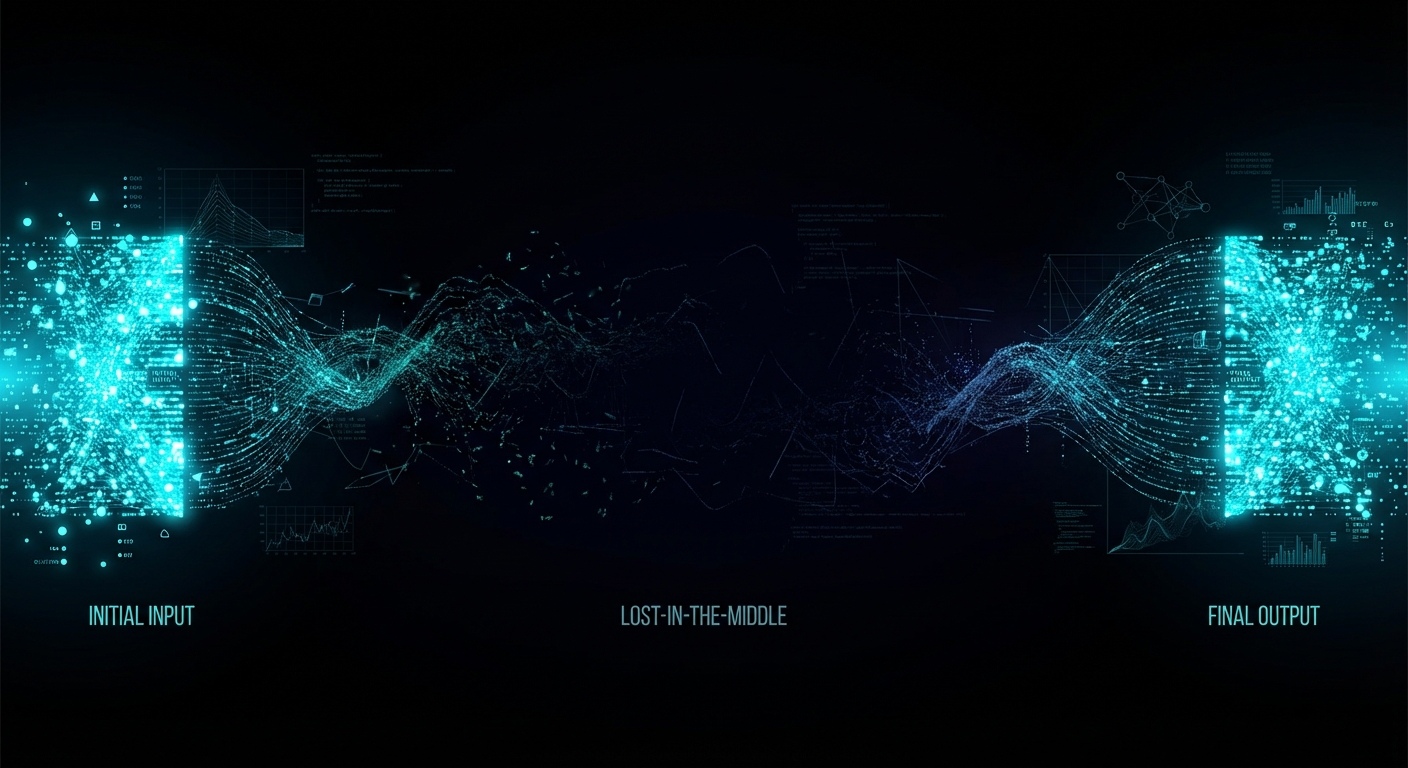
Here is the one that should worry every engineer relying on long context windows as a substitute for proper retrieval. Research by Liu et al. at Stanford demonstrated that LLMs consistently fail to use information placed in the middle of long contexts, even when the context window is enormous.
“Language models exhibit significantly degraded performance when relevant information is positioned in the middle of long contexts, even for models explicitly designed for long-context processing.” — Liu et al., “Lost in the Middle: How Language Models Use Long Contexts”, TACL 2024
TrustGraph’s own testing confirms this pattern holds across models. Chunks of 1,000 tokens extracted 2,153 graph edges. Chunks of 8,000 tokens extracted only 1,352. That is a 59% increase in extracted knowledge just from chunking smaller, using only 4% of the available context window. At 500 tokens, the system extracted 2,975 edges, a 120% improvement over 8,000-token chunks. This pattern held across eight models from six providers: Claude, Gemini, Mistral, Cohere, Llama, and others.
Long context windows do not work. Not because the models are bad, but because the transformer attention mechanism dilutes focus as token count rises. This appears to be inherent to the architecture itself. Context graphs sidestep the problem entirely: instead of cramming everything into a massive context, you extract a small, focused, structured subgraph. The LLM gets exactly what it needs and nothing else.
How to Actually Deploy This: From Zero to Context Graph
TrustGraph is open source (Apache 2.0) and deploys via Docker Compose in minutes. Here is the real pipeline, not the marketing version:
Step 1: Configure and Deploy
# Install and configure TrustGraph
npx @trustgraph/config

# Interactive prompts:
# ? Select your LLM provider: Anthropic / OpenAI / Google / Mistral / Ollama
# ? Select deployment target: Docker / Kubernetes / Minikube
# Generates docker-compose.yaml and INSTALLATION.md

# Deploy
docker compose up -d

# Workbench available at http://localhost:8888
# Grafana monitoring at http://localhost:3000
Step 2: Ingest Documents and Build the Graph
# Create a collection
tg-set-collection \
  -n "Company Docs" \
  -d "Internal documentation" \
  company-docs

# Add a document
tg-add-library-document \
  --name "Security Policy 2025" \
  --id doc-security-2025 \
  --kind application/pdf \
  documents/security-policy.pdf

# Create a GraphRAG flow (no ontology needed)
tg-start-flow \
  -n graph-rag \
  -i security-graphrag \
  -d "Security document knowledge extraction"

# Process the document
tg-start-library-processing \
  --flow-id security-graphrag \
  --document-id doc-security-2025 \
  --collection company-docs
Step 3: Query With Explainability
# GraphRAG query with full provenance
tg-invoke-graph-rag \
  -f security-graphrag \
  -C company-docs \
  -q "What are our top cybersecurity vulnerabilities?"

# Or via the REST API
curl -X POST http://localhost:8001/api/invoke/graph-rag \
  -H "Content-Type: application/json" \
  -d '{
    "flow-id": "security-graphrag",
    "collection": "company-docs",
    "query": "What are our top cybersecurity vulnerabilities?",
    "max-entities": 50,
    "relevance-threshold": 0.7,
    "include-provenance": true
  }'
The TypeScript client library (@trustgraph/client) provides WebSocket-based real-time communication for building production UIs. Python and CLI interfaces are also available.
Step 4: Add Ontologies for Precision (Optional but Recommended)
# Upload an OWL ontology
cat domain-ontology.owl | tg-put-config-item \
  --type ontology \
  --key security-ontology \
  --stdin

# Create an OntologyRAG flow
tg-start-flow \
  -n onto-rag \
  -i security-onto-rag \
  -d "Ontology-driven security knowledge extraction"

# Process with ontology enforcement
tg-start-library-processing \
  --flow-id security-onto-rag \
  --document-id doc-security-2025 \
  --collection company-docs
The Unglamorous Reality: What Graph RAG Actually Costs You
Every GraphRAG vendor demo shows the happy path. Here is what they leave out.
Ingestion Is Expensive and Slow
Building a knowledge graph requires running every document chunk through an LLM for entity and relationship extraction. This is not free. Microsoft’s original GraphRAG architecture dedicates roughly 75% of total indexing cost to graph extraction alone. One production deployment reported $33,000 in indexing costs for a large dataset before a single query was run. A 10,000-document corpus that costs under $5 to embed in a vector database costs $50-200 to process through a GraphRAG pipeline. For context: that is a 10-40x cost multiplier at ingestion time.
Entity Resolution Is the Silent Killer
When your LLM extracts entities from thousands of documents, it will create duplicates. “IBM”, “International Business Machines”, “IBM Corp”, and “Big Blue” are all the same entity. If your entity resolution accuracy drops below roughly 85%, the errors compound exponentially through multi-hop queries. At 85% accuracy with 5 hops, fewer than half your answers remain trustworthy (0.85^5 = 44%). This is not a theoretical problem; it is the most common failure mode in production GraphRAG systems, and neither TrustGraph nor anyone else has fully solved it.
Ontology Maintenance Is a Governance Burden
TrustGraph’s OntologyRAG produces more precise graphs, no question. But someone has to design that ontology, maintain it as your domain evolves, and ensure new documents conform to the schema. In practice, this means a dedicated knowledge engineer or a committee that reviews and updates the ontology quarterly. For organisations that already struggle to maintain a data dictionary, adding OWL ontology governance is a non-trivial ask.
Three Indexes, Three Consistency Problems
Production graph RAG requires keeping three synchronized stores: a graph index for structural traversal, a vector index for semantic similarity, and often a text index for full-text search. Every document addition, update, or deletion must propagate across all three and trigger entity resolution re-evaluation. This is, bluntly, a data engineering nightmare that most demos conveniently skip.
Extraction Hallucinations Are Real
The LLM that extracts entities and relationships from your documents will hallucinate some of them. It will invent relationships that do not exist in the source text, misattribute properties, and occasionally create phantom entities. These extraction hallucinations then become “facts” in your knowledge graph, where they are retrieved with the same confidence score as legitimate data. Garbage in, graph out. Every production deployment needs a quality assurance pipeline to catch extraction errors, and most teams underestimate this effort.
Query Latency Is Not Milliseconds
Vector search returns results in single-digit milliseconds. Graph RAG queries involve: vector lookup to find entry points, graph traversal across multiple hops, LLM-based relevance scoring of candidate edges, subgraph assembly, and finally LLM generation. End-to-end latency is typically 2-15 seconds depending on graph size and traversal depth. For interactive applications where users expect sub-second responses, this is a hard constraint that no amount of clever engineering fully eliminates.
When Context Graphs Are Essential (Real Use Cases)
Context graphs are not a universal hammer. They are a precision instrument for specific categories of problem. Here is where they earn their keep:
- Financial compliance and audit: A financial analyst querying regulatory exposure across multiple counterparties needs multi-hop reasoning across hundreds of documents. Every answer must be traceable to source documents for regulatory compliance. SowFin, a corporate finance company, uses TrustGraph to bring accurate, explainable insights to corporate finance.
- Security operations: Huntbase uses TrustGraph to build Context Cores for SecOps, where AI hallucinations in threat detection are not just inconvenient but dangerous. Cybersecurity requires connecting events, metadata, and threat indicators across thousands of log entries with full provenance.
- Medical and clinical research: Clinical informaticists analysing treatment interactions across patient comorbidities need graph traversal to connect drugs, conditions, contraindications, and outcomes across multiple clinical databases. Approximate similarity search is not acceptable when lives are involved.
- Supply chain management: Tracing component dependencies multiple tiers deep requires genuine relationship traversal. “Which suppliers are affected if factory X in Shenzhen shuts down?” demands multi-hop graph queries that Vector RAG simply cannot do.
- Legal document analysis: Connecting clauses across contracts, precedents across cases, and regulations across jurisdictions. Every connection must be verifiable and traceable.
- Enterprise knowledge management: The “monograph” approach (a single unified graph across all your organisation’s knowledge) enables discovery of relationships across departments and domains that siloed systems miss. This is not unique to TrustGraph; any sufficiently connected knowledge graph achieves this, whether built with Neo4j, Microsoft GraphRAG, or TrustGraph.
When Context Graphs Are Overkill (Be Honest With Yourself)
Now for the part that most GraphRAG vendors would rather you did not read. Context graphs are genuinely overkill for a significant number of common AI use cases. Using one when you do not need one is like hiring a structural engineer to hang a picture frame.
- Small datasets that fit in context: If your entire corpus is under 50 pages (roughly 40,000 tokens), skip RAG entirely. Stuff it all into the prompt. It costs $0.01 per query versus $0.05 for a RAG pipeline, deploys in a day versus four weeks, and the LLM can attend to all of it directly. No chunking, no embeddings, no graph. Simple prompt engineering wins.
- General knowledge queries: Questions the LLM already knows the answer to (world history, common programming patterns, basic science) gain nothing from RAG. You are adding latency without improving accuracy.
- Simple semantic lookup: “Find me documents similar to this one.” A vector store alone is faster, cheaper, and simpler. You do not need graph traversal for similarity search.
- Ephemeral data with unstable entities: If your corpus changes hourly and the entities and relationships are not stable enough to maintain, the cost of continuous knowledge extraction will exceed the value. A vector store with frequent re-indexing may be more practical.
- Speed-critical applications: Vector RAG delivers millisecond responses. GraphRAG takes seconds, sometimes minutes for complex traversals. If sub-100ms latency is a hard requirement, graphs add unacceptable overhead.
- Prototyping and MVPs: Vector RAG takes hours to set up. A full knowledge graph pipeline takes weeks. For a proof of concept, start with Vector RAG and upgrade to GraphRAG only when you have evidence that relationship-aware retrieval would improve your results.
- Single-fact lookup: “What is the capital of France?” Both approaches achieve 94-95% accuracy on simple factual queries. The graph adds no value here.
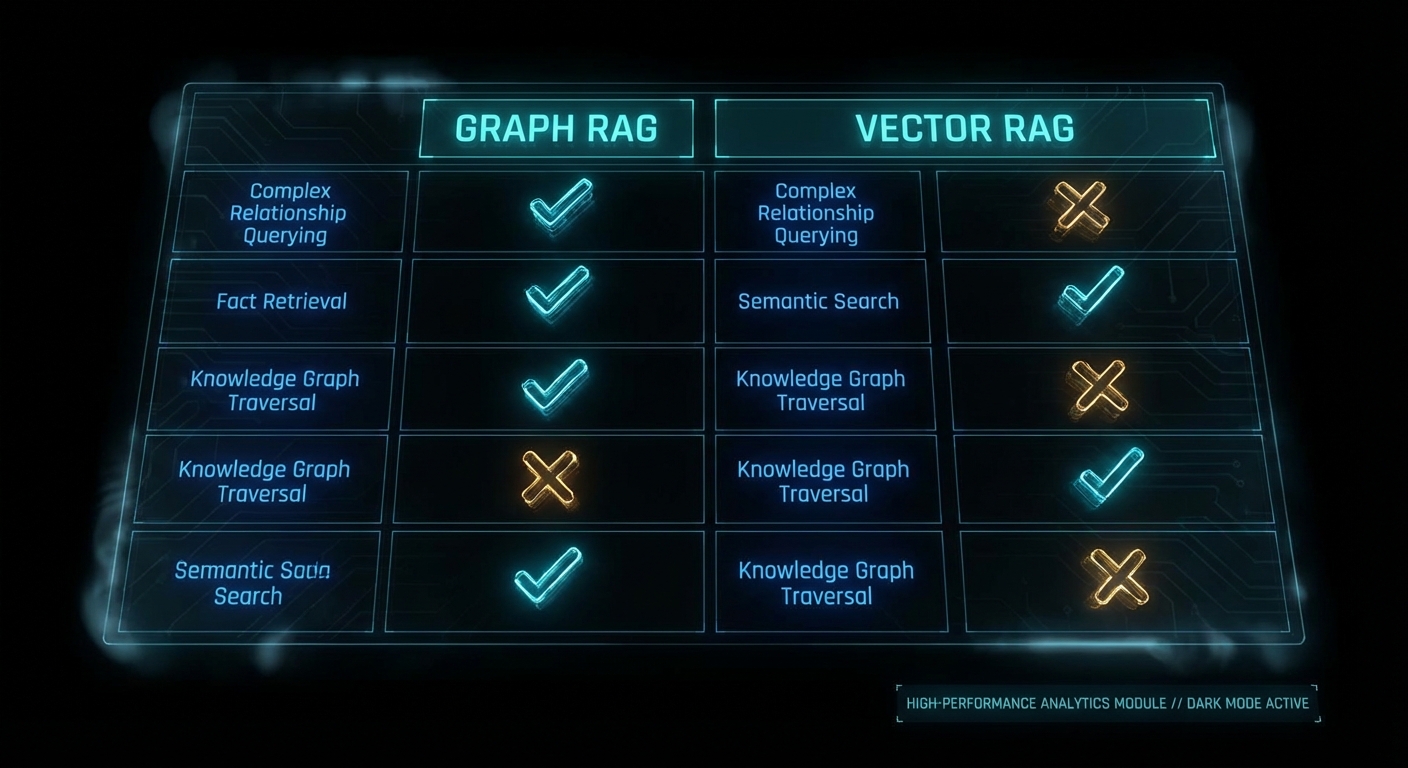
The honest decision matrix: if your questions require understanding relationships between entities, connecting information across multiple documents, or producing explainable, auditable answers, you need a graph. But “need a graph” does not mean “need TrustGraph specifically”. A Neo4j instance with LangChain retrieval chains, Microsoft GraphRAG with community summaries, or LlamaIndex’s knowledge graph module may be simpler to deploy, cheaper to run, and sufficient for your use case. Evaluate the alternatives before committing to the heaviest solution. And if your data fits in a context window, you might not need RAG at all.
The Neuro-Symbolic Promise (and Why This Actually Matters)
Daniel Davis makes a point in the demo that deserves its own section. The deep learning camp believed that enough data and compute would magically produce ground truth. Throw enough parameters at the problem and the model would learn to reason. The neuro-symbolic camp argued you would always need richer semantic structures because language is fundamentally ambiguous, and statistical pattern matching cannot resolve that ambiguity alone.
Context graphs are the practical vindication of the neuro-symbolic position. The LLM handles what it is good at: understanding natural language queries, interpreting intent, generating fluent responses. The graph handles what it is good at: storing precise facts, maintaining relationships, providing provenance, enabling deterministic traversal. Neither can solve the full problem alone. Together they produce something that neither approach could achieve independently.
This division of labour, as described in the TrustGraph demo, is not just a technical architecture decision. It is a philosophical one about what AI systems should and should not be trusted to do. LLMs should generate language. They should not be trusted as databases. Graphs should store and retrieve facts. They should not be expected to understand natural language. Each doing what it does best: that is the future of reliable AI systems.
Other Resources Worth Watching
The TrustGraph video is one perspective in a rapidly maturing field. These resources provide alternative viewpoints and competing approaches:
- “What is a Context Graph?” — TrustGraph’s conceptual explainer on where knowledge graphs end and context graphs begin.
- “The 2025 State of RAG” — Daniel Davis and Kirk Marple revisit their 2024 predictions and make forecasts for 2026.
- “Practical GraphRAG” by Michael Hunger — turning text data into graph structures with LLMs, entity extraction, and community clustering.
- “Knowledge Graphs & GraphRAG” by Zach Blumenthal — practical graph design patterns and retrieval strategies for GenAI.
- “Context Graphs, World Models, and Free Will” — Daniel Davis and Vickey Froyen discussing AI through the lens of cognitive science and philosophy.
What to Check Right Now
- Audit your current RAG pipeline’s failure modes. Ask it multi-hop questions that require connecting information across documents. If it fails or hallucinates, you have a graph-shaped problem.
- Test the “same question, different words” scenario. Ask semantically equivalent questions and compare outputs. If the answers diverge wildly, your retrieval layer lacks semantic understanding.
- Measure your chunk sizes. If you are chunking above 1,000 tokens, you are likely losing information to the lost-in-the-middle effect. Consider chunking at 500-1,000 tokens regardless of your context window size.
- Evaluate whether you actually need a graph. Run the honest assessment: does your use case require multi-hop reasoning, explainability, or relationship traversal? If not, a well-tuned Vector RAG pipeline might be all you need.
- Try TrustGraph locally. Run
npx @trustgraph/config, choose Docker, anddocker compose up -d. Load a few documents and explore the Workbench. You can have a working context graph in under an hour. It is free and open source (Apache 2.0). - Check your explainability requirements. If you are building for regulated industries (finance, healthcare, legal), ask whether you can trace every AI-generated answer back to its source documents. If the answer is no, context graphs are not optional, they are mandatory.
Video Attribution
This article is based on the TrustGraph demo “Context Graphs in Action” by Daniel Davis and Mark Adams. The video demonstrates TrustGraph 2’s context graph capabilities, explainability features, and source provenance using a London venues dataset. No marketing, no hype, just a real demo of real context graphs.
TrustGraph is open source and available at github.com/trustgraph-ai/trustgraph. Documentation at docs.trustgraph.ai. Community on Discord.
nJoy 😉